Self-Billing in KSeF: What It Is and How to Streamline Mass Invoice Import
Self-billing reverses the roles — the buyer issues the invoice on behalf of the seller. In the era of mandatory KSeF, this requires proper permissions and a tool for mass document submission. Find out how it works and how ksefgpt solves it.
What Is Self-Billing?
Self-billing is a mechanism in which the buyer of goods or services — rather than the seller — issues the invoice on behalf of the supplier. In a standard transaction, the seller issues the invoice to the buyer. In self-billing, the roles are reversed: the buyer takes responsibility for issuing the document confirming the purchase.
This mechanism is common wherever a single large entity settles accounts with hundreds or thousands of small suppliers — retail chains settling with farmers and producers, automotive manufacturers settling with component sub-suppliers, e-commerce platforms paying sellers, or construction companies settling with subcontractors. Instead of waiting for an invoice from each supplier individually, the large buyer generates the document based on its own delivery and pricing data.
Important notice: regulations and official interpretations regarding self-billing in KSeF are subject to ongoing changes. This article reflects the state of affairs at the time of publication — always verify key decisions with a tax advisor or on the official Ministry of Finance website.
Legal Basis — Article 106d of the VAT Act
In Polish law, self-billing is governed by Article 106d of the Act of 11 March 2004 on tax on goods and services. The provision allows invoices to be issued by the buyer of goods or services on behalf of the taxpayer (seller), provided that certain formal conditions are met.
Key legal requirements: there must be a prior agreement between the buyer and the seller authorizing the buyer to issue invoices; the parties must establish procedures for invoice verification by the seller; invoices must be issued in accordance with the rules applicable to the taxpayer acting as the seller. Failure to maintain an agreement or verification procedures may result in the tax authority challenging the right to deduct VAT.
From 1 February 2026, with the introduction of mandatory KSeF for large companies, self-billing has gained a new technical dimension. A self-billing invoice must be submitted to KSeF — but who submits it and on whose behalf? We explain this in the next section.
Self-Billing in KSeF — How It Works Technically
In the KSeF system, self-billing requires the buyer to hold appropriate permissions granted by the seller. The seller grants the buyer authorization via the KSeF Taxpayer Application or through the API — without this, the buyer cannot submit documents to the Ministry gateway on the supplier's behalf.
Technically, a self-billing invoice in the FA(3) schema structure is marked with an appropriate field identifying the issuance mode. The KSeF system records who physically submitted the document and on whose behalf (the seller's NIP) the invoice was issued. The unique KSeF number is assigned to the invoice and linked to the seller's account, even though the buyer issued and submitted it.
KSeF permissions are granular — the seller can grant the buyer only the permission to issue invoices, without access to other data. Each permission is separate and can be revoked at any time. Detailed technical documentation is available in the FA(3) logical structures at the Ministry of Finance.
Full technical specifications and current guidelines are available on the official KSeF Ministry of Finance website and the National Revenue Administration portal.
Who Uses Self-Billing?
Self-billing is particularly popular in several sectors. Retail chains and supermarkets settling with hundreds of local food suppliers — instead of waiting for invoices from each farmer or small producer, the chain generates documents based on received goods quantity and agreed prices. The automotive sector, where large manufacturers (OEMs) settle with dozens of component sub-suppliers — self-billing synchronizes settlements with the production schedule and eliminates delays from varying invoice issuance timelines. E-commerce platforms paying commissions and amounts owed to external sellers. Advertising agencies buying media space from many small publishers.
The common denominator: one large entity, many small suppliers, the need to standardize and automate the invoicing process. In these conditions, waiting for an invoice from each supplier individually — with full diversity of formats, timelines and data errors — is operationally inefficient. Self-billing is a systemic solution that moves responsibility for document issuance to where the most data exists and automation capacity is highest.
Mass Invoice Import to KSeF — How ksefgpt Solves It
One of the biggest operational challenges with self-billing is document volume. A company settling with 500 suppliers monthly must generate and submit 500 invoices to KSeF — on behalf of 500 different sellers, each with a different NIP and unique data set. Manual submission through the Ministry interface is practically impossible at this scale.
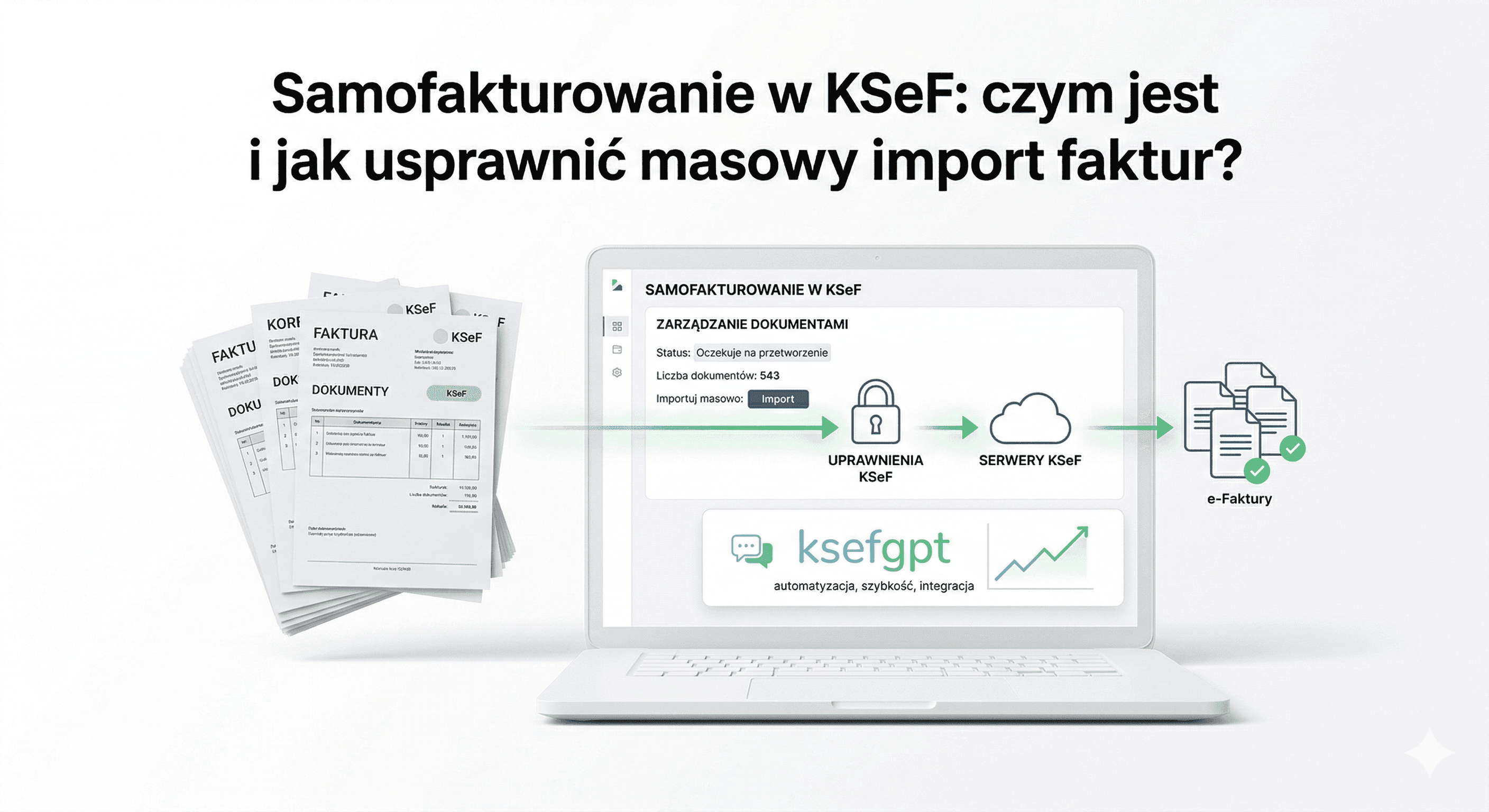
ksefgpt offers mass invoice import to KSeF that solves this problem. Prepare your XML or PDF files, upload them as a batch, and initiate bulk submission — the system queues documents, validates each one before sending, monitors status, and reports the results of the entire session in one clear summary.
In self-billing mode, mass import allows hundreds of invoices to be submitted in minutes rather than hours. Each invoice is validated before submission for compliance with the FA(3) schema, correct NIPs for both parties and checksums — minimizing rejections at the Ministry gateway before documents even reach KSeF.
See Self-Billing Import in Action
Contact us — we’ll walk you through mass invoice import in self-billing mode step by step in a live production environment.
Invoice Module — What It Enables
The ksefgpt Invoice Module is a comprehensive tool for managing invoices in KSeF, designed for both standard settlements and self-billing mode.
Download received invoices — the module automatically synchronizes all invoices directed to your company as a buyer. No need to manually check the Ministry gateway — ksefgpt retrieves new documents in real time and makes them available with filtering, export, and archiving options.
Download issued invoices — a complete list of invoices issued by your company or on your behalf by an authorized buyer (in self-billing mode). Each invoice has an assigned unique KSeF number, assignment date, and current status.
Import single PDF files to KSeF — have an invoice in PDF format? Upload it to the module and the AI converter will recognize the data and generate an FA(3)-compliant XML file ready for submission. Perfect for occasional, non-serialized documents.
Mass import to KSeF — for volumes in the hundreds or thousands of invoices. Upload a batch of files (XML or PDF), the system processes them in parallel, validates each document, and sends to KSeF. Each import session report contains the status of every invoice: successfully submitted, rejected with an error code, or queued.
Step by Step: Mass Import in Self-Billing Mode
Step 1: KSeF permissions. Before the first import, each seller must grant your company permission to issue invoices on their behalf in the KSeF system — via the Taxpayer Application or API. Without this step, every submission attempt will result in an authorization error.
Step 2: Document preparation. Generate self-billing invoices as FA(3)-compliant XML files or as PDF files (ksefgpt will automatically convert them). Each invoice must contain the seller's NIP on whose behalf it is being issued, and all mandatory fields required by the FA(3) structure.
Step 3: Import to the ksefgpt module. Log in to the Invoice Module, select the mass import option, and upload your prepared file batch. The system automatically detects the format (XML or PDF) and runs the appropriate processing pipeline for each document.
Step 4: Validation and submission. Each invoice undergoes automatic validation: FA(3) schema compliance, correctness of seller and buyer NIPs with checksums, date formats (ISO 8601), mathematical consistency of net, VAT, and gross amounts. Documents with errors are flagged — you can correct and resubmit them or initiate submission of the remaining documents without stopping the entire session.
Step 5: Monitoring and report. Upon session completion you receive a full report: number of invoices successfully submitted, rejected by KSeF (with error code and specific document identified), and queued. KSeF numbers assigned to invoices are saved automatically and available for CSV or XML export.
Sources and Legal References
This article was prepared based on the following official sources: Article 106d of the VAT Act — ISAP Polish Parliament; National e-Invoice System — Ministry of Finance; KSeF Taxpayer Application and e-mikrofirma; FA(3) Logical Structures — XML Documents; KSeF — National Revenue Administration.
Legal status: April 2026. KSeF and self-billing regulations may change. We recommend monitoring Ministry of Finance communications and consulting a tax advisor before implementation.
Frequently Asked Questions
Does self-billing require a special agreement with the seller? — Yes. Article 106d of the VAT Act requires a prior agreement between the buyer and seller authorizing invoice issuance. The agreement should specify procedures for document verification by the seller.
Does the seller need to approve each invoice? — Regulations require the existence of a verification procedure, but do not impose an obligation to individually approve each invoice. The parties may agree that absence of objection within a specified period constitutes acceptance.
What permissions must I grant the buyer in KSeF? — The seller must grant the buyer permission to issue invoices on their behalf. This is separate from read permissions — it can be granted without giving access to other data.
Does ksefgpt mass import handle invoices for multiple sellers simultaneously? — Yes. In a single import session you can submit invoices issued on behalf of many different sellers, provided each has granted your company appropriate KSeF permissions.
What happens if the seller hasn't granted me KSeF permissions? — KSeF will reject the invoice with an authorization error. ksefgpt reports this in the session report, indicating the seller's NIP for which permission is missing — allowing immediate corrective action.
Does self-billing cover corrective invoices? — Yes. A buyer holding invoice issuance permission can also issue corrective invoices on the seller's behalf, in accordance with the general rules of the VAT Act.
Summary
Self-billing is a proven mechanism for simplifying settlements in one-to-many relationships — where one buyer settles accounts with many small suppliers. In the era of mandatory KSeF, it requires an additional technical step: the buyer must hold permissions in the Ministry system and have a tool for efficient mass invoice submission.
The ksefgpt Invoice Module addresses both challenges: mass XML and PDF file import, download of issued and received invoices, pre-submission validation, and detailed session reporting — all in one place, without manual login to the Ministry gateway.
Article updated based on the legal status as of April 2026, including mandatory KSeF regulations effective from 1 February 2026.
Manage KSeF Invoices with ksefgpt
Download received and issued invoices, import PDF and XML files, send bulk submissions to KSeF. Create a free account and start today.
Create Free AccountRelated articles
AI Streamlines Electronic Invoices in KSeF: 2026 Guide
How does artificial intelligence detect errors, fraud, and anomalies in KSeF invoices? A practical automation guide for entrepreneurs and accountants in Poland.
KSeFGPT: import, export, analytics and AI for KSeF - all in one application
How KSeFGPT connects directly to the KSeF API, what the AI Chat module, Counterparts module and Invoices module offer - and why the application is available in Polish, English, German and Ukrainian.