More than a tax number
Company details, contacts and conversation history. Pick up where you left off with each customer.
CounterpartiesIssue invoices in KSeF, build relationships and plan your next steps. KSeFGPT helps you take care of everyday business.
7 days of PRO free from registration. A paid plan is required afterwards.
A question about KSeF? Ask AI




Ask about your invoices or how KSeF works. The assistant brings your company’s data together with knowledge of the system that we keep up to date.
AI receives the latest KSeF information on an ongoing basis.
AI can make mistakes. Check important information before making a decision.
Once your account is connected to KSeF, ask about amounts, suppliers and specific documents. The assistant helps you find the information in your invoices.
Changes to KSeF, invoicing rules and everyday questions. Get help from a regularly updated knowledge base, using your own words.
CRM helps you keep track of customers, manage sales and follow through on agreements. Keep your notes together.
Company details, contacts and conversation history. Pick up where you left off with each customer.
CounterpartiesRecord opportunities, update stages and assign the people responsible.
Sales opportunitiesSet the next step, the person and the deadline. Mark a task done and move on.
TasksAccess to sales opportunities and tasks, and their limits, depends on your plan.
Connect KSeFGPT to the tools you already use. Set up notifications and automated document workflows.
What people using KSeFGPT say about the app.
Customer rating: 5/5 · Reviews: 4
Three simple steps and you can issue as many invoices as you need.
Enter the details of the company you will issue invoices for.
Enter your phone number in your account.
Connect your company to KSeF. You’re ready to issue your first invoice.
Register and try PRO free for 7 days. After the trial, continued access requires an active, paid subscription.
Register to use PRO free for 7 days. After the trial, your account becomes inactive if you do not pay or cancel payment.
For small businesses and sole traders
For medium-sized and large enterprises
Have an invoice in PDF? Convert it to KSeF XML for free.
Upload your PDF invoice, review the extracted data and download an XML file in the KSeF FA(3) format.
Convert PDF for freeFree tools: 2 uses in total every 24 hours.
Practical KSeF guides and instructions for the app.

Does your Polish business supply services or ship goods to a Dutch customer? Learn when the buyer accounts for VAT, what a 0% intra-Community supply requires and how to deliver an invoice issued in KSeF.
Read article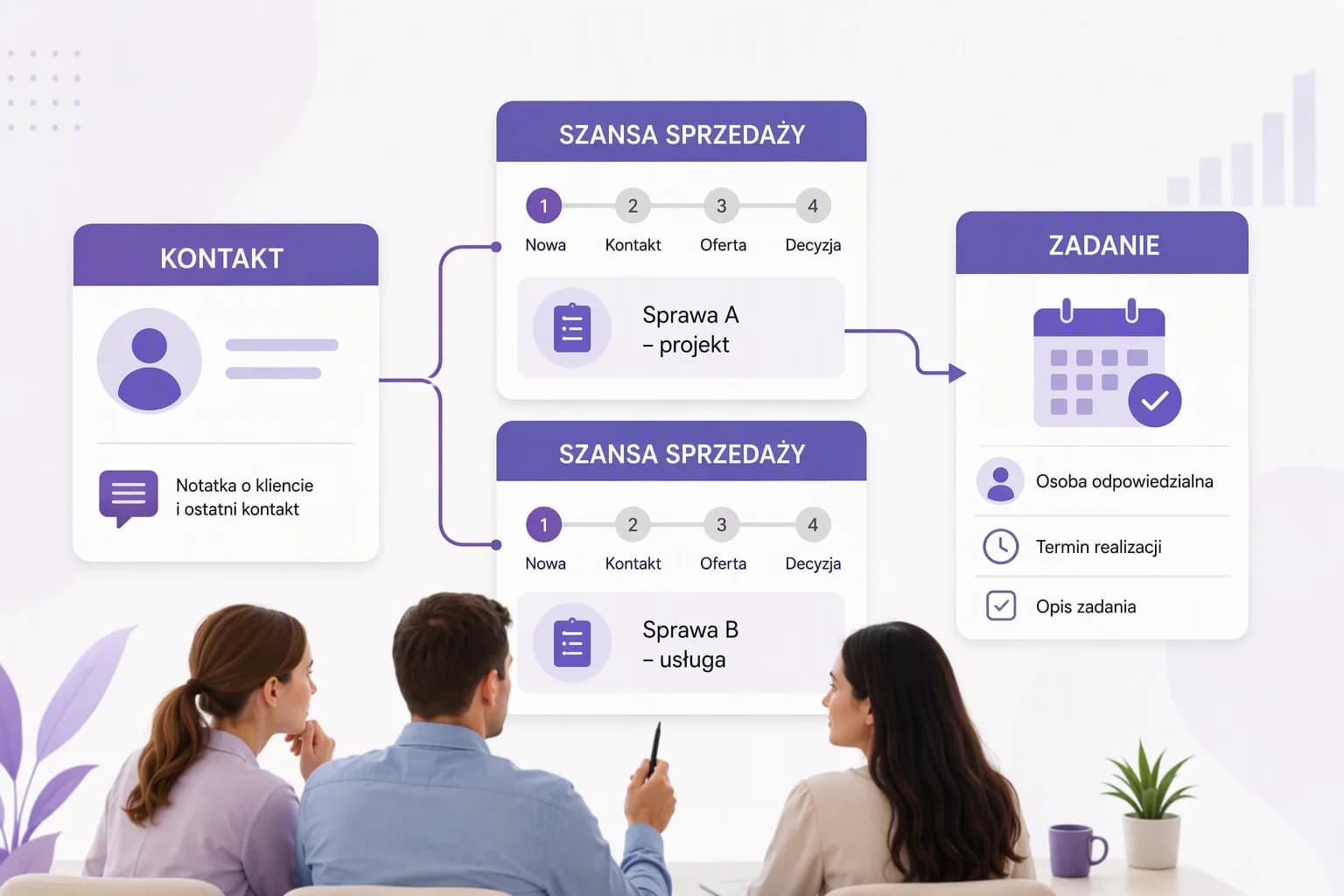
Keep customer information and next steps organized. Find out what your team should test before buying and how to prepare for the move from Excel.
Read article
For a business purchase, the checkout confirmation helps you find the invoice in KSeF. We explain ORLEN S.A.'s procedure, the role of the QR code and how fleet billing differs.
Read article