German-language invoice for a counterparty from Germany in KSeF
How to prepare an invoice for a German counterparty in KSeFGPT, verify DE and VAT EU data, send FA(3) XML to KSeF and generate a German-language informational PDF visualization.
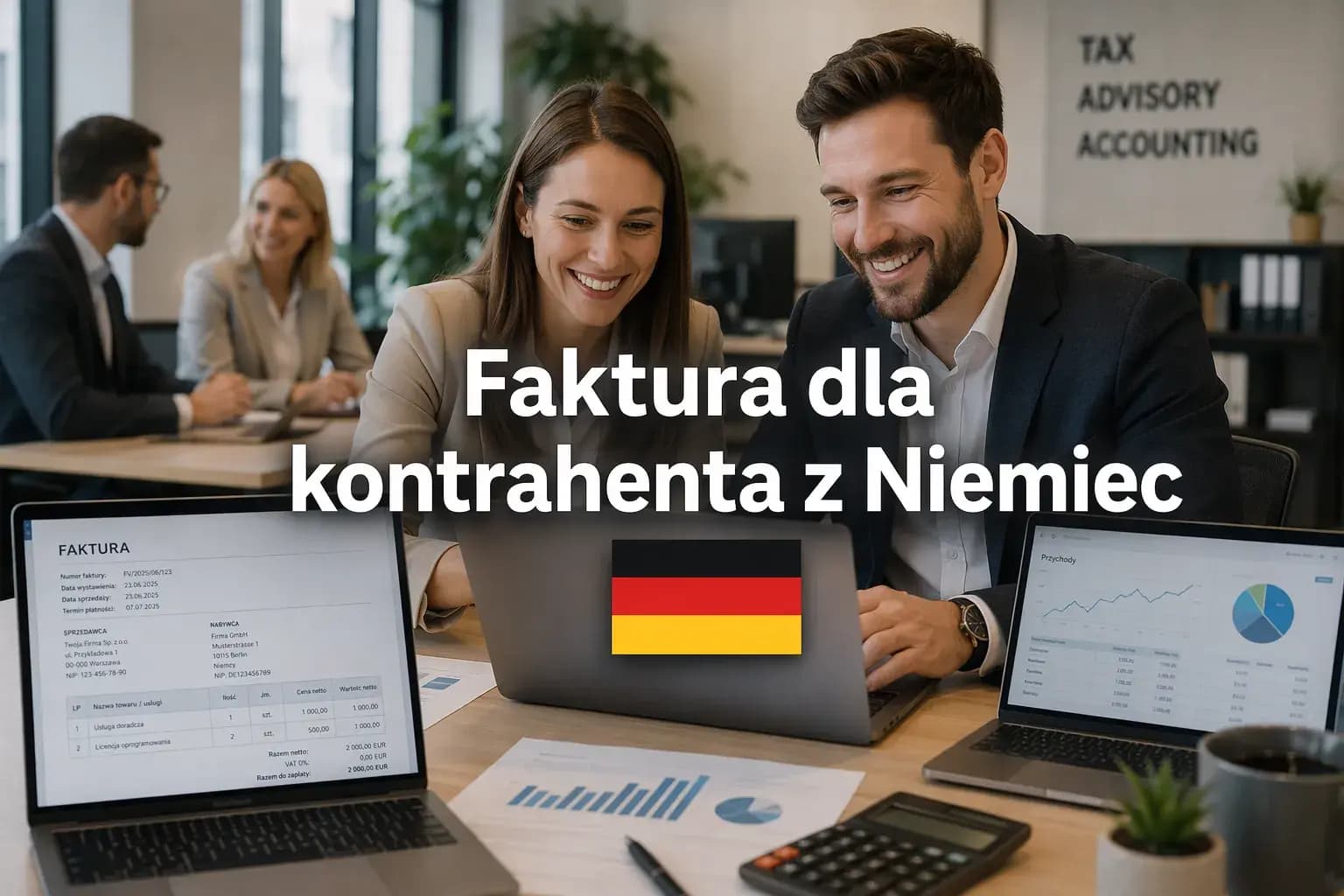
Article Summary
A Polish seller can handle an invoice for a company from Germany in KSeF if the invoice is issued under Polish invoicing rules. This is different from receiving a purchase invoice from a German supplier, which is not automatically an invoice issued by a Polish taxpayer in KSeF.
In KSeFGPT, the user prepares the invoice in the Invoices module, selects or adds a counterparty with country DE, enters the VAT EU identifier if required, address, currency, line items and rates, then checks the preview before sending the XML to KSeF.
KSeFGPT can generate a German-language informational visualization of the invoice as a PDF. That PDF helps the German finance team read the document, but it is not a second invoice and does not change the FA(3) XML data.
Does an invoice for a German company go to KSeF?
If a Polish seller issues an invoice under Polish invoicing rules, a foreign buyer does not automatically remove the document from the KSeF process. In practice, the invoice may be a structured invoice and its primary technical form is FA(3) XML. The difference between invoice data and a readable view is explained in XML and FA(3) format in KSeF.
KSeF is not a universal mailbox for every foreign invoice. If a Polish company receives a document from a German supplier, that purchase document and its tax treatment should be assessed separately by accounting.
This article explains the operational flow in KSeFGPT. It does not decide whether a given transaction is an intra-Community supply, export of services, reverse charge, 0% VAT or another tax case. Confirm that assessment with accounting based on the transaction type and supporting documents.
| Situation | Meaning for KSeF | Check separately |
|---|---|---|
| Polish seller issues an invoice to a German company | The document may be a structured invoice in FA(3) XML. | Transaction type, VAT rate, annotations and VAT EU data. |
| Polish company receives an invoice from a German supplier | This is not automatically an invoice issued in KSeF by a Polish taxpayer. | Purchase accounting, intra-Community acquisition or import of services rules. |
| Counterparty has no Polish NIP | Do not assume they will retrieve the invoice directly from KSeF. | Agreed delivery channel: email, PDF or another document flow. |
What German counterparty data should you prepare?
The process is easier when the German counterparty is saved with the correct country and tax identifier. KSeFGPT supports working with a counterparty database, so the user can select an existing entity or add a new German buyer. For data cleanup, see Building a contractor database from KSeF invoices.
For Germany, the key country code is DE. Names such as Germany, Niemcy or Deutschland may appear in business communication, but invoice data and integrations need a clear country code. For an EU counterparty, the VAT EU identifier may also be relevant.
Do not assume that country DE automatically means 0% intra-Community supply. The VAT rate and required invoice notes depend on the transaction, buyer status, evidence and accounting assessment.
| Data | Example for Germany | Why it matters |
|---|---|---|
| Company name | Muster GmbH | Identifies the buyer on the invoice and in correspondence. |
| Country | DE | Marks the buyer as a foreign counterparty in invoice data. |
| VAT EU | DE123456789 | Identifies the counterparty for EU tax purposes if the transaction requires it. |
| Currency | EUR or another agreed currency | Affects invoice amounts and payment communication. |
| Payment term | For example 14 or 30 days | Helps the recipient process payment after receiving the PDF. |
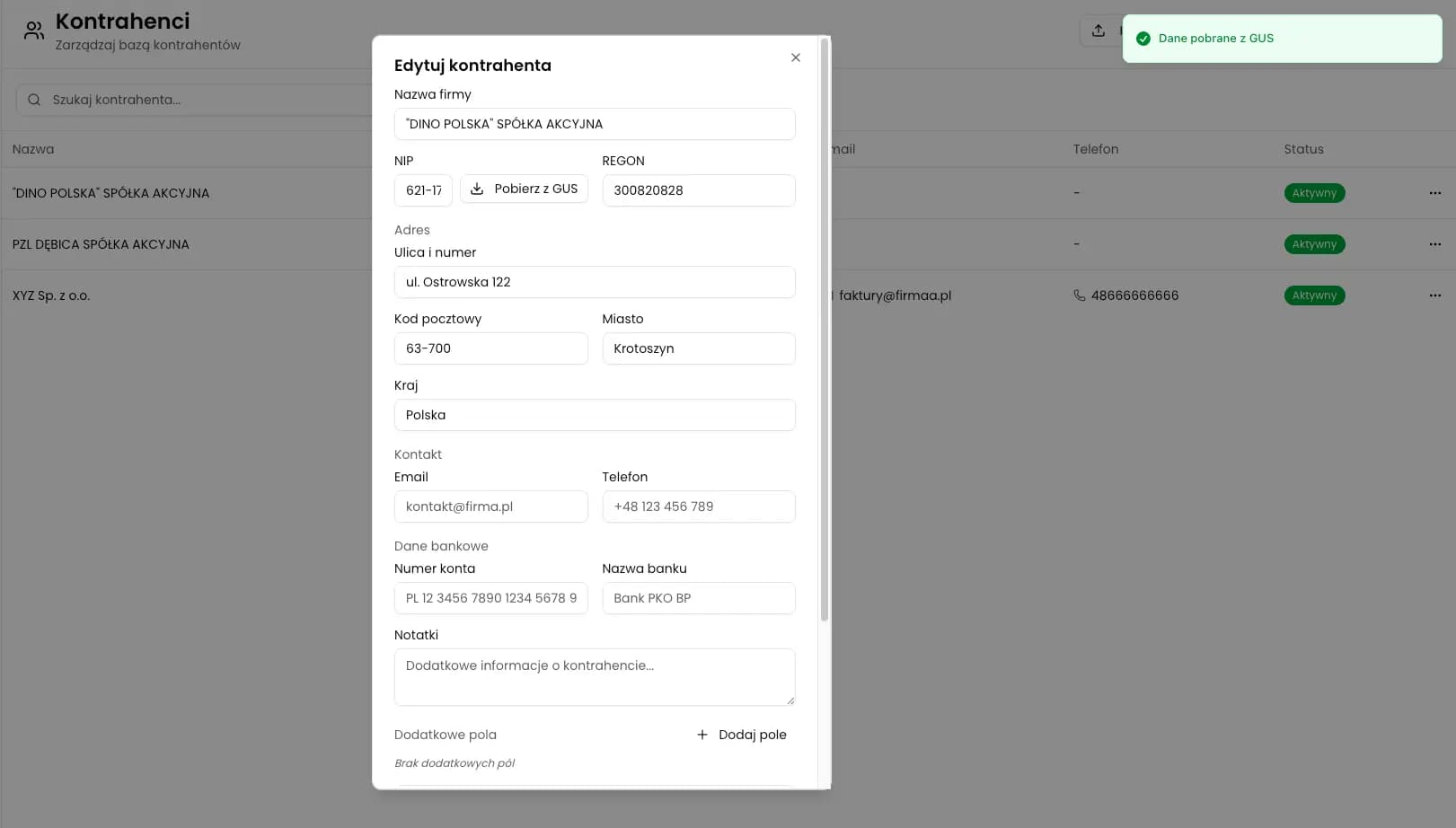
How to issue an invoice for a German counterparty in KSeFGPT
The safer process is to prepare the invoice first, review the preview and XML, and only then consciously send the document to KSeF. Opening a preview or filling out fields should not be treated as submission to the system.
In practice, open the application, go to the Invoices module, start issuing an invoice, choose the active seller company, select or add the German buyer, enter line items, currency, rates and payment term, then review the document before sending it to KSeF.
This distinction matters because invoice data and tax qualification are separate topics. KSeFGPT can help prepare, preview and submit the document, but the user remains responsible for the correctness of data and tax classification.
| Step | What to do | What to watch |
|---|---|---|
| 1 | Open the Invoices module. | Work from structured data, not from a manually prepared PDF. |
| 2 | Start issuing an invoice. | Choose a regular invoice unless you are preparing a correction. |
| 3 | Select the seller company. | Seller data must match the entity submitting the invoice. |
| 4 | Choose or add the German counterparty. | Check country DE and VAT EU identifier if required. |
| 5 | Enter line items, currency, rates and payment term. | Do not automatically apply 0% intra-Community supply without accounting review. |
| 6 | Review the preview and XML. | Check buyer data, amounts, item descriptions and payment term. |
| 7 | Confirm and send to KSeF. | Submission should be a deliberate user action. |
What happens after sending the invoice to KSeF?
After confirmation, KSeFGPT works with the prepared invoice XML and passes it into the submission process. For the user, the important part is the result: the document goes through KSeF submission and later status handling.
For the German counterparty, technical details are usually not the point. They need a readable file, invoice number, amount and payment term. For the seller, the formal invoice history remains in KSeF. The broader process is described in Sending invoices to KSeF.
How to share the invoice with the German counterparty
If the German counterparty will not retrieve the invoice directly from KSeF, the seller should provide a readable document through an agreed channel, most often by email with a PDF attachment.
KSeFGPT solves the practical communication problem here. Instead of sending a Polish visualization to a German finance team, the user can generate a German-language visualization. The document language can be selected in the invoice download flow.
The wording is important: the German PDF is an informational visualization of an invoice issued in KSeF. It should not be described as a second invoice, a new invoice number or an independent accounting document.
For the broader language-version concept, read KSeF invoice in English, German and Ukrainian.

Issue invoices and share German-language visualizations
In the Invoices module, you can work with KSeF invoices, download readable PDFs and generate a German-language informational visualization for a counterparty from Germany.
See the Invoices moduleGerman email text for the counterparty
The email should explain the role of the attachment without creating extra tax claims. The key point is that the file is a German-language visualization of an invoice issued in KSeF.
Subject: Rechnung aus KSeF - Informationskopie
Message: Im Anhang senden wir Ihnen eine informative Visualisierung der in KSeF ausgestellten Rechnung. Die Sprachversion dient der besseren Lesbarkeit. Die Quelldaten der Rechnung bleiben in KSeF. Bitte verwenden Sie die Rechnungsnummer und die Zahlungsfrist aus dem beigefügten Dokument.
This wording does not suggest that a second invoice has been issued. It says that the attachment is a readable version, while the source invoice data remains in KSeF.
Common mistakes with invoices for Germany
The first mistake is leaving country PL next to a German address or entering the wrong identifier for the buyer. That can make counterparty data unclear and create follow-up questions from accounting.
The second mistake is treating the German PDF as a separate invoice. If the user downloads a visualization from KSeFGPT, it should circulate as an informational version, without a new number and without manually creating another document.
The third mistake is assuming that every invoice to Germany automatically means 0% intra-Community supply. That may be correct only under specific conditions and should be confirmed separately.
The fourth mistake is sending a Polish PDF to a German-speaking finance team even though a German-language visualization can be generated in KSeFGPT.
Expert Perspective
For invoices issued to German counterparties, the main risk is not the language of the PDF. The risk appears when invoice data, tax qualification and counterparty communication are mixed into one decision.
A practical process separates those layers: verify counterparty data and line items before submission, confirm VAT treatment with accounting, and treat the German PDF as a communication aid. The counterparty receives a readable document, while the formal invoice history remains aligned with KSeF.
That is why this article uses the phrase informational visualization. It is less flashy than saying invoice in any language, but it describes the KSeF reality more accurately: the display language changes, not the source invoice.
Frequently Asked Questions
Can you issue a KSeF invoice for a company from Germany?
Yes, if the document is an invoice issued under Polish invoicing rules. A German buyer does not automatically exclude KSeF. For a German counterparty, verify country code DE, the VAT EU identifier if required, address data, currency and payment terms.
Does the invoice for a German counterparty have to be issued in German?
No. You should not create a second invoice only to have German wording. In KSeFGPT you can prepare the invoice data for FA(3) XML and then generate a German-language informational PDF visualization for the counterparty.
Is the German PDF from KSeFGPT a second invoice?
No. The German PDF is an informational visualization of invoice data, not a second invoice and not a certified translation. The source of truth remains the FA(3) XML, the KSeF number and UPO after the document is accepted by KSeF.
Will a German counterparty download the invoice directly from KSeF?
A foreign recipient without a Polish NIP should not be assumed to retrieve the invoice directly from KSeF. The seller should provide the readable document through an agreed channel, for example by email as an informational PDF.
Recommendation
First, read KSeF invoice in English, German and Ukrainian to understand why a translated PDF is a communication layer, not a change to invoice data.
If you work with German companies regularly, organize your counterparty records using Building a contractor database from KSeF invoices.
When the buyer data is ready, continue with Sending invoices to KSeF. For the technical document layer, return to XML and FA(3) format in KSeF.
Issue an invoice and generate a German PDF in KSeFGPT
KSeFGPT helps prepare an invoice for a German counterparty, review data before KSeF submission and generate a German-language informational visualization for the recipient.
See the Invoices moduleSources
This article was prepared using official Ministry of Finance materials on KSeF 2.0 and KSeFGPT product information, checked on June 14, 2026.
- KSeF 2.0 questions and answers
Polish Ministry of Finance · accessed: June 14, 2026
Official answers on KSeF operation, including foreign counterparties and sharing documents with recipients outside Poland.
- Structured invoice and FA logical structure
Polish Ministry of Finance · accessed: June 14, 2026
Official explanation of structured invoices, FA(3) logical structure and XML as invoice data.
- KSeF number and collective identifier
Polish Ministry of Finance · accessed: June 14, 2026
Information on the KSeF number assigned after an invoice is accepted by the system.
- Issuing and receiving invoices
Polish Ministry of Finance · accessed: June 14, 2026
Ministry guidance on issuing, receiving, visualizing and downloading invoice documents.
- KSeFGPT Invoices module
KSeFGPT · accessed: June 14, 2026
Product information about working with invoices and readable document versions in KSeFGPT.
Expert reviewed: Bogdan Mazurek
Tax adviser · June 14, 2026
The material was reviewed for correct separation of invoice data, KSeF submission, German-language informational visualization and tax questions intentionally left for separate VAT and accounting assessment.