Free PDF to XML KSeF Converter - FA(3) Online in 2026
Free PDF to XML KSeF converter - just an email address. Step by step: how to turn a PDF invoice into FA(3) and submit it to KSeF in 2026.
Summary
Key takeaway: KSeF (Poland's National e-Invoicing System) does not accept PDF invoices - it requires XML files compliant with the FA(3) logical schema, which has replaced FA(2) since February 1, 2026. A free PDF-to-XML converter lets you turn an existing PDF invoice into a file ready for submission to the Ministry of Finance gateway.
Practical advice: KSeFGPT offers a free PDF-to-XML converter. Just provide an email address - no need to create a full account. The free plan is limited to 5 conversions per day. After uploading the file, AI recognizes the invoice fields, you verify them, and you download the ready FA(3) XML.
Warning: generating an XML file does not mean it was sent to KSeF. Conversion and submission are two separate steps - after downloading the XML you must transmit it to KSeF via the Ministry of Finance Taxpayer Application, your own accounting software, or a paid KSeFGPT plan with auto-submission. Always validate the file before sending.
Why you need a PDF-to-XML converter for KSeF
From April 1, 2026, the obligation to issue structured invoices in KSeF (Poland's central e-invoicing system) applies to all active VAT taxpayers - not only large companies (already in KSeF since February 1, 2026), but also micro, small, and medium enterprises, including sole proprietorships. The smallest businesses (monthly gross sales up to PLN 10,000, invoices up to PLN 450) join from January 1, 2027.
The problem: KSeF technically does not accept PDF files. It is a structured-data exchange system that only accepts XML compliant with the FA(3) schema. A PDF, however well designed graphically, is unreadable to the Ministry of Finance gateway. So if you receive cost invoices from counterparties in PDF, or you issue invoices in a tool without KSeF integration, you need a bridge: a PDF-to-XML converter.
This guide walks you through the free conversion of a PDF invoice into an FA(3) XML file. It shows when a converter is actually needed (and when it is not), how to choose a tool, what to look at during validation, and compares the main free options: KSeFGPT, the Ministry of Finance Taxpayer Application, and generic converters such as Aspose or CloudConvert.
What KSeF actually requires: PDF or FA(3) XML?
Several terms around KSeF are commonly confused. Telling them apart is the foundation on which everything else rests.
A PDF is a visualization of a document. It may look great graphically and be electronically signed and sent by email - but under the new KSeF rules it is only an image of an invoice, not the invoice itself. KSeF does not accept it.
An electronic invoice is any digital document meeting the legal requirements (e.g. a PDF with a qualified signature sent by email). This is a broader concept than KSeF and existed before its introduction.
A structured invoice (faktura ustrukturyzowana) is narrowly defined: an XML file compliant with the FA(3) schema, transmitted to KSeF and assigned a unique KSeF number. Only this form fulfills the obligation under the Polish VAT Act from February 1, 2026 (large companies) and April 1, 2026 (all other VAT taxpayers).
The FA(3) schema has applied since February 1, 2026, replacing FA(2). Every XML file submitted to KSeF must use the namespace required by FA(3) - the current URI is published at ksef.podatki.gov.pl/pliki-do-pobrania-ksef-20. If the converter generates files in the older FA(2) format, they will be rejected by the gateway.
When you need a PDF-to-XML converter
Not everyone needs a PDF-to-XML converter. Many companies can skip this step entirely if their accounting process is already integrated with KSeF. The three questions below help you decide in 30 seconds.
Question 1: Are your sales invoices already created in an ERP or accounting program with KSeF integration (e.g. Comarch, enova, Symfonia, iFirma)? If YES - no converter needed. Your program exports FA(3) XML and transmits it to KSeF directly. If NO - go to question 2.
Question 2: Do you receive cost invoices from counterparties in PDF that you need to register or pass on in XML? If YES - you need a PDF-to-XML converter. This is the most common scenario for B2B companies and accounting firms. If NO - go to question 3.
Question 3: Do you issue fewer than 5 invoices per month, and do it manually? If YES - consider the KSeF Taxpayer Application (free, official, run by the Ministry of Finance) - it lets you type invoice data into a form and generate XML without converting from PDF. If NO and you need bulk conversion (dozens or hundreds of invoices), use a free online converter for individual documents or a paid KSeFGPT plan with bulk CSV/PDF import.
| Scenario | Recommended tool | Cost |
|---|---|---|
| Sales invoices in an ERP with KSeF integration | Your accounting program - no converter | ERP license |
| Cost invoices from counterparties in PDF | Free PDF-to-XML converter (KSeFGPT) | PLN 0 |
| Fewer than 5 invoices per month, manual | Ministry of Finance Taxpayer Application | PLN 0 |
| Dozens to hundreds of invoices per month | Paid plan with bulk import (KSeFGPT, ERP) | From several dozen PLN/month |
| Accounting firm serving multiple clients | Bulk import + multi-company management (KSeFGPT, ERP) | Plan for accounting firms |
Step by step: converting a PDF invoice to XML in KSeFGPT
Below is the full conversion process in the free KSeFGPT converter. It takes from 30 seconds to a few minutes depending on invoice complexity.
Step 1 - prepare the PDF file. For scans aim for at least 300 DPI. If the invoice is multi-page, merge pages into a single document. Heavy watermarks can overlap key data - use clean versions when possible. The KSeFGPT converter accepts PDF files (application/pdf).
Step 2 - go to the free PDF-to-XML converter. To use the free plan, just provide an email address - no full account, no payment. The free plan is limited to 5 conversions per day - for higher volumes, choose a paid KSeFGPT plan with bulk import.
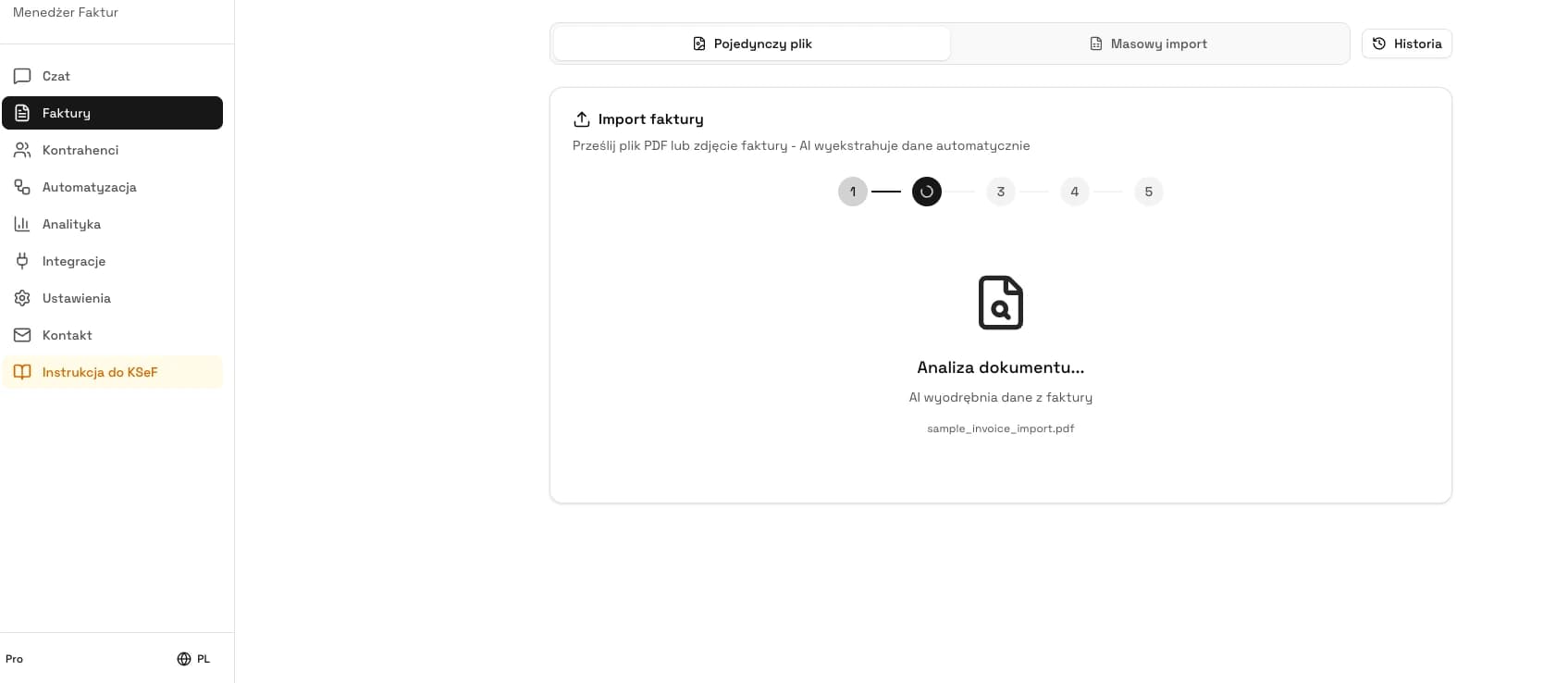
Step 3 - upload the PDF (drag-and-drop or click). The AI reads the invoice structure: seller and buyer NIP (Polish tax identification number), entity names, issue date (P_1) and sale date (P_6), invoice number, line items (description, quantity, unit price, VAT rate, totals), bank account number, currency code. The tool is designed to recognize standard FA(3) fields, but flags any uncertain fields for manual review.
Step 4 - verify the recognized data in the preview. This is the critical moment. Check in particular: the NIP checksum (10 digits, no PL prefix), date format (YYYY-MM-DD), VAT rate codes (per the Ministry dictionary), mathematical consistency (net + VAT = gross to the penny), exchange rate (for non-PLN invoices). Flagged fields are highlighted - correct them manually.
Step 5 - download the FA(3) XML file. You can save it to disk and import into your accounting program or submit via the Ministry of Finance Taxpayer Application. On a paid KSeFGPT plan you can submit directly to KSeF from the app. Remember: download is not submission - they are two separate steps.
Before submitting to KSeF, run a validator. KSeFGPT also offers a free XML validator - it checks compliance with the current FA(3) schema, field formats, and checksums.
Comparison of free PDF-to-XML converters
On the market in 2026 you have three realistic free paths for converting a PDF invoice to FA(3) XML. Each has its own profile of convenience and limitations. State of the offering - May 2026.
KSeFGPT (free converter) - free plan after providing an email address, up to 5 conversions per day, generates files in the full FA(3) schema. KSeF Taxpayer Application (official Ministry of Finance free tool) - free, run by the Ministry, but does not convert PDFs - it lets you enter invoice data manually and generate XML. Generic converters (Aspose, CloudConvert) - convert any PDF to XML but do not know the FA(3) schema - they generate non-compliant XML.
| Feature | KSeFGPT | MF Taxpayer Application | Generic (Aspose, CloudConvert) |
|---|---|---|---|
| Free tier | Up to 5 conversions per day after providing an email address | Free - manual entry | Usually conversion limit on free plan |
| Registration | Email address only (no full account) | Authentication via official MF login | Usually required |
| FA(3) schema | Yes | Yes | No - generic XML |
| Input format | No conversion - manual entry | PDF (and others) | |
| Validation before download | Yes (XML validator) | Yes (during manual entry) | None |
| Submission to KSeF | Yes (paid plans) | Yes | None |
Checklist: what a valid FA(3) XML file must contain
No matter which converter you use, the generated XML file must meet a set of structural requirements. The checklist below covers mandatory fields most often checked in XSD validation and Ministry of Finance business rules.
1. Namespace compliant with the FA(3) schema - current URI published at ksef.podatki.gov.pl/pliki-do-pobrania-ksef-20. A file with the FA(2) namespace will be rejected.
2. System code in the header - indicating the FA(3) schema version.
3. Seller NIP (Polish tax ID) - 10 consecutive digits, no country prefix, with a valid checksum.
4. Buyer NIP (or alternative identifier) - for individuals without business activity, the buyer-without-NIP flag is required.
5. Issue date P_1 in ISO 8601 format (YYYY-MM-DD). Entries like 15.04.2026 or 15/04/2026 are rejected.
6. Sale date P_6 - required if different from the issue date.
7. Line items with description up to 512 characters (FA(3) extended the limit from the 256 characters in FA(2)).
8. VAT rate - letter code per the Ministry dictionary (not the number 23 or 8 - the proper FA(3) code).
9. Mathematical consistency - the sum of net items and tax must match the gross amount to the penny.
10. Bank account number - up to 34 characters (FA(3) extended the field for IBAN and foreign accounts).
11. Currency code per ISO 4217 (PLN, EUR, USD, GBP). For foreign currencies - the conversion rate.
12. Optional attachments - FA(3) allows up to 5 attachments, each up to 10 MB. The XML file itself: up to 3 MB without attachments, up to 60 MB before compression when attachments are included.
What most often breaks FA(3) XML after conversion
Conversion from PDF to XML is never 100% error-free - quality depends on the source file, the counterparty's invoice layout, and how well the converter understands FA(3) fields. Below are the six most common post-conversion errors and how to fix them.
1. Incorrect NIP checksum - the converter misread one digit or swapped two adjacent ones. Diagnosis: the validator returns an invalid-NIP message. Fix: verify the NIP on the official taxpayer registry and correct manually before downloading the XML.
2. VAT rate outside the Ministry dictionary - '23%' or the number 23 instead of the proper FA(3) letter code. Diagnosis: the KSeF gateway rejects at the XSD validation stage. Fix: a good converter maps rates automatically - if not, correct the code in the preview.
3. Wrong date format - 15.04.2026 instead of 2026-04-15. Common with invoices from foreign counterparties. Fix: correct in the preview before downloading.
4. Missing ISO 4217 currency code - for invoices in EUR, USD, or GBP. Diagnosis: error 400 from the KSeF gateway. Fix: set the currency code and add the NBP rate from the day preceding issuance.
5. Mathematical inconsistency - the sum of net items and VAT differs from the gross amount by 1 penny. Fix: recalculate items with 2-decimal precision using banker's rounding.
6. FA(2) namespace instead of FA(3) - the converter has not been updated to the schema in force since February 1, 2026. Diagnosis: the gateway returns a schema mismatch error. Fix: use a converter that supports FA(3) (e.g. KSeFGPT, updated ERP).
After every conversion, run the validator. KSeFGPT offers a free XML validator that checks compliance with the current FA(3) schema, field formats, checksums, and business rules.
When the free converter is no longer enough
The free PDF-to-XML converter is excellent for individual documents, but it has limits. Below are three volume thresholds and what is worth considering at each.
Threshold 1: 1-5 invoices per month. The free converter is fully sufficient. Convert one by one, validate, submit via the Ministry of Finance Taxpayer Application. Annual cost - PLN 0.
Threshold 2: 5-50 invoices per month. The free converter still works, but uploading file by file becomes tedious. Consider integrating conversion into your accounting program or moving to a paid KSeFGPT plan with bulk PDF import (convert e.g. 20 files in one click).
Threshold 3: 50+ invoices per month or an accounting firm. You need a full workflow: bulk import (CSV/PDF), AI column mapping, batch validation, automated submission to KSeF, UPO archiving, multi-company management. The free converter will not cover this - move to a paid KSeFGPT plan or ERP with a KSeF module.
KSeFGPT offers paid plans with a 1-day free PRO trial - you can test bulk import, batch validation, and auto-submission before buying.
| Volume / scenario | Recommendation | Indicative annual cost |
|---|---|---|
| 1-5 invoices per month | Free converter + MF Taxpayer Application | PLN 0 |
| 5-50 invoices per month | Free converter or accounting program integration | PLN 0 - a few hundred PLN |
| 50+ invoices or accounting firm | Paid KSeFGPT plan with bulk import or ERP | From several dozen PLN/month |
Security: what happens to your PDF after upload
An invoice contains personal data (NIP, counterparty name, address, transaction value) - protected under GDPR. By uploading a PDF to a free converter you entrust that data to an external tool, so security matters when choosing one.
Good practices to require from a converter: encrypted transmission (HTTPS/TLS), servers located in the European Union, automatic deletion of uploaded files after conversion, a clear privacy policy describing retention periods, and no sharing of data with third parties.
KSeFGPT processes files in the browser session and does not retain files from the free converter long term. See the current privacy policy at /en/polityka-prywatnosci. For especially sensitive documents (e.g. medical data, information covered by professional secrecy), consider anonymization before upload or use an on-premise solution.
What KSeFGPT offers beyond the free converter
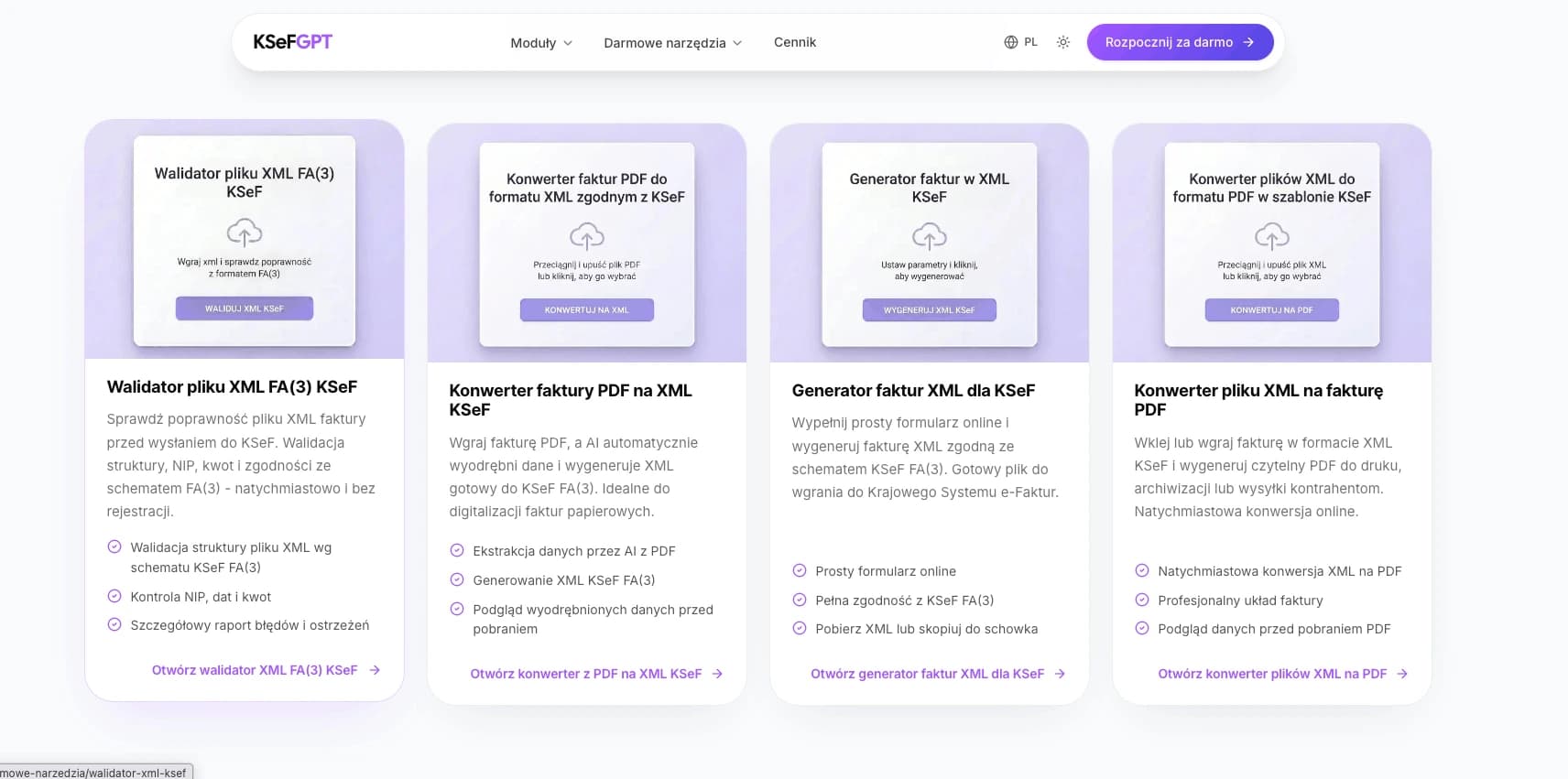
The free PDF-to-XML converter is just one of KSeFGPT's public tools - others, including the XML validator, are available on the free tools page. Each launches after you provide an email address. The full KSeFGPT platform, however, offers a much broader feature set for taxpayers and accounting firms.
AI assistant - a chat interface for KSeF that answers questions about regulations, deadlines, validation errors, and procedures.
Bulk CSV/PDF import with AI mapping - upload a CSV or PDF batch and automatically map columns to FA(3) fields. Ideal for accounting firms and high-volume companies.
KSeF integration - direct submission of invoices to the Ministry gateway, downloading cost invoices, automatic UPO retrieval, status monitoring.
KPiR and revenue analytics - dashboards summarizing data from KSeF: revenues, costs, VAT structure, counterparties.
Automations (workflows) - event triggers (new invoice, status change) with actions in Slack, Telegram, email, or your own webhook.
Multi-company management - one login, many NIPs, separated data and permissions - essential for accounting firms.
KSeF certificates and tokens - authorization management without manually keeping track of tokens.
Paid plans with a 1-day free PRO trial - test the full functionality before deciding.
Convert a PDF invoice to KSeF XML now - free plan with email
Upload a PDF, download FA(3) XML ready to submit. Free plan: up to 5 conversions per day. No full account, no payment.
Open the converterExpert perspective: PDF conversion in practice in 2026
From the viewpoint of companies entering the KSeF obligation in the second quarter of 2026, PDF-to-XML conversion is the most common first encounter with the new system. Most entrepreneurs only realize the problem when they receive their first cost invoice from a counterparty - a PDF that does not fit KSeF.
The second common pattern is companies that issued invoices for years in tools without KSeF integration (e.g. Word or Excel, older versions of accounting programs). Here the PDF-to-XML converter is a temporary bridge - it lets you meet the obligation before moving to a modern accounting system with native integration.
From accounting firms' perspective the picture is different. Scale matters - 30 clients, each with dozens of invoices per month, means thousands of documents. A free converter is only a fallback for unusual cases - the daily tool is bulk CSV/PDF import, automatic mapping, and automatic submission.
Practical recommendation for May 2026: if you are just starting with KSeF, test the free converter on 3-5 archive invoices. Check field-recognition quality, run the result through the validator, verify against the source. Only then decide whether to stay with the free tool or move to a paid plan with bulk import.
Frequently asked questions
Is the free PDF-to-XML KSeF converter really free? - KSeFGPT offers a free PDF-to-XML converter - just provide an email address, no full account, no payment. The free plan is limited to 5 conversions per day (state of the offering as of May 2026).
Do I need to register to convert a PDF to KSeF XML? - In the KSeFGPT free converter, just provide an email address - no full account required. The Ministry of Finance Taxpayer Application requires authentication via official MF login methods.
What file formats does the PDF-to-XML KSeF converter support? - The KSeFGPT free converter accepts PDF files (application/pdf). For scans, the recommended resolution is at least 300 DPI.
Does the converter automatically submit the XML to KSeF? - No. Conversion and submission are two separate steps. The free converter generates an XML file that you download to disk. Submission to KSeF requires authentication (KSeF token or certificate) and is done via the Ministry of Finance Taxpayer Application, your own accounting software, or a paid KSeFGPT plan with auto-submission.
Will the XML from the free converter be accepted by KSeF? - Only if it is compliant with the FA(3) schema (in force since February 1, 2026) and passes technical (XSD) validation and Ministry business rules. Always run the file through an XML validator before submission - KSeFGPT offers a free XML validator.
Related articles
If you want to dig deeper into PDF-to-XML conversion and KSeF operations, start with these articles:
PDF to KSeF XML Converter - the sibling article with a descriptive approach to the tool, a video tutorial, and a market overview.
Can you send a PDF to KSeF? - detailed explanation of the differences between a PDF, an electronic invoice, and a structured invoice.
XML and the FA(3) format in KSeF - technical foundations of the FA(3) schema, mandatory and optional fields, namespace.
XML validation and processing in KSeF - how to verify the XML file before submitting it to the Ministry gateway.
Try the free PDF-to-XML KSeF converter - just an email address
Upload a PDF invoice and AI recognizes the data and generates an XML file compliant with the FA(3) schema. Free plan: up to 5 conversions per day. No full account, no payment.
Open the free converterZweryfikowano merytorycznie: Bogdan Mazurek
Tax advisor · May 13, 2026
Content reviewed for compliance with current KSeF 2.0 rules effective from February 1, 2026, and the FA(3) logical structure.
Related articles
Zondacrypto scandal and KSeF - tax transparency 2026
What links the Zondacrypto collapse to KSeF? Analysis: DAC8, MiCA, PIT-38, and missing documentation. Lessons for crypto firms and accountants in 2026.
KSeF AI - What is Artificial Intelligence in KSeF 2026?
What is KSeF AI, when does it make sense and when does it not? Definitions, market landscape 2026, ViDA, GDPR and a map of AI applications in invoicing in Poland.
How Long to Send an Invoice to KSeF? Deadlines 2026
How long do you have to send an invoice to KSeF? Deadlines in online, offline24, unavailability and failure modes. Specific days and legal basis 2026.
Bulk invoice submission to KSeF from CSV
How to mass-send invoices to KSeF: batch sessions, CSV structure, FA(3) mapping, validation, and bulk import with KSeFGPT.