KSeF: What to Do When the Mobile App Is Not Working
Check whether the issue is your phone, login, permissions or KSeF availability. See safe steps and fallback options.
Summary
If the KSeF mobile app is not working, do not start by deleting data or reinstalling it. First identify whether the problem is the phone, app version, National Login Node authentication, company permissions or KSeF availability.
The KSeF 2.0 mobile app works in the production environment. This means an invoice submitted from the app enters the real legal and accounting workflow.
If the invoice is urgent, prepare a fallback: a web app, accounting system, API integration or KSeFGPT. The objective is not to fix the phone at all costs, but to issue valid FA(3) XML, submit it to KSeF and receive the KSeF number and UPO.
The KSeF mobile app problem in practice
The common mistake is to call every issue "KSeF is not working". A crashing app, failed biometrics, an outdated version, a Profil Zaufany outage, missing NIP permissions and official KSeF unavailability are different situations.
The Ministry of Finance describes the KSeF 2.0 mobile app as a free tool for entrepreneurs, available in Google Play and the App Store. It supports invoices, buyers, bank accounts, business-card data, invoices and corrections. The official page also states that the app is available only in production.
Separate the problem into four layers:
1. Phone: operating system, network, memory, biometrics and the browser used during authentication.
2. App: version, forced update, terms acceptance, local data and drafts.
3. Identity and permissions: National Login Node, Profil Zaufany, mObywatel, mojeID, e-ID and actual company permissions.
4. KSeF: service status, maintenance, unavailability, failure or request limits.
Once the layers are separated, diagnosis becomes much safer.
| Symptom | Most likely layer | First safe step |
|---|---|---|
| The app will not open | Phone or app | Check the update, free memory and restart the phone. |
| Biometrics do not work | Phone or login settings | Use the app PIN as the fallback access method. |
| Login does not complete | National Login Node or Profil Zaufany | Check whether the identity method works outside the app. |
| The company profile is missing | KSeF permissions | Verify actual permissions for the relevant NIP. |
| Invoice submission is stuck | KSeF, API or network | Check service status and do not resend without checking the document status. |
Key Takeaways
The table below summarizes the most important decisions: when to fix the app and when to switch to another submission channel.
| Point | Details |
|---|---|
| An app issue is not always a KSeF outage | Check the phone, app version, login and permissions before relying on MF announcements. |
| Do not delete data first | The app may keep drafts locally, so reinstalling without a copy can increase risk. |
| Use a fallback for urgent invoices | Web, ERP, API or KSeFGPT can be safer than fighting the phone under time pressure. |
| The proof is the KSeF number and UPO | A tap on submit is not enough if the document status is not confirmed. |
What to check in the first 10 minutes
Start with reversible actions. Do not delete the app, clear data or reset configuration until you know whether you have a draft copy, cloud synchronization or another way to access the invoice.
Follow this order:
1. Internet: switch between Wi-Fi and mobile data.
2. Update: check whether the store requires a new app version.
3. Restart: close the app, restart the phone and try again.
4. PIN instead of biometrics: use the app PIN if fingerprint or Face ID fails.
5. National Login Node: check the login method outside the app.
6. KSeF status: check MF announcements or the KSeF status page on KSeFGPT before treating the problem as local.
If basic diagnostics do not require deleting data, the next step is the app version.
| Do not do this first | Why | Do this instead |
|---|---|---|
| Do not delete the app | You may lose local drafts if synchronization is off. | Check backup and invoice status first. |
| Do not submit the same invoice repeatedly | It can create duplicate work or status confusion. | Check whether the document has a KSeF number or UPO. |
| Do not assume a KSeF outage | The issue may be the phone or login. | Separate app, identity and system status. |
| Do not enter passwords in unknown links | KSeF-related phishing is a real risk. | Download the app only from official stores and pages. |
App update, version and terms
The official changelog says the KSeF 2.0 mobile app was adapted to KSeF 2.0 and the FA(3) structure. As checked on 31 May 2026, MF lists version 2.2.2, focused on stability improvements. The App Store requires iOS 15.0 or later, so an older phone can be an operational blocker.
Some issues can come from the update process itself. Depending on configuration, an update may be forced, re-authentication may be required and updated terms may need to be accepted.
Before reporting an error, note the app version, phone system, time and screen of the error, whether re-authentication was required and whether new terms were accepted.
| After update | What it may mean | What to do |
|---|---|---|
| The app asks you to log in again | A security step after version change. | Authenticate again with the correct identity method. |
| The app asks for terms | The terms were updated. | Read and accept them if you want to continue. |
| The screen looks different | Interface or stability change. | Check MF changelog and tutorials. |
| Biometrics disappeared | Phone or app settings need reconfiguration. | Use PIN and set biometrics again. |
Login and company permissions
The KSeF mobile app is not just an invoice note-taking tool. Access requires identity confirmation through the National Login Node, for example mObywatel, mojeID, e-ID or Profil Zaufany. The app then checks permissions for the company context.
If you see no company profile or cannot act for a NIP, the login may be correct while the permission scope is wrong.
Check identity, company context and permission scope. A user may be authenticated but still unable to submit invoices for a company.
| Symptom | Possible reason | Best action |
|---|---|---|
| Identity confirmation fails | National Login Node, Profil Zaufany or bank login issue. | Try another identity method. |
| Company is missing | Missing permission or wrong NIP context. | Verify KSeF permissions. |
| Company visible, invoice cannot be sent | Permission does not include issuing or sending. | Ask the administrator to check scope. |
| Biometrics fail | Local phone issue. | Use PIN and check biometric settings. |
How to tell app error from KSeF outage
A mobile app problem is not always a KSeF problem. MF may publish separate technical notices about app maintenance or Profil Zaufany unavailability. The user may feel that KSeF is down while only one layer blocks the process.
Test whether the same issue appears on another device, in a web app, in accounting software or through an integration. If only one phone fails, diagnose the phone or app. If many tools cannot authenticate through the same identity method, check the identity provider. If independent tools cannot send invoices, check official announcements and the KSeF status page on KSeFGPT.
For urgent submission, check MF announcements, login availability, another tool such as ERP, API or KSeFGPT, and the current document status before recreating the invoice.
| Where the problem appears | What it suggests | What to do |
|---|---|---|
| Only on one phone | Local device or app problem. | Use another device or web process. |
| On every phone, but not in web/API | Mobile app problem. | Switch to web app or integration. |
| During Profil Zaufany login | Identity service problem. | Try another National Login Node method. |
| In all submission tools | Possible KSeF or API unavailability. | Check MF announcements and KSeF status on /en/status. |
What to do with the invoice when the phone fails
If the invoice is urgent, the question is not how to repair the app, but how to safely get the document into KSeF. The mobile app is one tool, not the only way to work with a structured invoice.
Your options are to finish later in the app, use another official channel, use accounting software or an API integration, or switch to KSeFGPT for FA(3) XML validation, submission history and UPO handling.
KSeFGPT works in the browser, supports invoice preparation, imports, data checks, KSeF submission and status tracking. Its interface is fully rendered for mobile devices as well, so it can also be used on a phone or tablet through the browser. It does not repair the MF mobile app, but it can provide an operational fallback.
A typical small-business scenario: the owner starts an invoice on a phone, the app stops responding after an update and the customer is waiting. Instead of deleting the app and risking the draft, recreate the data in a web process, check status and download UPO in KSeF after acceptance.
| Scenario | Safest path | Risk |
|---|---|---|
| Draft only on the phone | Check backup and synchronization first. | Reinstallation may make recovery harder. |
| Invoice data outside the phone | Create XML in web or ERP. | Avoid issuing two documents. |
| Invoice sent but no UPO | Check status before resending. | Repeated work can create confusion. |
| Many invoices to send | Use web/API or batch import. | A phone is poor for high-volume control. |
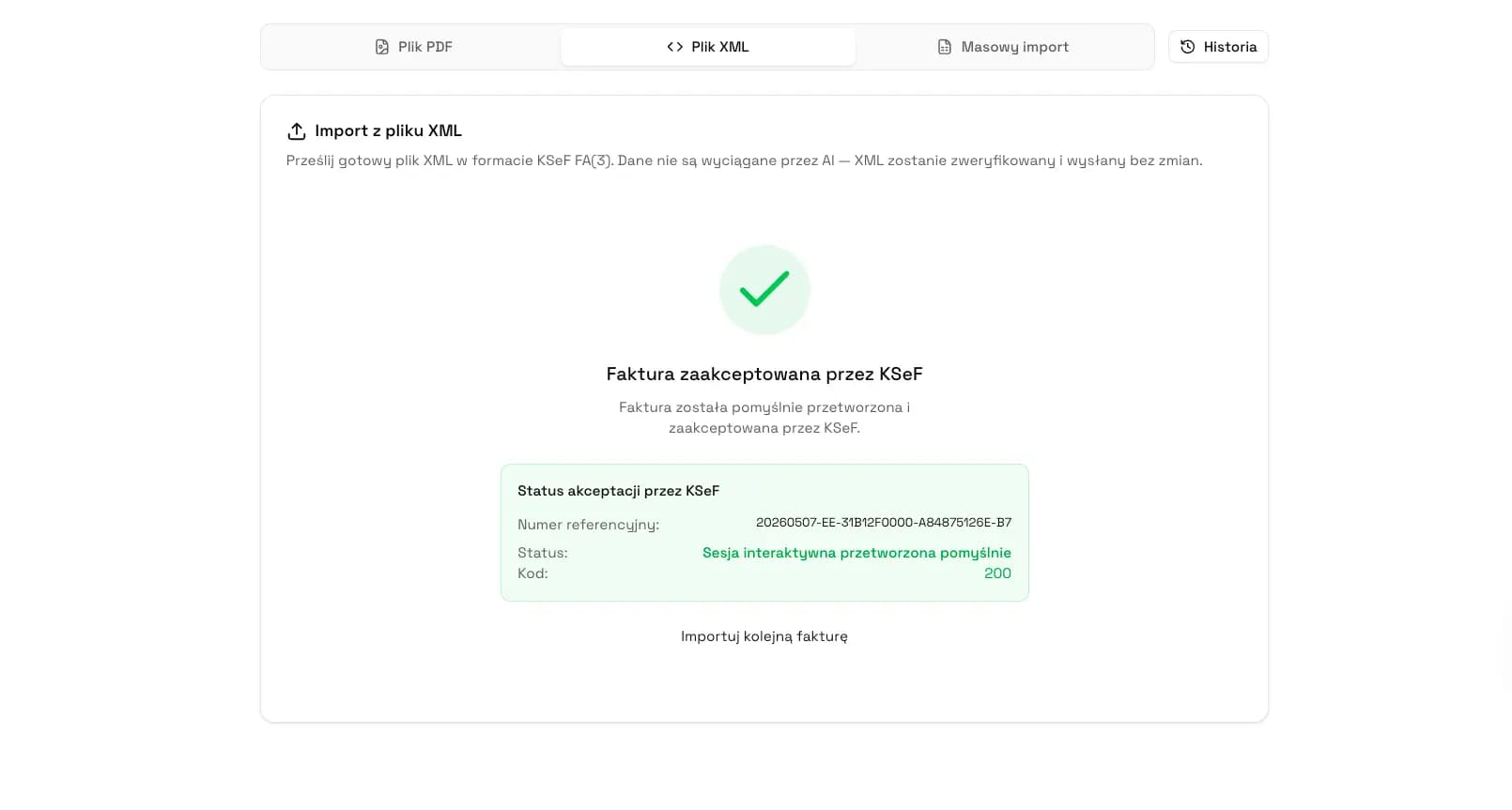
When the phone blocks submission, use KSeF in the browser
KSeFGPT helps prepare invoices, import data, validate FA(3) XML, submit documents to KSeF and monitor UPO without relying on the mobile app. The interface is fully rendered for mobile devices too.
Open KSeFGPTWhen offline and failure modes apply
Offline and failure modes are not a remedy for every phone problem. If only your mobile app fails while KSeF and other channels work, it is usually not an official system failure.
Official modes matter when the problem affects legal work with KSeF, not only the comfort of one app. MF describes offline24, KSeF unavailability, KSeF failure and total failure. Each has different consequences and deadlines. See How long to submit an invoice to KSeF?.
As a rule: phone failure means use another device or tool, mobile app failure means use web, ERP, API or KSeFGPT, identity failure means try another login method, and official KSeF unavailability means follow the MF announcement.
| Reason | Is it automatically KSeF failure | What to choose |
|---|---|---|
| Phone does not work | No | Second phone, web, ERP or KSeFGPT. |
| Mobile app has an error | Not always | Another channel and a report to MF. |
| Profil Zaufany is unavailable | Not necessarily | Another identity method if available. |
| MF announces KSeF unavailability | Yes, according to the announcement | Offline procedure and deadline control. |
| MF announces total failure | Yes | Follow the public MF announcement. |
How to prepare a support report
The Ministry of Finance lists `info.ksef@mf.gov.pl` for KSeF mobile app support. A useful report helps distinguish app, login, permission and service-status issues.
Provide the app version and phone system, date and time, screen where the error appeared, login method, whether the issue appears in another channel and a screenshot with sensitive data hidden.
| Information | Why it helps | Do not send |
|---|---|---|
| App version | Shows whether the issue concerns an old version. | Unknown installation files. |
| Login method | Distinguishes the app from the identity layer. | Passwords or one-time codes. |
| Error time | Can be matched with a technical notice. | Full device logs unless needed. |
| Step description | Shows whether the error is repeatable. | Full invoices with counterparty data. |
How to reduce the risk of another blockage
The mobile app is convenient, but it should not be the only access point if the company issues invoices regularly. A phone can discharge, be lost, lose biometric access or get stuck on an update.
The minimum operating setup is a second access channel, clean permissions, a submission register, update control and an urgent fallback procedure.
KSeFGPT helps by moving the process from one phone to the browser and keeping invoices, imports, validation and statuses in one place. It is still mobile-friendly: the KSeFGPT web app is fully rendered for mobile devices and can serve as a backup path on a smartphone. See also common KSeF implementation challenges.
| Risk | How to reduce it | What a web process gives |
|---|---|---|
| One person has access | Grant backup permissions. | The team can take over submission. |
| Invoices only on the phone | Keep source data outside the device too. | The document is easier to recreate. |
| No UPO control | Track statuses and archive confirmations. | You know whether the invoice was accepted. |
| High document volume | Use import and validation before submission. | Less manual work and fewer mistakes. |
Expert Perspective
The biggest risk during mobile app trouble is not the technical error itself, but acting without checking the document status. A user who does not see confirmation on the phone may recreate the invoice elsewhere, only to discover that the original submission was accepted or is still processing.
Separate the tool from the proof. The tool may be the mobile app, web, ERP or KSeFGPT. The proof of acceptance is the KSeF number and UPO.
For occasional invoicing the mobile app may be enough. For accounting offices, teams or higher correction volume, the safer process is one that does not depend on one phone and one login method.
Frequently Asked Questions
What should I do if the KSeF mobile app is not working?
First check whether the issue is caused by your phone, the app version, authentication through the National Login Node, KSeF permissions or an official system unavailability. Do not reinstall the app as the first step if you may have local drafts that are not synchronized.
Does a KSeF mobile app failure mean KSeF itself is down?
Not always. The mobile app, the Taxpayer Application, Profil Zaufany, the National Login Node and the KSeF API are separate layers. A phone login problem can happen even when KSeF is working.
Can I issue an invoice another way if the KSeF mobile app is not working?
Yes. If you have the right permissions and access to another tool, you can use a web application, accounting software, an API integration or a tool such as KSeFGPT. The goal is to create correct FA(3) XML and finish with a KSeF number and UPO.
Where can I report a problem with the KSeF mobile app?
The Ministry of Finance lists `info.ksef@mf.gov.pl` as the contact address for help with the KSeF mobile app. Include the app version, phone system, time of the error, login method and a screenshot without sensitive data.
Recommended Reading
To prepare a reliable KSeF fallback process, start with these four articles:
How long to submit an invoice to KSeF? - deadlines for online, offline24, unavailability and failure modes.
UPO in KSeF - what the official receipt confirms and why clicking submit is not enough.
Common KSeF implementation challenges - organizational and technical risks to solve before the mandatory process.
KSeFGPT - import, export, AI and analytics for invoices - how an alternative browser-based KSeF invoice process works.
Do not base the whole KSeF process on one phone
KSeFGPT helps prepare invoices, import data, validate FA(3) XML, submit documents to KSeF and monitor UPO in the browser, including on mobile devices.
Open KSeFGPTSources
This article was prepared using official Ministry of Finance materials, app-store pages and KSeF documentation checked on 31 May 2026.
- KSeF 2.0 mobile app
Ministry of Finance · accessed: 31 May 2026
App features, production-only notice, authentication, security, data backup and download information.
- KSeF mobile app support
Ministry of Finance · accessed: 31 May 2026
First setup, biometric or PIN login and official support contact.
- KSeF mobile app changelog
Ministry of Finance · accessed: 31 May 2026
Current app version, stability fixes, forced updates, re-authentication and terms acceptance.
- Offline24, offline, failure and total failure modes
Ministry of Finance · accessed: 31 May 2026
Official explanation of modes outside standard KSeF availability and their operational consequences.
- KSeF 2.0 in Google Play
Google Play / Ministry of Finance · accessed: 31 May 2026
App features, latest update date, support contact and data safety information.
- KSeF 2.0 in the App Store
App Store / Ministry of Finance · accessed: 31 May 2026
iOS app description, system requirements, version history and privacy information.
Zweryfikowano merytorycznie: Bogdan Mazurek
Tax Advisor · 31 May 2026
The article was reviewed for the distinction between technical app issues, login, permissions, UPO status and official KSeF unavailability modes. Particular attention was paid to the rule that a mobile app issue does not automatically mean a statutory KSeF failure.
Related articles
KSeF Invoice Issue Date and Payment Term: When to Count Invoice Delivery From?
Check when a KSeF invoice is deemed received, how to distinguish the issue date from the KSeF number date and why the payment term still follows from the contract and commercial transaction rules.
KSeF in Restaurants: How to Prepare Invoices, Receipts and Multiple Locations
A practical scenario for restaurants, catering and chains: B2B invoices, receipts with NIP, suppliers, corrections, UPO and document-flow control.
KSeF 2026: old-style invoicing without penalties, but with 2027 risk
Learn when an invoice outside KSeF is an exemption, when it is an offline mode and when it becomes a compliance risk.
How to issue an invoice with AI step by step
A practical guide for companies and accounting teams: how to prepare an invoice in KSeFGPT with AI chat, check Preview, PDF and FA(3) XML, and manually approve submission to KSeF.