How to issue an invoice with AI step by step
A practical guide for companies and accounting teams: how to prepare an invoice in KSeFGPT with AI chat, check Preview, PDF and FA(3) XML, and manually approve submission to KSeF.

Article Summary
You can prepare an invoice with AI, but in a safe process AI should not submit it to KSeF on its own. First you create a draft invoice and FA(3) XML, then the user verifies the data, and only at the end manually approves the submission.
In KSeFGPT, AI chat works as an assistant: it reads the transaction description, proposes invoice fields, helps prepare the FA(3) structure, shows a human-readable preview and the XML that matters for KSeF. AI chat is a paid feature and requires a plan with chat access and configured KSeF authorization.
The key checks are buyer data, NIP, dates, currency, line items, VAT rates, net/VAT/gross totals, FA(3) XML compliance, the selected authorization method, and conscious approval of Send. Responsibility for invoice correctness remains with the taxpayer or the organization issuing the document.
Can you issue an invoice with AI in 2026?
Yes, AI can help prepare an invoice, but the word issue needs precision. AI can create a draft, extract data from a description, fill line items, propose FA(3) XML and help detect errors before submission. A structured invoice in the KSeF sense is created only when the document is submitted to the system and accepted by KSeF.
The Polish Ministry of Finance describes a structured invoice as an invoice issued using KSeF and identified by a system number. In the online mode, when the submission date is the same as the date in field P_1, the invoice is considered issued on the day it is sent to KSeF. Offline modes have separate rules, so this guide focuses on the standard online process.
The practical rule is simple: AI prepares the invoice, and a human operationally issues it by approving the KSeF submission. This boundary protects the company when a model misunderstands an instruction, chooses the wrong VAT rate or would otherwise send a document without the last control point.
| Stage | What AI does | What the human does |
|---|---|---|
| Transaction description | Reads intent and proposes invoice data | Provides complete data and clarifies missing details |
| Invoice draft | Builds draft fields and FA(3) XML | Checks counterparty, items, rates, dates and amounts |
| Validation | Flags structural and logical issues | Decides whether the document is ready to submit |
| Submission | Can prepare the technical file | Manually clicks Send and accepts responsibility |
| Status | Helps read status, KSeF number and UPO | Archives confirmation and reacts to errors |
How AI invoice issuing works in KSeFGPT
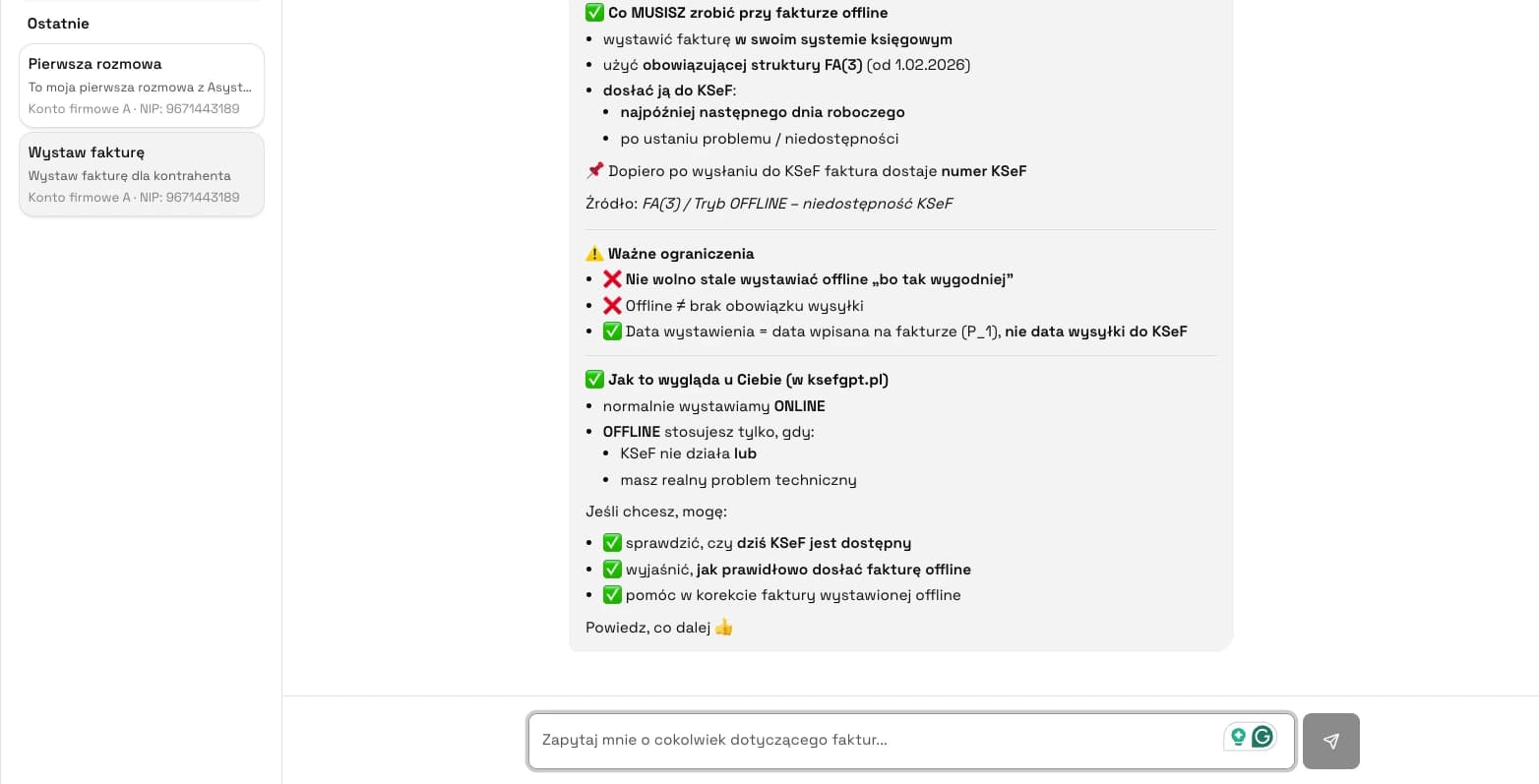
AI chat in KSeFGPT is not a standard form with auto-fill. The user can write a natural language instruction, for example: Issue an invoice for 1000 PLN net for IT consulting, VAT 23%, payment term 14 days. AI converts this into proposed invoice data: counterparty, line items, amounts, dates, currency and payment terms.
This is still a draft. A language model can understand intent, but it is not a tax adviser and does not know every circumstance of the transaction. VAT rates, special procedures, cross-border transactions, reverse charge, foreign-currency invoices and unusual service descriptions need extra care.
KSeFGPT separates three views. Preview shows the invoice in a human-readable form. PDF shows what the recipient will see. XML shows the FA(3) structure, which is the layer that matters for KSeF. The user should see both the human document and the system document before submitting.
Token or certificate in AI chat
Before issuing invoices with AI, KSeF authorization must be configured. In KSeFGPT, the authorization method can be selected per chat: token or certificate. This matters because some chats can be used for analysis, while others can prepare and submit documents.
A KSeF token is an authentication and authorization tool generated for a defined permission scope. You should not assume that every token is read-only. The scope depends on the permissions declared when the token is generated and on how the system handles it.
A KSeF certificate is an authentication method. After certificate login, permissions linked to the tax identifier are taken into account. In product practice, a certificate may be selected for a chat that prepares and submits invoices, but it does not remove the need for permission control, preview, validation and manual approval.
| Method | What it means | When to use it in chat | Operational risk |
|---|---|---|---|
| KSeF token | Contains taxpayer permissions declared at generation | Analysis, statuses, reports and operations within the token scope | Lower when deliberately limited |
| KSeF certificate | Authenticates the user or entity and KSeF checks linked permissions | Chat with invoice preparation and submission, if permissions allow it | Higher, so preview, validation and manual Send are needed |
| No authorization | Chat has no access to KSeF operations | General questions and learning the process | Low for KSeF data, but no finalization |
How to issue an invoice with AI step by step
Step 1. Check your plan and KSeF authorization. AI chat in KSeFGPT is a paid feature and requires a plan with chat access. Before issuing an invoice, you need configured KSeF authorization.
Step 2. Create a chat and select the authorization method. If only a token or only a certificate is available, the system uses that method. If both are available, choose intentionally. Analytical chats can usually use a narrower scope, while submission needs the right permissions.
Step 3. Write an instruction with invoice data. A good instruction includes buyer, NIP, goods or service description, net or gross amounts, VAT rate, sale date, payment term and currency. For unusual transactions, add the tax procedure or ask AI to mark fields that accounting should verify.
Step 4. AI generates an FA(3) draft. This is not yet an invoice submitted to KSeF. It is a draft proposal of data and XML structure.
Step 5. Check the document in Preview, PDF and XML. In Preview, verify counterparty, items, amounts and dates. In PDF, check readability. In XML, check FA(3) data, especially identifiers, amounts, currency and tax fields.
Step 6. Correct errors before submission. If AI got the NIP, VAT rate, currency, payment term or line items wrong, correct the draft and check totals again. If XML does not validate, do not submit it to KSeF.
Step 7. Click Send. This is the key moment. AI does not have the last word. The user manually approves submission after checking the draft.
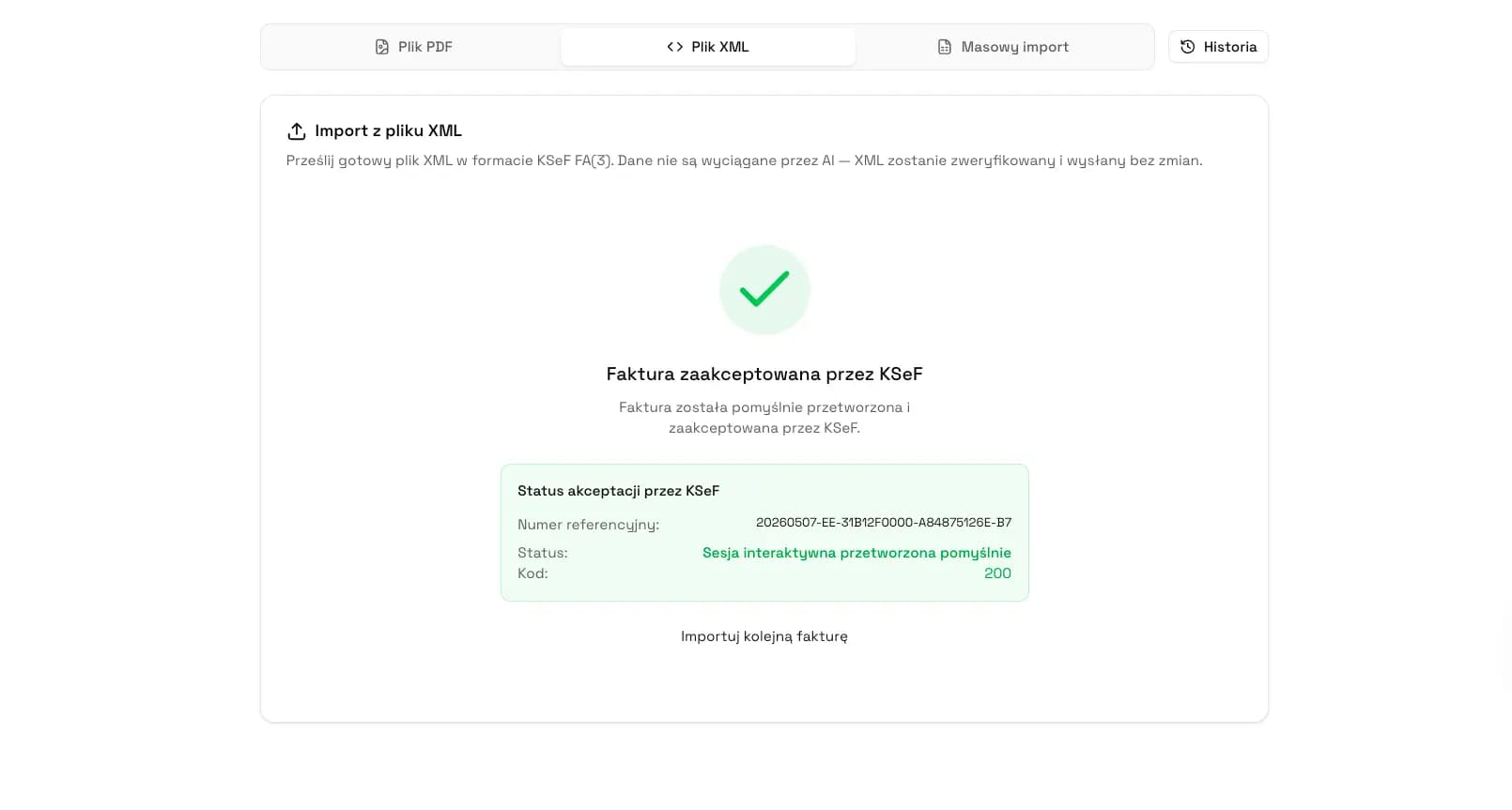
Step 8. Wait for status, KSeF number and UPO. After acceptance, KSeF assigns a number and UPO confirms receipt. Only then is the process operationally closed.
Example instructions for an AI invoice
A good instruction does not have to be long, but it must be concrete. The biggest mistake is asking AI to issue an invoice for a service without counterparty data, rates, dates and amounts.
Simple example: Issue an invoice for buyer NIP 5250000630 for IT consulting, 1000 PLN net, VAT 23%, payment term 14 days, sale date May 22, 2026.
Foreign-currency example: Prepare a draft invoice in EUR for a German counterparty for consulting services, reverse charge, sale date May 22, 2026. Mark the fields I should confirm with accounting before submission.
Recurring invoice example: Prepare an invoice similar to the previous one for this counterparty, but change the amount to 4500 PLN net, payment term to 7 days and add a second item for KSeF integration implementation.
| Instruction element | Why it matters |
|---|---|
| NIP and buyer name | Identifies the buyer unambiguously |
| Line item description | Affects readability and VAT-rate assessment |
| Net or gross amount | Prevents confusion about the taxable base |
| VAT rate | Should not be left to the model for unusual transactions |
| Sale date and payment term | Affect the document and receivables |
| Currency and procedure | Critical for cross-border transactions |
Common errors in AI-generated invoices
AI errors in invoicing rarely look like a full system failure. They are usually small, plausible mistakes: one digit in the NIP, the wrong VAT rate, a missing line item or a payment date moved by a few days.
Be especially careful with transactions that sound simple in a short description but are tax-sensitive: foreign services, reverse charge, special procedures, corrections, foreign-currency invoices, post-sale discounts and documents with multiple VAT rates.
If an AI-generated document looks correct but raises a tax doubt, do not approve submission. Stop the draft and confirm the rate or procedure. When working with a ready XML file, you can also use the KSeF XML validator, remembering the daily free-use limit.
| Error | How to spot it | What to do before submission |
|---|---|---|
| Wrong NIP | Data does not match records | Correct the counterparty and check NIP without separators |
| Wrong VAT rate | Rate does not match service or procedure | Confirm with accounting |
| Wrong currency | Amounts or currency do not match the agreement | Correct currency and check rate fields |
| Missing line item | Preview or PDF does not cover the full service | Add the item and re-check totals |
| Invalid XML | Validation reports a structural issue | Do not submit; correct the draft or use verified XML |
What to check before clicking Send
Before submitting an invoice prepared by AI, go through a short control list. It is the last moment to stop an incorrect document before it reaches KSeF.
Check the authorization method, counterparty NIP and address, sale and issue dates, all line items, VAT rates and procedures, net/VAT/gross totals, PDF readability, FA(3) XML validation and whether you understand that clicking Send submits the invoice to KSeF.
This last point matters most. In the KSeFGPT model, AI prepares the document, but a human decides to submit it. Automation saves time without removing responsibility.
Why human control is more important than autopilot
Full autopilot sounds attractive, but it is risky in invoicing. An invoice is a tax document, not just an app record. An error can affect VAT settlement, the counterparty relationship, payment dates and later corrections.
Human oversight gives three benefits: it stops incorrect documents before submission, creates a clear accountability point, and separates data automation from tax decisions that still require accounting or advisory knowledge.
In practice, the best process is AI as a fast assistant, validation as deterministic structure control and a human as the approving person. The higher the invoice value or the more unusual the transaction, the more important this last step becomes.
AI Act, GDPR and responsibility
The legal status and sources for this section were checked on May 26, 2026. Standard invoicing is not a separate high-risk category listed in Annex III of the AI Act. This does not mean every AI invoicing implementation is automatically free from regulatory risk. Classification must be assessed for the specific system, purpose, autonomy, data, integrations and impact on natural persons.
In practice, AI literacy and transparency may matter. Users should know they are interacting with AI, and the organization should ensure that invoice issuers understand model limitations.
GDPR is more direct. Invoices often contain data of sole traders, addresses, tax identifiers, contact data and service descriptions. Key issues are processing principles, legal basis, data processing agreements and security.
Article 22 GDPR concerns decisions based solely on automated processing that produce legal or similarly significant effects for a person. Preparing an invoice draft is usually not such a decision, but automated action without human oversight increases risk.
What the Ministry of Finance says about automation
As of May 26, 2026, public materials from the Polish Ministry of Finance and the National Tax Administration do not describe a separate mode for an invoice issued by AI. They do confirm that KSeF supports issuing invoices through interface software and commercial accounting systems integrated with the KSeF API.
From the KSeF perspective, the key point is not whether the draft came from a person, a form, ERP, integration or AI. What matters is correct FA(3) structured invoice data, proper authorization, submission to KSeF, acceptance status, KSeF number and UPO.
When not to issue an invoice with AI
Not every invoice is a good candidate for automation. AI works best for repeatable, well-described transactions where the rules are known, source data is complete and the user can evaluate the result.
Stop and consult the document when the transaction is tax-sensitive, uses margin schemes, OSS, reverse charge or multiple jurisdictions, concerns a high-value correction, is disputed by the counterparty, or when you are not sure how the AI provider processes invoice data.
Recommendation
If you want to introduce AI invoicing, start with a low-risk process: recurring services, known counterparties, one currency, simple VAT rates and manual approval of every submission.
Set one internal rule: AI prepares, the human approves, and UPO closes the process. It is easy to explain to accounting, sales and compliance teams.
Further reading: practical guide to AI in KSeF handling, KSeF AI: what it is and when it is worth using, KSeFGPT product overview and AI and anomaly detection in KSeF 2026.
Prepare invoices with AI while keeping control
KSeFGPT lets you work with invoices in AI chat, verify the draft in Preview, PDF and FA(3) XML, and manually approve submission to KSeF.
Go to KSeFGPTFrequently Asked Questions
Can AI submit an invoice to KSeF by itself?
In a safe process, no. AI can prepare the invoice draft and FA(3) XML, but the user should verify the document and manually approve submission to KSeF.
Is KSeFGPT AI chat free?
No. AI chat is a paid feature and requires a plan with chat access and configured KSeF authorization. Separate free tools are available with a daily use limit; some flows may require an email address or account creation.
Is an AI-prepared invoice already a structured invoice?
Not always. An AI draft becomes a structured invoice in the KSeF process only after successful submission, acceptance and assignment of a KSeF number.
Is a KSeF token enough to issue invoices with AI?
It depends on the token permission scope and system handling. Do not assume that every token can submit invoices or that every token is read-only.
Zweryfikowano merytorycznie: Bogdan Mazurek
Tax advisor · May 26, 2026
The article correctly separates AI invoice drafting from the formal KSeF submission process. The emphasis on human control, FA(3) XML verification, authorization and taxpayer responsibility before clicking Send is especially important.
Related articles
Receipt with NIP after 1 January 2027 - the end of simplified invoices outside KSeF
See which 2026 transitional rules are expected to expire, when KSeF will cover the smallest taxpayers, and how to distinguish a receipt with NIP from a simplified invoice.
How to send many invoices to KSeF from Excel
A practical guide: how to prepare an XLSX sheet, map columns to FA(3) fields, check errors and send valid invoices to KSeF in KSeFGPT.
UPO in KSeF - What the Official Receipt Means
Learn what UPO means in KSeF, what it contains, when it can be downloaded, how it differs from the KSeF number and why the Polish official term is Urzędowe Poświadczenie Odbioru.
Free Invoice Submission to KSeF - 5 Practical Paths
Free invoice submission to KSeF in 2026: Taxpayer Application KSeF 2.0, e-mikrofirma, KSeF mobile app, KSeFGPT public free tools and a hybrid workflow.