KSeF number on an invoice: where to find it and what to store
Learn what the KSeF number is, how it differs from the P_2 invoice number, where to find it and how to use it in UPO, JPK and payments.
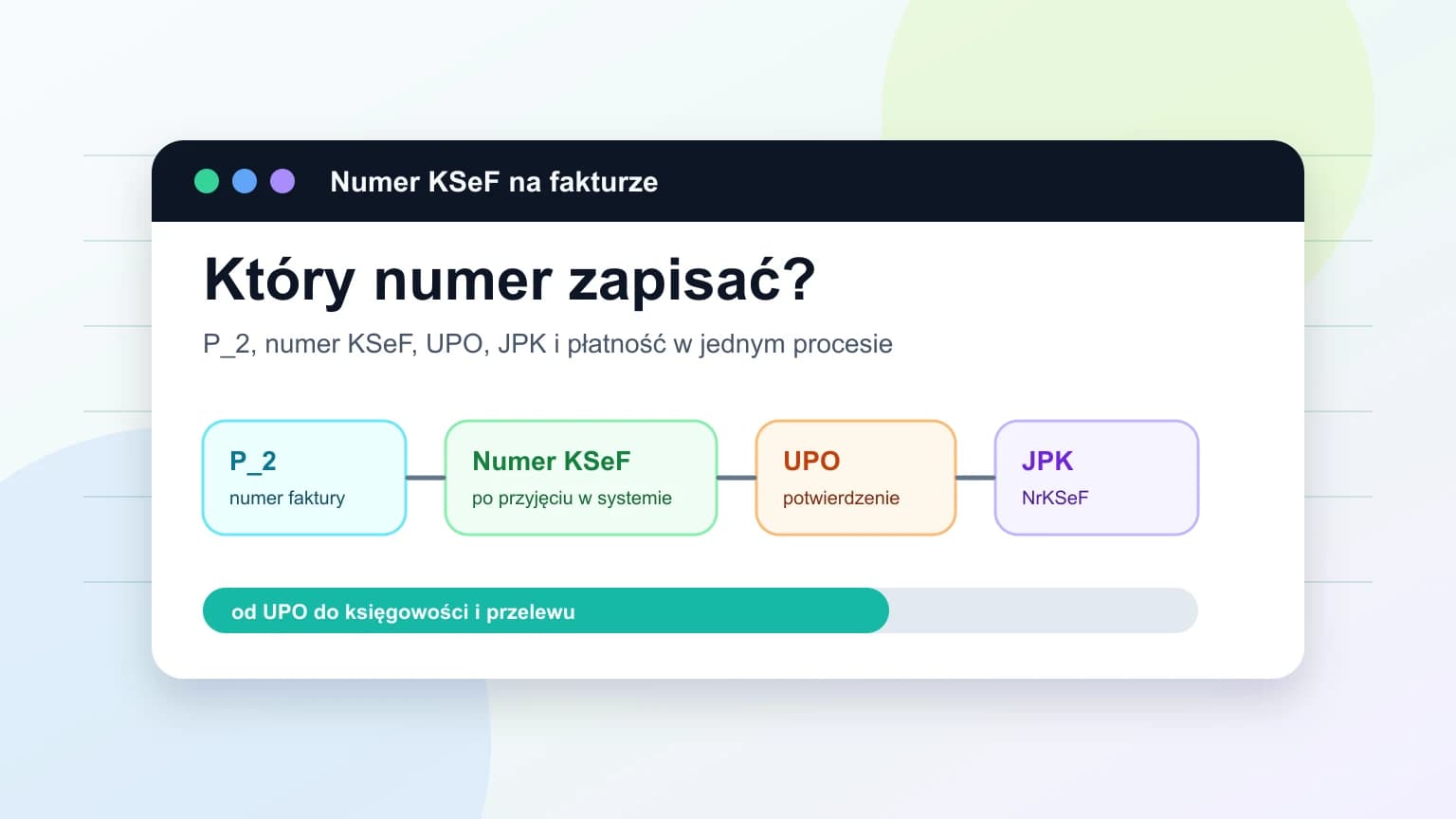
Summary
The KSeF number is assigned only after an invoice has been accepted by the system. The seller does not create it, does not enter it in the invoice draft and should not confuse it with the invoice's own P_2 number.
The KSeF number is not an element of the same FA(3) invoice XML. It can appear in XML as a reference to another invoice, for example in a correction, but the number of the current invoice is created after KSeF verification.
A small business should store the KSeF number together with the invoice number, UPO, status, acceptance date, contractor, amount and data needed for JPK and payments. Without this set, it is easy to confuse an invoice draft with a document accepted by the system.
Why the KSeF number on an invoice causes confusion
A service company issues an invoice, sends it to KSeF and then accounting asks for the KSeF number. The owner can see FV/06/2026, XML, PDF and a sending status, but does not know which identifier belongs in JPK, UPO or a payment process.
That confusion is understandable because KSeF uses several identifiers. The seller assigns one number in its own invoice series, a technical session may have another reference and KSeF assigns a separate number after accepting the document. This guide reflects the state of information checked on June 23, 2026 and focuses on the daily process of a small business.
The core rule is simple: record the KSeF number only when the invoice has been accepted by KSeF and the system has returned that number. With that starting point, the rest of the article separates each identifier and its use.
Contents
1. What the KSeF number is and when it appears
2. KSeF number, invoice number, UPO and session reference
3. Whether the KSeF number is in XML or on a PDF
4. Where to find the KSeF number after issuing or receiving an invoice
5. What to store for accounting, JPK and payments
6. The process from UPO to payment
Key Takeaways
The table below summarizes the decisions a company should make before copying a KSeF number into accounting, JPK or a payment title.
| Point | Details |
|---|---|
| Assignment moment | The KSeF number is created after KSeF has verified and accepted the XML, not when the invoice draft is prepared. |
| Different identifiers | P_2 invoice number, KSeF number, session reference and UPO mean different things and should not be used interchangeably. |
| XML and PDF | The KSeF number assigned to the current invoice is not a field in that same FA(3) invoice. A PDF may display process information, but status and UPO should be checked. |
| JPK and payments | JPK_V7M(3) and JPK_V7K(3) use NrKSeF when an invoice has a KSeF number on the filing date. From 2027 the number also matters for selected payments. |
| Company process | Store the KSeF number together with P_2, UPO, status, acceptance date, contractor, amount, payment term and any collective identifier. |
What the KSeF number is and when it appears
The KSeF number is a unique invoice identifier in Poland's National e-Invoicing System. It appears after positive verification and processing of XML, when the system accepts the document. The KSeF 2.0 manual describes this point as successful processing, assignment of the KSeF number and availability of UPO.
In practice, an invoice prepared in invoicing software does not yet have a KSeF number. It can already have the seller's invoice number, buyer data, line items and payment term, but the system identifier appears only after KSeF acceptance.
The technical format should be described carefully. The current KSeF 2.0 OpenAPI indicates that `KsefNumber` accepts 35 or 36 characters, while KSeF 2.0 generates numbers only in the 35-character format. The documentation example is `5555555555-20250828-010080615740-E4`.
Operational check: verify acceptance status, save or download UPO, copy the KSeF number from the system, connect it with the P_2 invoice number and never create the number manually from a pattern. Once the creation moment is clear, the next step is to separate it from other identifiers.
| Document state | KSeF number present | What the company stores |
|---|---|---|
| Invoice draft before submission | No | P_2 invoice number, parties, amounts, payment term and draft status. |
| XML sent to KSeF | Not necessarily yet | Session or submission reference and processing status. |
| Invoice accepted by KSeF | Yes | KSeF number, UPO, acceptance date, P_2 and acceptance status. |
| Rejected invoice | No | Error message, XML version and decision on who corrects the document. |
KSeF number, invoice number, UPO and session reference
The most common mistake is treating a number such as FV/06/2026 as the KSeF number. These are two different identifiers. The invoice number in field P_2 is assigned by the taxpayer. The KSeF number is assigned by the system after acceptance.
UPO is not the KSeF number either. It is a separate XML receipt confirming that KSeF accepted the invoice and containing data that links the invoice to the submission. A session or batch reference helps trace the technical operation, but it does not identify the invoice like a KSeF number.
If accounting asks about sales invoice FV/12/06/2026, the company should be able to provide both P_2, the KSeF number and UPO. One identifier finds the document in the company's numbering, the other in KSeF, while UPO confirms acceptance. Once the identifiers are separated, the next question is where the number appears.
| Identifier | Assigned by | When it appears | Purpose |
|---|---|---|---|
| P_2 invoice number | Seller | When the invoice is issued | Company numbering and communication with the contractor. |
| KSeF number | KSeF | After invoice acceptance | Invoice identification in KSeF, UPO, JPK and payment processes. |
| Session or batch reference | KSeF or integration | During submission | Tracing the technical submission or package. |
| UPO | KSeF | After acceptance | Official receipt and evidence that the process was completed. |
Is the KSeF number in XML or on a PDF?
The KSeF number assigned to a given e-invoice is not an element of that invoice. The FA(3) structure does not contain a field where the seller enters the KSeF number of the same document before submission. The number is created only after system acceptance.
In XML, a KSeF number can appear as a reference to another invoice, for example in a correction or settlement invoice. This does not change the rule: the number of the invoice currently being submitted is not assigned by the taxpayer inside XML.
PDF needs even more caution. A visualization may show process information, but it should not be the only source of truth for acceptance. If you only have a PDF from a contractor, check the invoice in KSeF, UPO or metadata. For the difference between human preview and structured data, see how to read KSeF XML.
| Place | Can it show a KSeF number | Risk |
|---|---|---|
| FA(3) XML before submission | Not for the same invoice | Do not enter the number manually, because the system assigns it later. |
| XML with a correction or reference | May contain a reference to another invoice | It is a reference, not the number assigned to the current invoice. |
| PDF visualization | May show process information | Confirm the number in KSeF, metadata or UPO. |
| UPO | Yes | This is the most practical place to confirm the number and acceptance. |
Where to find the KSeF number after issuing or receiving an invoice
The safest places are UPO, invoice metadata in KSeF and the application or integration used to send or receive invoices. KSeF 2.0 OpenAPI shows the number in invoice retrieval by number, metadata queries, session and invoice statuses and UPO retrieval for an invoice.
For API exports, the documentation also gives a practical rule: invoices are added to a package as files named `{ksefNumber}.xml`, with a `_metadata.json` file containing invoice metadata. This matters when documents are passed to accounting or an archive.
In the KSeF 2.0 Taxpayer Application, the KSeF number is also needed for anonymous invoice access without logging in. The procedure requires the KSeF number, the P_2 invoice number, buyer data and the total amount due. This article does not describe exact clicks because the user interface can change.
Operational check: look for the number in UPO, metadata, export, invoice status or the system that handles KSeF. Do not look for it in the draft before submission. Once the number is found, decide what to do with it.
| Situation | Where to look | What to store | Do not confuse with |
|---|---|---|---|
| Issued sales invoice | UPO, invoice status, metadata | P_2, KSeF number, acceptance date and UPO | Session reference. |
| Purchase invoice retrieved from KSeF | Invoice metadata and document view | KSeF number, contractor, amount and approval status | The mere appearance of an invoice is not cost approval. |
| PDF from a contractor | KSeF, UPO or metadata, not only PDF | KSeF number after system confirmation | A visual copy. |
| Correction | Correction data and original-invoice reference | KSeF number of the correction and identifier of the corrected document | Original invoice number. |
| API export | `{ksefNumber}.xml` file name and `_metadata.json` | The complete XML package with metadata | Do not remove metadata from the archive. |
What to store for accounting, JPK and payments
A small business should not store the KSeF number in isolation. The minimum set is P_2 invoice number, KSeF number, UPO, status, acceptance date, contractor, amount, payment term and any collective identifier. This set helps reconstruct the process during accounting, a dispute or a tax review.
JPK_V7M(3) and JPK_V7K(3) include NrKSeF and the OFF, BFK and DI markers for situations without the number. A safe operational rule is: if the invoice has a KSeF number on the JPK filing date, enter it in NrKSeF. For the details, see KSeF and JPK.
For payments made from January 1, 2027, Article 108g of the VAT Act covers an obligation to include the KSeF invoice identifier or a collective identifier for certain payments for structured invoices between active VAT taxpayers, if the payment instrument allows a transfer title. For one invoice, the reference point is the KSeF number; for several invoices, the collective identifier. For payment timing, see KSeF invoice payment term.
Operational check: keep both numbers, attach UPO, verify status, determine the payment term, decide on NrKSeF or the correct JPK marker and do not enter a number in a transfer until it has been confirmed.
| Area | What to store | Why | Common mistake |
|---|---|---|---|
| Accounting | P_2, KSeF number, UPO, status, acceptance date, contractor and amount | To connect the invoice with settlement and archive | Passing only a PDF without UPO and KSeF number. |
| JPK_V7 | NrKSeF or the correct OFF, BFK or DI marker | To report the document according to its status on the filing date | Entering P_2 instead of the KSeF number. |
| Single-invoice payment | KSeF number when Article 108g applies | To indicate the proper identifier in the transfer title | Using an unconfirmed number from a draft. |
| Collective payment | Collective identifier | To cover several invoices with one payment | Pasting many numbers without determining the correct identifier. |
| Offline invoice without a number | Status, mode, source document and later number update | To avoid losing the document between special mode and JPK | Assuming that no number ends the matter. |
The process from UPO to payment
Treat the KSeF number as a control point in the process, not as a single field to copy. The issuer or the person receiving the invoice should check status first, then store the KSeF number, and only then pass the document to accounting or payment handling.
Example: a service company issues FV/24/06/2026 but does not send it to accounting immediately after generating a PDF. It waits for acceptance, downloads UPO, stores the KSeF number in the same record and only then marks the document as ready for JPK and receivables.
The biggest risk is manual copying. If invoice number, KSeF number, UPO and status live in different folders, the error usually appears at month-end close. One operational table for incoming and outgoing invoices reduces that risk.
This process does not replace accounting decisions. It only organizes the information that accounting, the business owner and the person making payments need to read in the same way.
| Step | What to check | What to store |
|---|---|---|
| 1. Issue or receive | Is it a draft, sent invoice or invoice retrieved from KSeF. | P_2, contractor, amount, payment term and working status. |
| 2. KSeF status | Was the invoice accepted, rejected or is it still processing. | Status, response code and technical reference if needed. |
| 3. KSeF number | Has the system assigned the number after acceptance. | KSeF number in the same record as P_2. |
| 4. UPO | Has the official receipt been downloaded or kept in the system. | UPO, acceptance date and invoice link. |
| 5. Accounting and payment | Is the document ready for JPK, settlements and possibly payment title. | NrKSeF or correct JPK marker and payment data. |
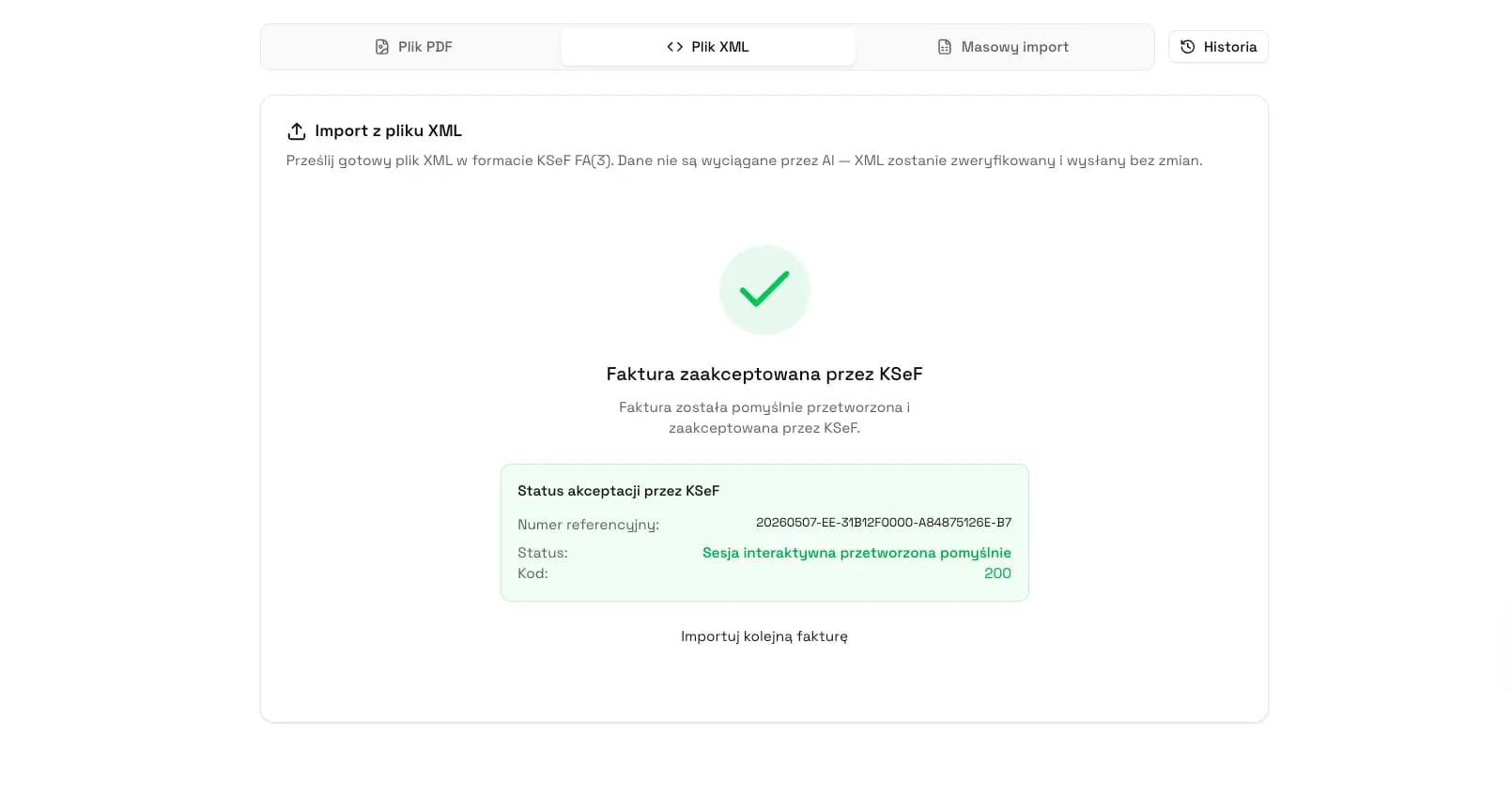
How KSeFGPT helps organize KSeF numbers
KSeFGPT should be treated as a workspace for KSeF invoice data, not as a source of new tax rules. The application can help organize incoming and outgoing invoices, statuses, XML, PDF, UPO and data needed by accounting.
For KSeF numbers, the key value is reducing manual work. The company should see the invoice number, KSeF number, status, UPO, contractor, amount and payment term next to one invoice record instead of combining them from emails, folders and exports.
KSeFGPT is not a Ministry of Finance service and does not replace an accountant. It can help with the operational problem: checking whether a document was accepted, whether UPO exists, whether the KSeF number is attached to the correct invoice and whether accounting received complete data.
Keep KSeF numbers, UPO and invoice statuses in order
KSeFGPT helps work with KSeF invoices in one place: from document data, status and UPO to a complete information set for accounting.
Go to KSeFGPTFrequently asked questions
What is a KSeF number?
A KSeF number is the unique identifier assigned by Poland's National e-Invoicing System after an invoice has passed verification and has been accepted. It is not assigned by the seller and it is not the seller's own invoice number from field P_2.
Where can I find the KSeF number if it is not on the PDF?
Check the UPO receipt first, then the invoice metadata in KSeF or the application used to handle the invoice. A PDF may only be a visual copy, so the lack of a number on the PDF does not prove that the invoice has no KSeF number.
Is the KSeF number part of the invoice XML?
The KSeF number assigned to a given structured invoice is not an element of that same FA(3) invoice. It may appear in XML as a reference to another invoice, for example in a correction, but it is not a number that the seller enters before submission.
How is the KSeF number different from the invoice number?
The invoice number is assigned by the taxpayer and appears in field P_2. The KSeF number is assigned by the system after acceptance. Accounting should keep both identifiers because they serve different purposes.
Do I need to put the KSeF number in a payment title?
For payments made from January 1, 2027, Article 108g of the Polish VAT Act covers an obligation to include the KSeF invoice identifier or a collective identifier for certain payments between active VAT taxpayers, if the payment instrument allows a transfer title.
What should I enter when paying for several KSeF invoices?
For a payment covering several invoices, the statutory mechanism refers to a collective identifier instead of entering many KSeF numbers. Always verify whether the specific payment meets the conditions of Article 108g of the VAT Act.
What should I do if the invoice does not have a KSeF number yet?
Do not guess the number. Check the submission status, UPO, validation messages and whether the invoice has already been accepted by KSeF. In JPK, use NrKSeF or the correct OFF, BFK or DI marker depending on the document and the status on the filing date.
Is the KSeF number needed for a correction invoice?
For corrections, the KSeF number helps link the correction to the original document. The corrected invoice's own invoice number and its KSeF number are still different identifiers, so keep both in the process.
Recommended Reading
To continue without duplicating the whole KSeF process, read these four guides:
KSeF for small businesses - how a small company can organize invoices, UPO, KSeF numbers and accounting cooperation.
UPO in KSeF - what UPO confirms and how it differs from a KSeF number.
KSeF and JPK - how the KSeF number works with NrKSeF and the OFF, BFK and DI markers.
KSeF invoice payment term - when the KSeF number date matters for invoice receipt and payment.
Keep KSeF numbers together with invoices
KSeFGPT helps keep invoices, statuses, UPO, KSeF numbers and accounting handoff data in one place.
Go to KSeFGPTSources
This article is based on official Ministry of Finance materials, KSeF 2.0 API documentation and legal acts listed in the research plan. Sources were checked on June 23, 2026.
- KSeF 2.0 manual, part II: issuing and receiving invoices in KSeF
Ministry of Finance · accessed: June 23, 2026
Description of invoice acceptance, status 200, KSeF number assignment, UPO and access to invoices in KSeF 2.0.
- KSeF number and collective identifier
Ministry of Finance · accessed: June 23, 2026
Official explanation of the difference between the KSeF number, taxpayer invoice number, UPO, XML and the collective identifier.
- KSeF API v2 OpenAPI
Ministry of Finance · accessed: June 23, 2026
Technical description of KsefNumber, metadata, statuses, invoice retrieval and UPO retrieval.
- Structured invoice schema
Ministry of Finance · accessed: June 23, 2026
Information about FA(3) logical structure and XML as the structured invoice.
- VAT Act, consolidated text
Sejm RP · accessed: June 23, 2026
Legal basis for the invoice number assigned by the taxpayer, including field P_2 as the sequential invoice number.
- VAT amending act, Journal of Laws 2025 item 1203
Sejm RP · accessed: June 23, 2026
Legal basis of Article 108g concerning KSeF invoice identifiers or collective identifiers in selected payments from 2027.
- JPK_VAT with declaration from February 1, 2026
Ministry of Finance · accessed: June 23, 2026
Description of JPK_V7M(3) and JPK_V7K(3), including NrKSeF.
- JPK_VAT with declaration: use of markers
Ministry of Finance · accessed: June 23, 2026
Matrix for OFF, BFK and DI markers and their relation to NrKSeF.
Expert reviewed: Bogdan Mazurek
Tax advisor · June 24, 2026
Content reviewed for the distinction between KSeF number, P_2 invoice number, UPO, session reference, FA(3) XML, JPK and payment obligations from 2027.