Free Invoice Submission to KSeF - 5 Practical Paths
Free invoice submission to KSeF in 2026: Taxpayer Application KSeF 2.0, e-mikrofirma, KSeF mobile app, KSeFGPT public free tools and a hybrid workflow.
Article Summary
Free invoice submission to KSeF in 2026 is realistic through five paths: the Ministry of Finance Taxpayer Application KSeF 2.0, e-mikrofirma and the KSeF mobile app, public free PDF-to-XML and XML validator tools in KSeFGPT, and a hybrid workflow where you convert your own PDF in KSeFGPT and manually upload the XML in the Taxpayer Application.
The zero-cost route is enough when a company issues about 30 invoices per month, does not need accounting or ERP integration, and does not manage many clients as an accounting office. Above that volume, every free option starts costing time: no bulk import, no automated UPO notifications, and manual XML uploads.
KSeF submission requires authentication and proper permissions. Public free KSeFGPT tools include the PDF-to-XML converter and XML validator with a limit of 5 uses per day after providing an email address. Direct XML submission to KSeF is available only after creating an app account and starting the 24-hour PRO trial, or in the PRO package.
Free Invoice Submission to KSeF in 2026: 5 Paths
KSeF is mandatory in stages: from February 1, 2026 for the largest companies whose 2024 sales value including VAT exceeded PLN 200 million, and from April 1, 2026 for other taxpayers covered by the KSeF obligation. Until the end of 2026, taxpayers whose monthly sales documented by invoices do not exceed PLN 10,000 gross may use a transition period. Receiving invoices in KSeF is mandatory from February 1, 2026, subject to statutory exclusions.
The word "free" needs precision. The first category is fully free state tools: Taxpayer Application KSeF 2.0, e-mikrofirma and the KSeF mobile app. The second category is public free commercial tools with limits, such as the KSeFGPT PDF-to-XML converter with 5 daily uses after email submission, without a full app account. The third category is a hybrid workflow combining a free converter with a state submission tool.
| Tool | Provider | Account required | XML submission to KSeF | Limit |
|---|---|---|---|---|
| Taxpayer Application KSeF 2.0 | Ministry of Finance | Yes, KSeF authentication | Yes, directly in the app | No user limit |
| e-mikrofirma | Ministry of Finance | Yes, trusted/eID login | Yes, built in | Microbusiness scale |
| KSeF mobile app | Ministry of Finance | Yes, national eID node | Yes, for invoices created in the app | No user limit |
| KSeFGPT free tools | KSeFGPT | Email only, no full app account | No, not in public free tools | 5 uses per day |
| Hybrid: converter + Taxpayer Application | KSeFGPT + Ministry of Finance | Email for converter + KSeF authentication | Yes, manually in the state tool after downloading XML | 5 converter uses per day |
Table of Contents
This article walks through each of the five paths and then helps you choose the right one for your operating scale.
Taxpayer Application KSeF 2.0 - the official free Ministry of Finance tool.
e-mikrofirma - a free Ministry of Finance program for microbusinesses.
KSeF mobile app - issuing and sending invoices from a phone.
KSeFGPT - public free PDF-to-XML converter and XML validator plus the route to automated submission.
Hybrid: PDF converter + manual state-tool submission - a zero-cost path for companies issuing invoices from PDFs.
Which of the 5 paths should you choose? - three practical questions.
What is easy to miss in zero-cost submission - operational caveats.
FAQ - four answers about free KSeF submission.
Key Takeaways
The table below summarises the most important facts about the five free KSeF invoice submission paths in 2026.
| Point | Details |
|---|---|
| Taxpayer Application KSeF 2.0 | Official Ministry of Finance tool, fully free, requires authentication and proper permissions. Best for companies issuing up to about 50 invoices per month. |
| e-mikrofirma | Free Ministry of Finance tool for sole traders and microbusinesses. Includes invoice issuing, KSeF submission and basic tax records. |
| KSeF mobile app | Free Ministry of Finance phone app. Allows issuing invoices and corrections, sending them to KSeF and managing basic invoice data. |
| KSeFGPT free tools | Public PDF-to-XML converter and XML validator. Direct KSeF submission requires an app account with a 24-hour PRO trial or a PRO package; public free tools are limited to 5 uses per day after email submission. |
| Hybrid: converter + Taxpayer Application | The cheapest path for companies with their own invoices or proformas in PDF: convert to XML, validate, then submit through the Taxpayer Application. |
Taxpayer Application KSeF 2.0 as a Free Ministry of Finance Tool
The Taxpayer Application KSeF 2.0 is the official free tool provided by the Polish Ministry of Finance. It supports issuing invoices in FA(3) XML, submitting them to KSeF, receiving UPO confirmations, viewing received invoices and preparing correction invoices.
It is the safest starting point for companies that do not buy commercial software. Production use requires authentication and actual permissions for the entity on whose behalf you work.
| Feature | Value |
|---|---|
| Price | PLN 0 |
| Provider | Ministry of Finance |
| Authentication | Credentials and permissions matching the company ownership/authorization register |
| Invoice limit | No user limit |
| Work mode | Online, with offline24 option |
| Output format | FA(3) XML |
| KSeF submission | Yes, directly in the app |
| CSV bulk import | No |
What You Get, and What Is Missing, in the Taxpayer Application
The Taxpayer Application gives full alignment with the FA(3) structure because it follows Ministry of Finance patterns. This reduces dependency on a commercial vendor's update cycle.
At the same time, it is an official state tool rather than an ERP-style automation system. CSV imports, automatic PDF recognition, accounting-system integrations, UPO notifications and AI modules usually remain on the commercial software side.
For low volume, the Taxpayer Application covers the full cycle: issuing, validation, submission and UPO collection.
| Element | What the Taxpayer Application provides |
|---|---|
| Invoice issuing | Full FA(3) form with mandatory and optional fields. |
| Validation | XML check against the current Ministry of Finance schema before submission. |
| KSeF submission | Direct submission after authentication. |
| UPO | Receipt retrieval after document acceptance. |
| Received invoices | Preview of received cost invoices. |
| Corrections | Correction invoices in FA(3). |
e-mikrofirma as a Free Ministry of Finance Program for Microbusinesses
e-mikrofirma is a free Ministry of Finance tool for sole traders and microbusinesses. It combines invoice issuing, basic Polish tax records and KSeF submission.
Compared with the Taxpayer Application, e-mikrofirma is broader because it also covers basic bookkeeping. For a micro-entrepreneur working without an accounting office, it may be the only tool needed.
| Feature | Value |
|---|---|
| Price | PLN 0 |
| Provider | Ministry of Finance |
| Target user | Sole traders and microbusinesses |
| Functions | Invoice issuing, tax records, VAT records, KSeF submission |
| Limit | Microbusiness scale |
| Bulk import | No |
When e-mikrofirma Works, and When It Becomes Limiting
e-mikrofirma works well for sole traders with simple business models and low invoice volume, especially where basic records and invoice issuing can stay in one state tool.
It becomes limiting when you need ERP integration, multi-client accounting-office workflows, mass imports from CSV/PDF or automation such as email notifications after UPO receipt.
If you are unsure whether KSeF applies to you, first verify the obligation and transition periods before choosing a tool.
| Situation | Does e-mikrofirma fit? |
|---|---|
| Sole trader, up to 30 invoices/month | Yes, usually enough. |
| Microbusiness with simple sales model | Yes, with volume limitations. |
| Accounting office serving many clients | No, no multi-client workflow. |
| High volume, CSV/PDF bulk import | No, no bulk import. |
| ERP or e-commerce integration | No, no open integration layer. |
KSeF Mobile App as Free Submission from a Phone
The KSeF mobile app is a free Ministry of Finance smartphone tool. It allows issuing invoices and corrections, sending invoices to KSeF, managing buyers and bank accounts, and searching invoices submitted to KSeF for the selected business profile.
This option is useful when you issue single invoices in the field or need to handle simple sales quickly without opening accounting software. It is not a replacement for ERP integration or mass XML import.
| Feature | Value |
|---|---|
| Price | PLN 0 |
| Provider | Ministry of Finance |
| Authentication | National eID node, e.g. mObywatel, mojeID, eID or Trusted Profile |
| Installation | Google Play or App Store |
| Invoice limit | No user limit |
| Uploading ready XML | Not the main scenario; use the Taxpayer Application for that |
Strengths and Weaknesses of the KSeF Mobile App
The KSeF mobile app is fast for individual invoices: the phone is usually at hand, you can save drafts, use buyer and bank account lists, and send a correctly issued invoice to KSeF without paid software.
Its weakness is scale. A phone screen and single-document work do not replace bulk import, automated notifications or accounting integrations. For 1-5 simple invoices per month it is enough; for 30+ it becomes tiring.
The three state tools are valid options. But many companies still face conversion: where do you get XML if your own invoice or proforma was first prepared as PDF?
| Strength | Weakness |
|---|---|
| Invoice issuing from a phone | Uncomfortable for many line items and many documents |
| Buyer and bank account lists | No bulk operations or ERP integration |
| Search submitted KSeF invoices | Does not replace a full document workflow |
| Ministry-of-Finance compliance | No notification or export automation |
KSeFGPT: Free PDF-to-XML Converter and Validator plus the Automation Path
KSeFGPT provides public free tools: a PDF-to-XML KSeF converter and an XML KSeF validator. You only provide an email address, without creating a full app account or paying. These tools are limited to 5 uses per day.
This is not the same as a free app account. Creating an app account starts a separate 24-hour PRO trial, where you can test PRO features: direct KSeF submission, CSV/PDF bulk import, AI chat, KSeF integration with invoice/UPO fetching, analytics and workflow automation.
| Feature | Public free tools | App account: 24h PRO trial / PRO package |
|---|---|---|
| PDF-to-XML converter | Yes, 5 uses/day | Yes, no daily limit |
| XML validator | Yes | Yes |
| Direct KSeF submission | No | Yes |
| CSV/PDF bulk import | No | Yes |
| AI chat and analytics | No | Yes |
| Multi-company management | No | Yes |
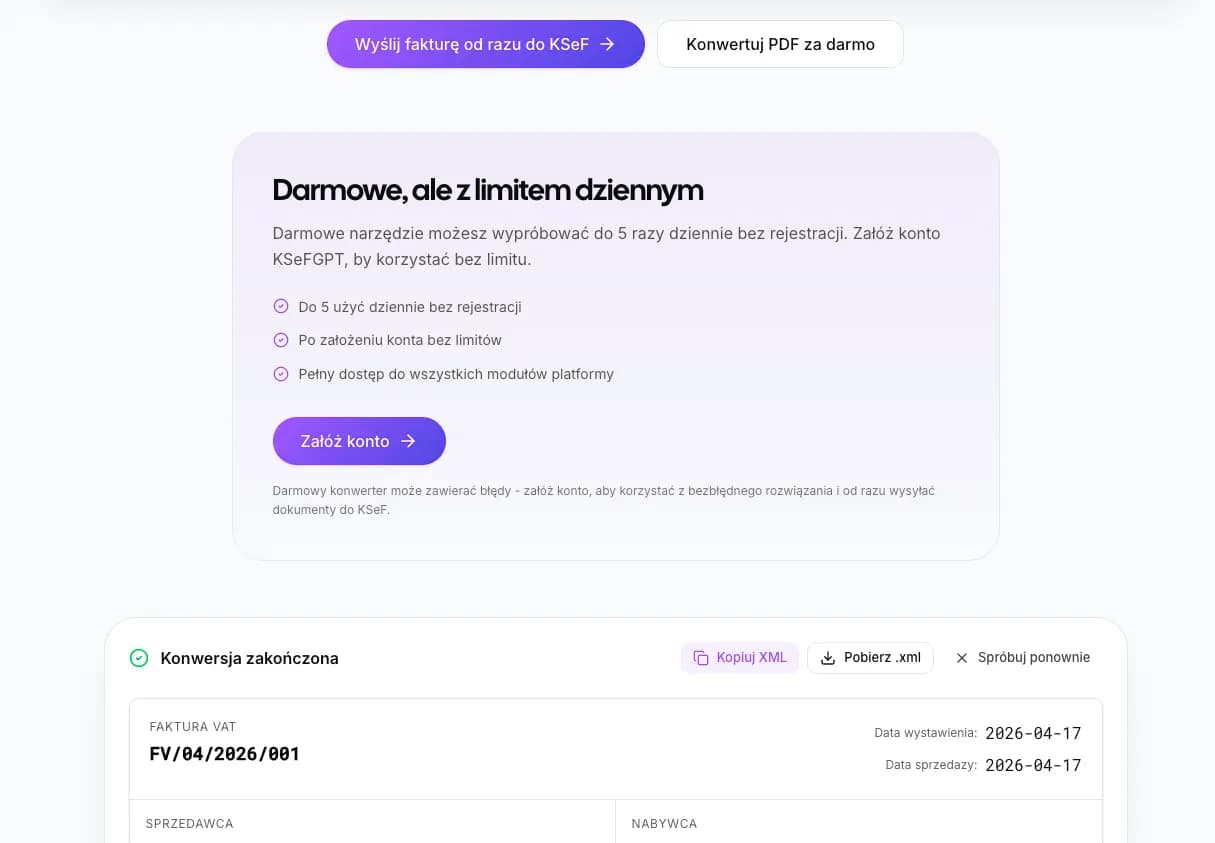
Try the free PDF-to-XML KSeF converter
No full app account required. Provide an email address and use public free tools up to 5 times per day.
Open the free converterKSeFGPT Free Tools vs Account with PRO Trial
In public free KSeFGPT tools you get two operational tools: the PDF-to-XML converter, which recognises FA(3) invoice fields and generates a file for submission, and the XML validator, which checks schema compliance before submission.
After creating an app account, you enter a separate path: a 24-hour PRO trial. It is test access to PRO package features such as direct XML submission to KSeF, CSV/PDF bulk import, AI chat, KSeF integration, multi-company management, analytics and workflow automation.
The fifth option is a hybrid built from several free layers and works well for microbusinesses issuing documents based on their own PDFs or proformas.
| Feature | Public free tools | App account: 24h PRO trial / PRO package |
|---|---|---|
| PDF-to-XML converter | Yes, 5 uses/day | Yes, no daily limit |
| XML validator | Yes | Yes |
| Direct KSeF submission | No | Yes |
| CSV/PDF bulk import | No | Yes |
| AI chat about KSeF and FA(3) | No | Yes |
| KSeF integration | No | Yes |
| Multi-company management | No | Yes |
Hybrid Workflow for Microbusinesses: Converter + Manual Taxpayer Application Submission
A free PDF-to-XML converter combined with the Taxpayer Application gives a zero-cost path for companies that have their own invoices, proformas or sales data in PDF and need to convert them into FA(3) XML.
The workflow is simple: convert your own PDF to XML in KSeFGPT, validate the XML, upload it manually in the Taxpayer Application and wait for the KSeF number and UPO. This is free within the 5 daily uses of the public converter.
| Step | Tool | What it does |
|---|---|---|
| 1. Conversion | KSeFGPT free PDF-to-XML converter | Generates FA(3) XML from your own PDF or proforma. |
| 2. Validation | KSeFGPT XML validator or Taxpayer Application | Checks compliance with the current FA(3) schema. |
| 3. Submission | Taxpayer Application KSeF 2.0 | You authenticate, upload XML and wait for UPO and the KSeF number. |
When the Hybrid PDF + State Tool Workflow Makes Sense
The hybrid route makes sense for low volume, up to around 30 invoices per month, especially for companies issuing documents from their own PDFs or proformas and not yet ready for paid commercial software.
Its limits are predictable: more clicks with every invoice, no automated UPO notifications and a higher risk of manual mistakes. Above 30 invoices per month, paid bulk import can start paying for itself in saved time.
Now let us summarise which of the five paths fits which situation.
| Situation | Does the hybrid fit? |
|---|---|
| Microbusiness, 1-30 invoices/month, own PDFs or proformas | Yes, a good zero-cost route. |
| Microbusiness, 30+ invoices/month | Partly; consider PRO trial or PRO package with bulk import. |
| Accounting office with many clients | No, no multi-client management. |
| Company with ERP integration | No, ERP usually exports XML directly. |
Which Free Path Should You Choose?
If you issue more than 30 invoices per month, consider a KSeFGPT account with the PRO trial or the PRO package with bulk import. The Taxpayer Application still works, but manual clicking becomes a real cost.
If invoices are already created in your accounting or ERP system and exported as XML, use the Taxpayer Application to upload ready XML files. If you issue invoices based on your own PDFs or proformas, the hybrid workflow is the cheapest zero-cost path.
| Company profile | Recommended path |
|---|---|
| 1-5 invoices/month | e-mikrofirma or KSeF mobile app |
| 5-30 invoices/month | Taxpayer Application KSeF 2.0 |
| 30+ invoices/month or PDF-heavy workflow | KSeFGPT account with 24h PRO trial, then PRO package |
| Mixed PDF and ERP workflow | KSeFGPT free converter + Taxpayer Application |
What Is Easy to Miss in Zero-Cost KSeF Submission
Free submission does not mean zero work. KSeF tools require authentication and permissions through available electronic identification methods, KSeF certificates or tokens depending on the channel. Tokens can be used until the end of 2026; from 2027, KSeF certificates remain the target option in the token/certificate pair.
There is also missing automation: UPO notifications, XML and UPO archiving, payment matching and exports to an accounting office must be handled manually in free workflows.
Practical conclusion: do not start with a subscription. Start with Ministry of Finance tools and public free KSeFGPT tools. When processing time becomes a real cost or you need bulk import, create a KSeFGPT account and use the 24-hour PRO trial.
Going Beyond Free Submission: When KSeFGPT Makes Sense
KSeFGPT combines public free tools with an app account where the 24-hour PRO trial lets you test direct KSeF submission, CSV/PDF bulk import, AI chat and KSeF integration. The PRO trial is not the same as the limited public tools.
A sensible entry path starts with the free converter: convert a few PDFs, check field recognition and validate XML. If your daily work becomes dozens of conversions and manual uploads, use the PRO trial and compare the time.
In the PRO trial and PRO package you get direct XML submission to KSeF, CSV/PDF bulk import, AI chat, analytics, e-commerce integration and workflow automation such as UPO notifications and export packages for accounting offices.
Recommended Further Reading
If you want to go deeper into free submission and related KSeF workflows, start with these materials:
KSeF invoice submission - complete 2026 guide - submission modes, authentication, UPO and checklist.
Free AI invoicing tools 2026 - a broader angle on AI invoice issuing tools.
KSeFGPT - app, import, export, AI and analytics - full description of KSeFGPT features.
Can you avoid using KSeF in 2026? - obligation, exemptions and transition periods.
Go beyond free manual submission - try KSeFGPT PRO trial
KSeFGPT combines public free tools with an app account: the 24-hour PRO trial lets you test direct KSeF submission, CSV/PDF bulk import and AI chat without a card.
Try the free PRO trialFrequently Asked Questions
Is the Taxpayer Application KSeF 2.0 really free?
Yes. It is an official Ministry of Finance tool available free of charge. It lets you issue FA(3) XML invoices, submit them to KSeF and receive UPO confirmations, provided you authenticate and have the required permissions.
Can I submit an invoice to KSeF from KSeFGPT public free tools?
Not directly. Public free KSeFGPT tools include the PDF-to-XML converter and XML validator with a limit of 5 uses per day after providing an email address. Direct KSeF submission requires an app account with a 24-hour PRO trial or an active PRO package.
What is the difference between public free tools and a PRO trial?
Public free tools work without a full app account and are limited to simple conversion or validation. The 24-hour PRO trial is available after creating an app account and gives temporary access to PRO features such as direct KSeF submission, bulk import, AI chat and integrations.
Do I always need a token or certificate to submit to KSeF?
Not always. KSeF submission requires authentication and permissions, but tokens and certificates are not the only options in state tools. Tokens are transitional in 2026; from 2027, KSeF certificates remain as the target option for certificate-based integration.
Zweryfikowano merytorycznie: Bogdan Mazurek
Tax adviser · May 17, 2026
The article was reviewed against publicly available Ministry of Finance information on KSeF 2.0 as of May 2026.
Related articles
How to send many invoices to KSeF from Excel
A practical guide: how to prepare an XLSX sheet, map columns to FA(3) fields, check errors and send valid invoices to KSeF in KSeFGPT.
UPO in KSeF - What the Official Receipt Means
Learn what UPO means in KSeF, what it contains, when it can be downloaded, how it differs from the KSeF number and why the Polish official term is Urzędowe Poświadczenie Odbioru.
Corrective Invoice in KSeF - How to Issue and Submit a Correction
Correction to zero, manual line-item editing, correction from XML and correction from the KSeF invoice list. See how to prepare a corrective invoice in KSeFGPT.
Free PDF to XML KSeF Converter - FA(3) Online in 2026
Free PDF to XML KSeF converter - just an email address. Step by step: how to turn a PDF invoice into FA(3) and submit it to KSeF in 2026.