How to migrate a customer database during KSeF implementation
A practical guide for companies that want to move customers and contractors from an old system, Excel, CSV or Fakturownia.pl before KSeF go-live without carrying over duplicates and errors.
Article Summary
Migrating a customer database during KSeF implementation is not just uploading a spreadsheet into a new tool. First, the company needs to decide which records are customers, suppliers, duplicates, records with a wrong NIP, outdated names or addresses saved in several variants.
KSeF works with structured XML invoices compliant with the FA(3) structure. That structure includes the data of parties appearing on the invoice, so the quality of the contractor database affects invoice issuing, document search, reporting and later error handling.
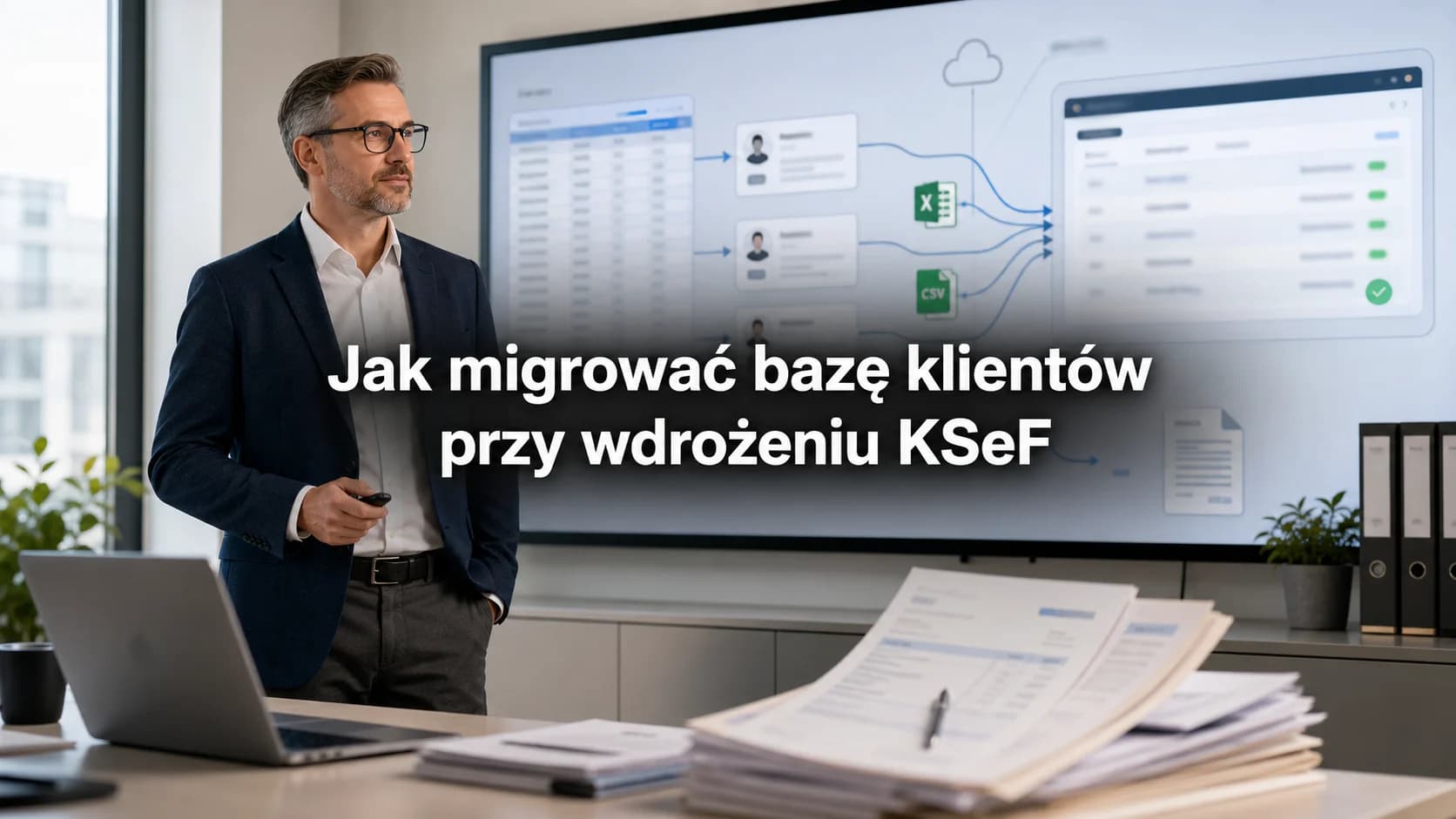
In KSeFGPT, the contractor database can be populated in bulk from an Excel or CSV file, updated manually and migrated through integrations such as Fakturownia.pl. The safest process is: audit the old database, map fields, run a test import, deduplicate, check several test invoices and only then move into production work.
Why customer data migration belongs in a KSeF implementation
Official Ministry of Finance materials describe KSeF as a system used, among other things, to issue, send, receive, access and store structured invoices. Once mandatory KSeF is in force, contractor data stops being only a helpful sales list. It becomes a foundation of everyday document flow.
From February 1, 2026, the KSeF invoice-issuing obligation covered the largest taxpayers whose 2024 sales including VAT exceeded PLN 200 million. From April 1, 2026, it covered other taxpayers, with a temporary exception until the end of 2026 for taxpayers whose monthly sales documented by invoices do not exceed PLN 10,000 gross. Receiving invoices through KSeF is mandatory from February 1, 2026.
In practice, customer-data problems surface quickly. If one company has three records, several name variants and a NIP written once with separators and once without them, the team starts choosing contractors by intuition. With one invoice it is an inconvenience. With hundreds of documents per month it becomes a source of errors and corrections.
| Area | What a poor database breaks | What migration before go-live gives you |
|---|---|---|
| Issuing invoices | Wrong NIP, outdated name, several address variants | Clear buyer selection and fewer fixes |
| Receiving invoices | Difficult seller recognition and purchase history checks | Faster matching of invoices to contractors |
| Reports | Sales and purchase values split across duplicates | Readable relationship history with one company |
| Accounting exports | Missing IDs from the old system | Preserved mapping to ERP, accounting office or spreadsheets |
Key Takeaways
A customer database before KSeF should be treated as production data, not as a side contact list. If a record is wrong, incomplete or duplicated, the problem will return when issuing invoices, receiving documents and analysing cooperation history.
The safest migration starts by choosing the source of truth for fields such as NIP, company name, address, country, role, data-quality status and the ID from the old system. Only then should the data be imported into KSeFGPT or another tool.
KSeFGPT shortens the technical part of the migration because it supports contractor import from Excel and CSV, plus integration with Fakturownia.pl. Even so, the company should run a test import, check several test invoices and decide who owns duplicates after go-live.
| Takeaway | Company decision |
|---|---|
| Do not migrate everything without control | Split records into ready, needs fixing and archived |
| Do not treat customer and supplier as separate entities by default | Keep one contractor record and assign roles |
| Do not trust the import file alone | Run a sample, check mapping and only then import the full database |
| Do not end the project on import day | Set rules for merging, updates and data-quality control |
Start with a list of data sources
The first step is not the import. First, list where customer and contractor data lives today. In a small company this may be one spreadsheet and an invoicing program. In a larger organization it may be CRM, ERP, warehouse software, an online shop, sales-team spreadsheets, accounting-office exports and a customer list from Fakturownia.pl.
Only after this inventory can you choose the source of truth. If the CRM has current contact people but the invoicing program has the correct NIPs and addresses, blindly moving one file is risky. It is better to decide which fields come from which system.
This is also the right moment to separate customers from the broader contractor database. KSeF concerns invoices, so the target database will include buyers, suppliers, additional parties, internal units and technical records. Not every contractor is a sales customer.
| Source | What it usually contributes | What to watch |
|---|---|---|
| CRM | Relationship owner, contact, segment, sales notes | Often lacks full invoicing data |
| Invoicing software | NIP, name, address, document history | Names may be shortened and duplicates may have grown for years |
| Excel or CSV | Fast export for migration and review | Mixed formats for dates, NIPs and addresses |
| Fakturownia.pl | Customers, sales invoices, expenses and document history | Field mapping and duplicates still need checking after import |
| ERP or accounting | Internal IDs, accounts, payment terms | Not every field belongs in the KSeF contractor record |
Define the minimal contractor model
Migration becomes difficult when each system describes the customer differently. Before importing, define the minimal record model. The goal is not a perfect CRM, but a field set that lets the team issue an invoice, recognize the contractor and connect it with history.
For Polish companies, the NIP is usually the main matching point. It should not be the only control, because old databases may contain typos, wrong numbers, test records or several branches described by one tax ID. Keep name, address, country, data-quality status and the old-system ID next to the NIP.
The official FA(3) structure includes data of the parties appearing on an invoice, including the seller, buyer and additional entities. That is a good reason to store roles in the database, not only a customer label. The same entity can be a customer, supplier or partner in different processes.
| Field | Move it? | Why |
|---|---|---|
| NIP or tax identifier | Yes | Helps match companies and reduce duplicates |
| Company name | Yes | Makes contractor selection and invoice checks easier |
| Address | Yes | Supports data consistency and document-history checks |
| Country | Yes | Needed for foreign companies and identification data |
| Role | Yes | Distinguishes customers, suppliers and other document parties |
| Old-system ID | Yes | Connects the new database with old reports and exports |
| Sales notes | Sometimes | Move only what the team actually uses |
Clean the database before importing
The biggest migration mistake is moving all old disorder into a new tool and calling it implementation. Before importing, find records without NIP, NIPs saved with separators, empty names, addresses squeezed into one cell and duplicates of the same company.
Cleaning does not have to mean manually fixing every row. It is enough to split data into three groups: ready to import, needs fixing and archived. An archived record does not have to block migration, but it should not appear as the first choice when issuing a new invoice.
Treat one-off customers separately. If the company issued one invoice five years ago and there has been no relationship since then, the record can be moved as historical or left out of the active database. What matters is that the decision is deliberate.
| Problem | How to detect it | What to do |
|---|---|---|
| Company duplicate | Same NIP, similar name or same address | Merge records or choose a master record |
| Incorrect NIP | Too few or too many digits, separators, text in the field | Standardize the value and mark cases for review |
| Empty name | No name on a record with invoice history | Complete it before import or block active use |
| Outdated address | Several addresses for the same company | Keep history but indicate the current record address |
| Test record | Names such as test, demo, abc | Remove it or mark it as not imported |
Choose the migration path
The right migration path depends on where the company keeps customers today. If the database is in a spreadsheet, Excel or CSV import is usually simplest. If invoices and customers are in Fakturownia.pl, integration will be better. If the data lives in ERP, consider a controlled export with clear field mapping or a source-system integration.
There is no need to automate everything on day one. A common good path is: first one-time import and cleanup, then a few weeks of work on the new database, and only later recurring integrations. This shows which fields are truly needed and which ones were historical noise.
For every option, plan a test import. Take a small but representative set: active customers, suppliers, foreign companies, duplicates, old records and contractors with unusual addresses. If the sample works, the full migration is much calmer.
| Path | When it makes sense | Risk |
|---|---|---|
| Excel or CSV | You have an export from the old system or a manual database | Formats and duplicates must be checked before import |
| Fakturownia.pl integration | You issue invoices there and keep customers in Fakturownia | Customer and invoice consistency needs checking after transfer |
| ERP export | You have internal IDs, accounts and accounting processes | A very broad export may move fields nobody uses |
| Manual entry | You have a small database or only a few key customers | Slower, but lets you clean data immediately |
How to move data into KSeFGPT
In the KSeFGPT Counterparties module, the database can be populated in several ways. For migration, the two most important are bulk contractor import from Excel or CSV and integrations, for example with Fakturownia.pl. This lets the team move an existing database without retyping data manually.
Excel or CSV import is a good choice when you have an export from an old program, a spreadsheet from accounting or a customer list prepared by sales. After import, check whether NIP, name, address, country and helper fields landed in the right places.
The Fakturownia.pl integration is useful when daily document issuing already happens there. KSeFGPT is integrated with Fakturownia.pl and can help move income and expense invoices and bring customers into KSeFGPT counterparties. After migration, invoices and contractor data can be controlled centrally for statuses, completeness and KSeF readiness.
| Method | What you move | When to choose it |
|---|---|---|
| Excel import | Customers, suppliers and helper fields | When you have an XLS or XLSX sheet from the old process |
| CSV import | A simplified export from accounting software, CRM or ERP | When the source system easily exports tabular data |
| Fakturownia.pl | Customers and invoices from income and expenses | When the company works operationally in Fakturownia |
| Manual entry | Single key contractors | When you want to prepare data before the first invoice |
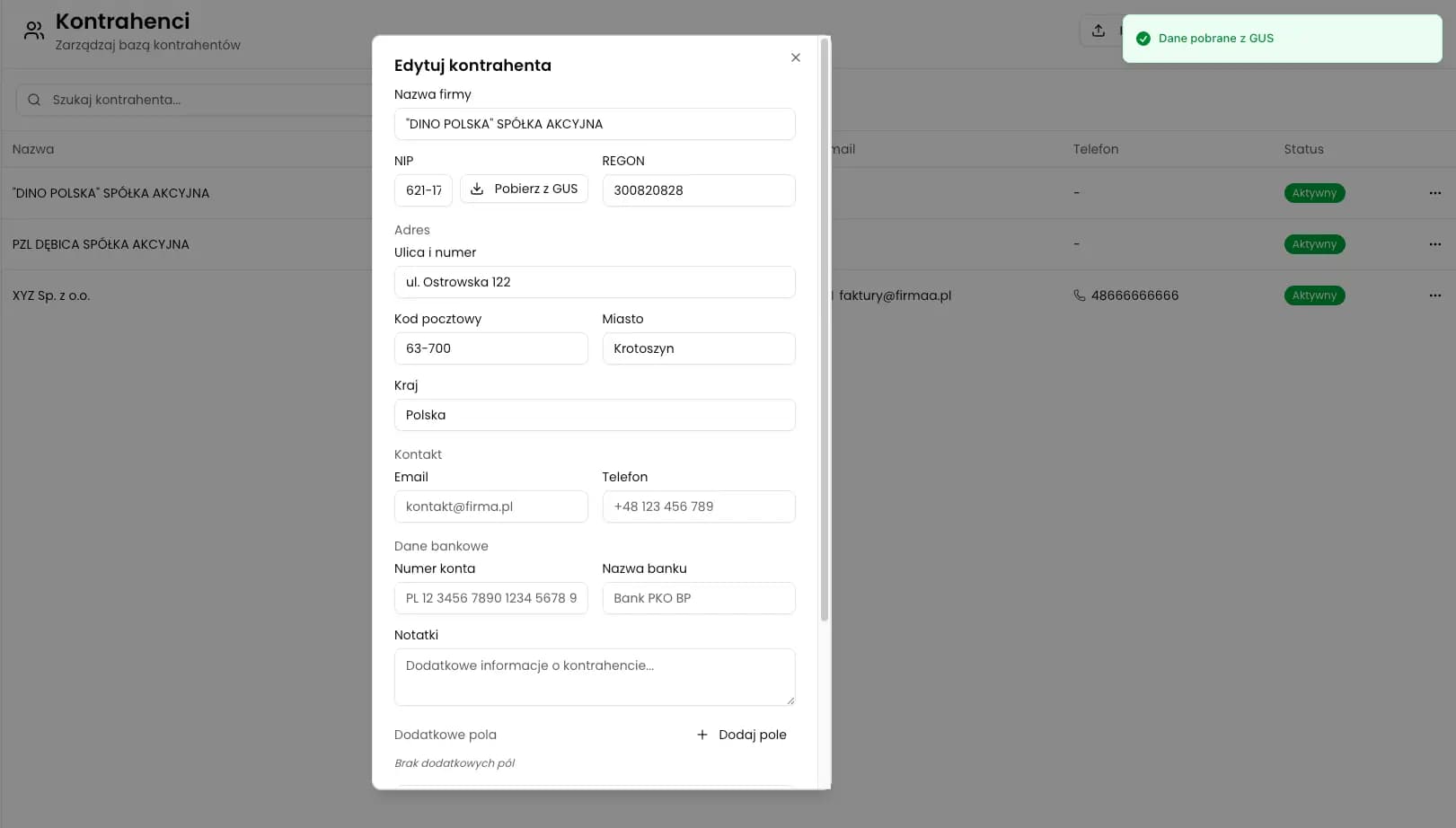
Move counterparties into KSeFGPT
Import the database from Excel or CSV, or use the Fakturownia.pl integration to clean data before everyday KSeF work.
See CounterpartiesRun a test import and check test invoices
A test import should end with more than a success message. After uploading a small sample, check how the record looks in the list, whether search finds it by NIP and name, whether the contractor role is correct and whether the data fills the invoice properly.
The best test is a few working invoice drafts. Create one invoice for a typical domestic customer, one for a customer with an unusual name, one for a foreign company if you handle them and one for a record that used to be a duplicate. The goal is not production sending, but checking data before real work.
If the test shows problems, fix the mapping and the source data, not only a single record. Migration should remove the cause, not hide the symptom.
| Test | Control question | What to fix if it fails |
|---|---|---|
| Search by NIP | Is the record found unambiguously? | Standardize NIP and remove duplicates |
| Search by name | Is the name readable for the team? | Fix abbreviations and name variants |
| Invoice fill-in | Does data land in the right fields? | Change column mapping |
| Customer history | Does the old ID connect data? | Add an old-system ID field |
| Roles | Do customer and supplier avoid accidental duplicate records? | Use roles instead of duplicating companies |
Set rules after migration
Migration is finished only when it is clear who owns data quality after go-live. If everyone can add contractors in any format, the database will drift again. Decide who may import larger files, who merges duplicates and who approves changes to key-customer data.
The second rule concerns updates. Not every difference on an invoice means the contractor record should be overwritten. If a historical invoice has an old address, the document history should remain unchanged, while the current contractor record can contain new data. This protects reports and the audit trail.
The third rule is regular cleanup. Once a month, check new records without NIP, contractors with similar names, duplicates by address and invoices assigned to records pending clarification. That is less work than a large cleanup once a year.
| Rule | Owner | Frequency |
|---|---|---|
| Excel and CSV imports | Implementation owner or accounting | As needed, ideally with a test import |
| Duplicate merging | Data administrator or accounting | Weekly in the first month, then cyclically |
| Changing key-customer data | Relationship owner and accounting | After confirming the source |
| Checking records pending clarification | Accounting | At least once a month |
Common migration mistakes
The first mistake is confusing a customer database with a contractor database. With KSeF, the company needs a broader view because incoming and outgoing invoices show different roles of the same entity. If the system stores customer and supplier as two separate worlds, relationship history will be incomplete.
The second mistake is importing without preserving the old identifier. Even if the new database looks clean, the team may later need the archived customer number, accounting account or ERP code. It is worth keeping such a field as a technical link.
The third mistake is having no plan for exceptions. Foreign companies, internal units, old records without NIP, one-off customers and parties from disputed invoices need decisions before the full import.
| Mistake | Effect | Better practice |
|---|---|---|
| Importing everything at once | The new database inherits old chaos | Split records into ready, needs fixing and archived |
| No deduplication | Several records for the same company | Match by NIP, name, address and history |
| No old ID | Hard to connect data with reports and ERP | Keep the source identifier as a technical field |
| Blind trust in the spreadsheet | Wrong data reaches invoices | Run a test import and test-invoice review |
Frequently Asked Questions
Does KSeF migrate the customer database automatically?
No. KSeF handles structured invoices and permissions, but customer database migration remains on the company and its tools.
Can contractors be imported into KSeFGPT from Excel or CSV?
Yes. KSeFGPT can import contractors in bulk from Excel and CSV files.
Can the Fakturownia.pl integration help migrate customers?
Yes. The integration helps move customers and documents from Fakturownia into KSeFGPT work and control data completeness.
Which fields matter most during migration?
NIP or tax identifier, name, address, country, role, data-quality status and old-system ID.
Do inactive customers need to be migrated?
Not always. They can be marked as archived or left outside the active database if the company keeps document history elsewhere.
Recommended Reading
If you are still organizing counterparties, start with How to build a contractor database from KSeF invoices without losing customer data. It explains how invoices can become a source of customer and supplier data.
For spreadsheet migrations, read How to send many invoices to KSeF from Excel, which explains column preparation, validation and format errors.
If the implementation is broader than customer data, see Most common KSeF implementation challenges. For broader product context, read KSeFGPT - application for invoice import, export and AI analytics.
Clean up counterparties before working with KSeF
Import the database from Excel or CSV, connect data from Fakturownia.pl and prepare customer records for issuing and receiving invoices in KSeFGPT.
Open KSeFGPTSources
This article is based on official Polish Ministry of Finance materials about KSeF and the FA(3) structure, plus KSeFGPT product descriptions verified on June 3, 2026.
- Zakres obowiązkowego KSeF
Polish Ministry of Finance · accessed: June 3, 2026
Official information about KSeF purpose, mandatory dates, invoice receiving and basic rules for using the system.
- Faktura ustrukturyzowana i struktura logiczna FA
Polish Ministry of Finance · accessed: June 3, 2026
Official explanation of structured invoices, XML format and entity data included in the FA(3) structure.
- Counterparties in KSeFGPT
KSeFGPT · accessed: June 3, 2026
Description of the Counterparties module, including filling data by NIP, Excel and CSV import and manual record creation.
- Fakturownia.pl integration
KSeFGPT · accessed: June 3, 2026
Description of the KSeFGPT integration with Fakturownia.pl, including invoice import and moving customers into KSeFGPT counterparties.
Zweryfikowano merytorycznie: Bogdan Mazurek
Tax advisor · June 3, 2026
Reviewed for the distinction between KSeF as a structured-invoice system and customer-data migration in company tools.
Related articles
How to Build a Contractor Database from KSeF Invoices Without Losing Customer Data
Structured invoices can become a clean source of customer and supplier data. See which fields to collect, how to avoid duplicates and where the KSeFGPT Counterparties module fits into the process.
How to receive an invoice from KSeF step by step
A practical guide for businesses and accounting teams: where to find incoming invoices in KSeF, when they are considered received, how often to check them and what to do after retrieval.
What to do when an invoice for a purchase you did not make appears in KSeF?
Learn how to distinguish a wrong NIP from a suspected scam invoice, when to contact the seller, when to request a correction and how to report abuse in the KSeF 2.0 Taxpayer Application.
KSeF: What to Do When the Mobile App Is Not Working
Check whether the issue is your phone, login, permissions or KSeF availability. See safe steps and fallback options.