How to Build a Contractor Database from KSeF Invoices Without Losing Customer Data
Structured invoices can become a clean source of customer and supplier data. See which fields to collect, how to avoid duplicates and where the KSeFGPT Counterparties module fits into the process.
Summary
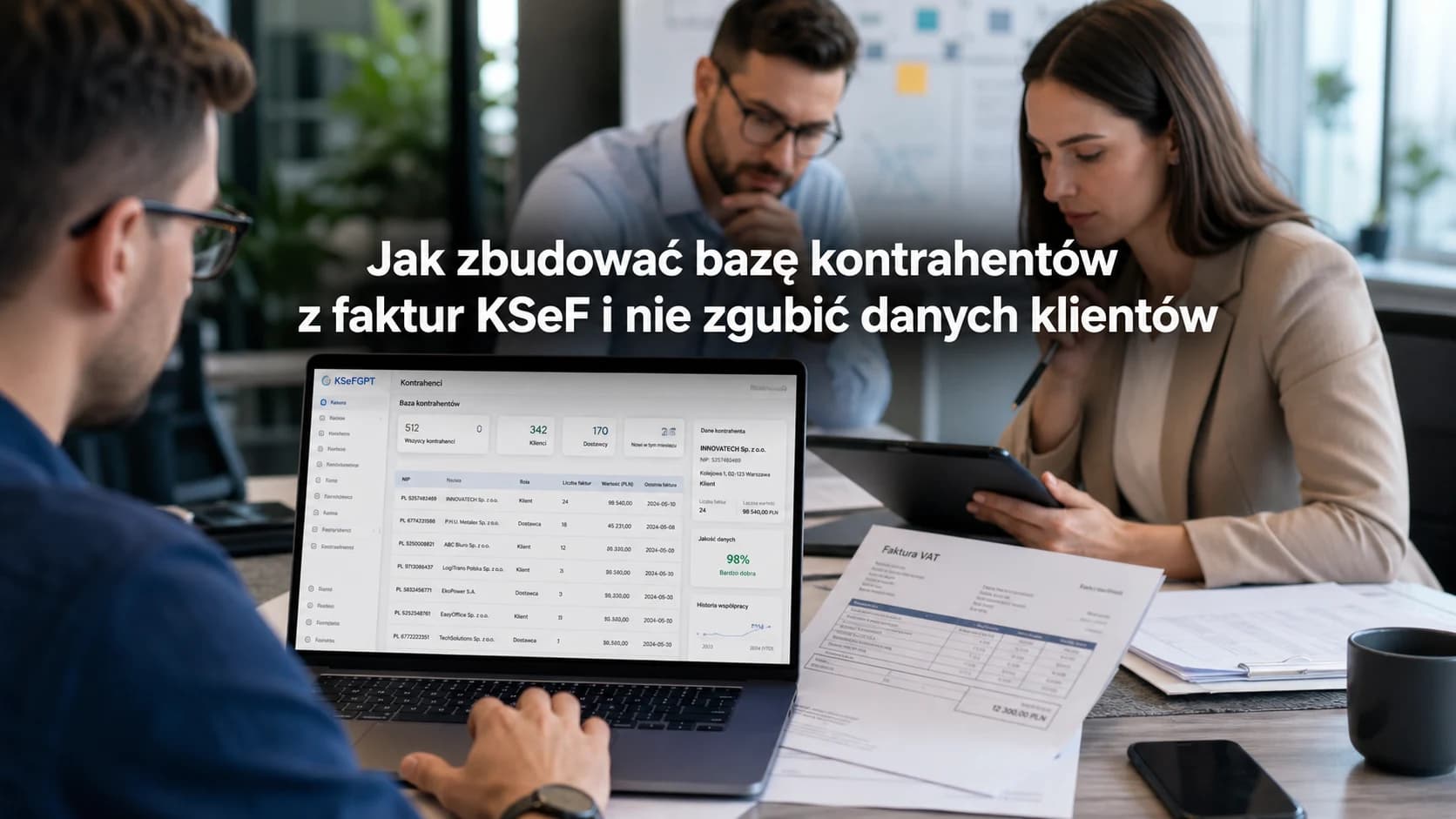
KSeF invoices can become a strong source of contractor data, but only if the company treats them as a structured stream of information, not as an automatic CRM. Business invoices usually provide a Polish NIP, company name, address, party role, document numbers, dates and transaction history.
The most useful working identifier for Polish companies is usually the NIP, but a contractor record should not end with a tax number. A practical record also shows whether the entity is a customer, supplier, correction recipient, one-off contractor or a company that needs extra verification.
In KSeFGPT, the Counterparties module can support this housekeeping during everyday invoice work: by filling company details from a NIP, importing Excel or CSV lists, adding records manually and adding a buyer from an invoice when it is not yet in the database.
Key Takeaways
KSeF does not create a customer database for the company, but a structured invoice contains data about the parties appearing on the document. That makes it a practical starting point for a buyer and supplier database.
The biggest mistake is adding every party from an invoice as a full customer without context. First identify the contractor role, data quality and whether the invoice itself needs clarification.
The best contractor database grows during normal work: importing invoices, issuing documents, receiving incoming invoices and cleaning transaction history. A separate migration project is needed mainly when the company already has a serious mess in spreadsheets or an old system.
| Takeaway | Practical action |
|---|---|
| An invoice is a data source, not a CRM | Extract invoice data, but add roles and data-quality status. |
| The NIP helps match Polish company records | Match by NIP and update existing records when details change. |
| Customer and supplier are roles | Do not create two records for the same company just because the transaction context differs. |
| A disputed invoice needs a separate path | Do not add an unknown seller to the clean database before clarification. |
Which KSeF Invoice Data Belongs in a Contractor Database
The Polish Ministry of Finance describes a structured invoice as an XML document compliant with the FA(3) logical structure. That structure includes, among other parts, the parties appearing on the invoice, detailed invoice data, amounts, tax rates, payment information and additional document elements.
For a contractor database, the most important data is the party data: seller, buyer and possible additional parties. This helps answer who you trade with, who invoices you, who receives your invoices, where the relationship repeats and who appeared only once.
Still, identification fields should be separated from transaction history. NIP, name and address describe the contractor when they are available and correct for a given invoice. Invoice number, KSeF number, date and amounts describe a specific event. Mixing all of this into one flat table quickly creates noise.
| Invoice data | Database use | Risk |
|---|---|---|
| NIP | Matching and deduplicating Polish companies. | A wrong or someone else's NIP can create a false relationship. |
| Company name | Readable contractor display for the team. | Names may be abbreviated or written in several variants. |
| Address | Completing the record and checking document consistency. | An address may change faster than invoice history. |
| Invoice role | Distinguishing customers, suppliers and additional parties. | The same company may have several roles in different processes. |
| KSeF number | Connecting the record with a specific invoice in the system. | It does not replace the invoice number or contractor identifier. |
Customer Database or Contractor Database
In everyday language, companies often say customer database. From the perspective of KSeF invoices, contractor database is more precise. Outgoing invoices show buyers, usually customers. Incoming invoices show sellers, usually suppliers, provided the document actually relates to a company purchase.
That split is not always fixed. A company you sell to today may invoice you tomorrow as a subcontractor. If the system creates two separate records, reports and relationship history start drifting apart immediately.
That is why it is better to keep one contractor record and attach several roles or relationships. The record describes the entity. Roles describe how that entity appears in your invoice flow.
| Term | Practical meaning |
|---|---|
| Customer | An entity you usually issue sales invoices to. |
| Supplier | An entity you usually receive purchase invoices from. |
| Contractor | A broader term covering customers, suppliers and other invoice parties. |
| Role | The context in which the same entity appeared on an invoice. |
How to Build a Contractor Database Step by Step
The simplest process starts with importing or synchronizing invoices. You do not need a full CRM at the beginning. In the first stage, collect invoice parties, recognize NIPs for Polish companies, merge repeated records and assign roles.
The second stage is data cleanup. Check whether the same company appears under several names, whether the address is outdated, whether an imported record duplicates a manually added contractor and whether the list contains parties from invoices pending clarification.
Only the third stage is enrichment: relationship owner, preferred payment term, ERP customer number, supplier category, accounting notes or internal markers needed for exports.
| Step | Action | Result |
|---|---|---|
| 1 | Collect incoming and outgoing invoices. | You have a source of customers and suppliers. |
| 2 | Extract party data from invoices. | A raw contractor list appears. |
| 3 | Merge records by NIP and company details. | You reduce duplicate records. |
| 4 | Assign roles and data-quality status. | You know who is a customer, supplier or clarification case. |
| 5 | Update the database with each new invoice. | The record set grows with everyday work. |
What a Practical Contractor Record Should Contain
A minimal contractor database does not have to be long. It has to be unambiguous. Start with entity identification, then contact or address data, and only then add fields that support accounting, sales and exports.
Not every field should come from the invoice. KSeF number, date and amount build transaction history. Contact person, account owner, segment or cooperation notes usually come from team work, not from the XML itself.
A well-designed database also shows the data source. Information read from an invoice should be treated differently from a manually entered note or data filled from a registry based on a NIP.
| Field | Source | Purpose |
|---|---|---|
| NIP | Invoice or contractor form | Matching and searching Polish companies. |
| Name | Invoice, GUS or manual entry | Readable identification in lists and exports. |
| Address | Invoice or registry | Formal context and document consistency control. |
| Role | Invoice history | Distinguishing customer, supplier and additional party. |
| Last invoice | Transaction history | Fast assessment of relationship activity. |
| Data-quality status | User decision or system rules | Shows whether the record is ready to use. |
Common Problems in Databases Built from Invoices
The first problem is duplicates. The same company may appear in an old spreadsheet, an Excel import, an incoming invoice and a manually added record. If the system does not merge carefully, the team starts choosing contractors by guesswork.
The second problem is blind trust in one invoice. An invoice may contain a typo, an old address or data entered in a hurry by the issuer. A good database does not only store data. It also shows when a record needs checking.
The third problem is mixing sales relationships with accounting context. Not every party from a purchase invoice is a sales lead. Sometimes it is a one-off supplier, payment operator, technical party or an invoice the company should not book at all.
| Problem | Symptom | Better practice |
|---|---|---|
| Duplicates | Several records with the same NIP. | Merge records and keep source history. |
| Outdated address | Different addresses for the same company on invoices. | Update the record without overwriting invoice history. |
| Unknown seller | Incoming invoice with no confirmed purchase. | Set pending clarification before adding it to the clean database. |
| Too broad customer base | Every supplier lands in the sales CRM. | Distinguish contractor, customer and supplier. |
What to Do with Invoices from Unknown Contractors
KSeF means an invoice may appear under your company NIP without a separate email from the seller. That is useful in normal operations, but an unknown seller requires discipline. Such an entity should not automatically enter the customer or supplier database as a normal active contractor.
First check whether the purchase was real: order, contract, company card, employee, branch, project and KSeF number. If the document looks like a mistake or abuse, follow the procedure described in What to do when a KSeF account shows an invoice for purchases that are not ours?.
You may keep such an entity as a technical record pending clarification, but it should not be mixed with normal customers. This keeps sales reports, supplier lists and payment history readable.
| Situation | Database status | Next step |
|---|---|---|
| Purchase and seller are known | Active supplier | Complete the data and connect invoice history. |
| Seller is known, amount is disputed | Pending clarification | Pause booking until seller contact is complete. |
| Seller is unknown | Suspicious or pending clarification | Check purchase and KSeF number. |
| Wrong NIP on the invoice | Do not connect with an active relationship | Ask the issuer for correction or explanation. |
How This Works in KSeFGPT
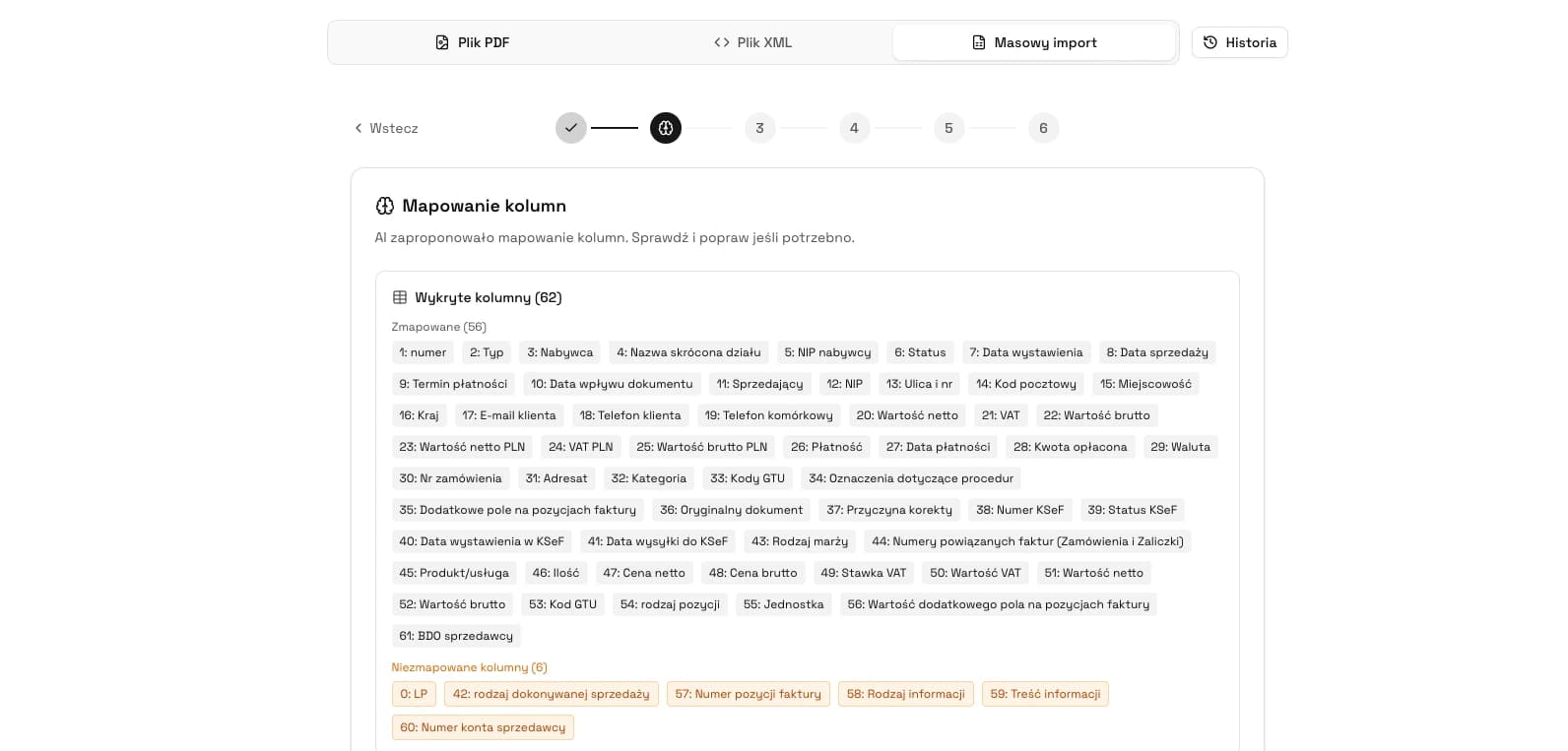
In the KSeFGPT Counterparties module, the buyer and supplier database is designed as part of invoice work, not as a separate directory that must be maintained manually from zero. Company details can be filled by NIP from GUS, imported from Excel or CSV, added manually or added while working with an invoice.
The practical benefit is simple: the database can grow when the user is already importing or issuing documents. If the buyer is not yet in the records, the application can add it during invoice work instead of forcing the team to retype the same data separately.
The company still needs judgement. KSeFGPT helps reduce typos and duplicates, but it should not replace the decision whether a party is a customer, supplier, technical record or a case pending clarification.
| Add method | When it makes sense |
|---|---|
| NIP and GUS data | When you know the tax ID and want to reduce manual retyping of name and address. |
| Excel or CSV import | When you move an existing customer or supplier list. |
| Manual entry | When you prepare data before issuing the first invoice. |
| Adding from an invoice | When a contractor naturally appears during import or document issuing. |
See the Counterparties module
Check how KSeFGPT helps organize buyers and suppliers while importing and issuing KSeF invoices.
Go to counterpartiesHow Not to Turn KSeF Data into a Sales Gimmick
A contractor database built from invoices should not exist only to send more offers. Its first job is less exciting and more important: correct invoice data, fewer duplicates, faster document search, better payment control and fewer mistakes in accounting exports.
Only then can the database support sales analysis: active customers, breaks in purchasing, repeat buyers or companies where transaction value is rising. If you start with sales analytics before cleaning the data, reports may look professional but rest on fragile foundations.
A good process starts with questions: is the record correct, is it tied to the right NIP, does it have the right role, are the invoices real and does the transaction history avoid mixing several entities in one place?
What to Measure After Cleaning the Database
Once the database is clean, you can measure what really helps the company. The number of contractors is not enough. Activity, transaction repeatability, invoice values, payment terms, correction frequency and the share of invoices needing clarification matter more.
Both outgoing and incoming invoices are useful. Outgoing invoices show customers and revenue. Incoming invoices show suppliers, costs and operational risk. Together they give a fuller picture of commercial relationships.
For dates and settlement history, read Payment term on a KSeF invoice. For regular incoming invoice handling, see How to receive an invoice from KSeF step by step.
| Metric | Why it helps |
|---|---|
| Active contractors | Shows real relationship scale, not only old database size. |
| Last invoice | Separates active relationships from archived ones. |
| Transaction total | Supports analysis of the most important customers and suppliers. |
| Invoices pending clarification | Shows quality of receiving and data-control processes. |
| Corrections | Highlights relationships or processes that generate errors. |
Frequently Asked Questions
Does KSeF replace a CRM?
No. KSeF is an e-invoicing system, not a sales system. It can provide structured invoice data that helps build and update a contractor database.
Which contractor data can be taken from a KSeF invoice?
Usually the Polish NIP for domestic businesses, company name, address, role on the invoice, invoice number, KSeF number, dates and transaction values.
Should customers and suppliers be kept in one database?
Yes, if the database distinguishes roles. The same entity can be a customer and supplier in different processes.
How do you avoid duplicates in a contractor database?
Treat the NIP as the main matching point for Polish companies, but also check the name, address, invoice history and data source.
What should you do with a contractor from an invoice you do not recognize?
Mark the invoice and contractor as pending clarification, then check the purchase, KSeF number, seller and internal orders.
Recommended Reading
If you want to build a contractor database from KSeF, start with the invoice receiving process. The guide How to receive an invoice from KSeF step by step explains why incoming invoices should be treated as a permanent document inbox.
For unknown sellers, read What to do when a KSeF account shows an invoice for purchases that are not ours?. For dates, payments and transaction history, use Payment term on a KSeF invoice.
For broader product context, see KSeFGPT - application for invoice import, export and AI analytics.
Build your contractor database while working with invoices
KSeFGPT helps fill company details from a NIP, import Excel or CSV lists and add buyers while working with KSeF invoices.
See CounterpartiesSources
This article is based on official Polish Ministry of Finance information about structured invoices, FA(3), the KSeF number and KSeFGPT product descriptions verified on June 3, 2026.
- Faktura ustrukturyzowana i struktura logiczna FA
Polish Ministry of Finance · accessed: June 3, 2026
Official explanation of structured invoices, XML format, FA(3) timing and the parts of the invoice structure.
- Numer KSeF i zbiorczy identyfikator
Polish Ministry of Finance · accessed: June 3, 2026
Description of the KSeF number as the unique invoice identifier in the system and the difference between the KSeF number and the taxpayer's invoice number.
- Wystawianie i otrzymywanie faktur
Polish Ministry of Finance · accessed: June 3, 2026
Ministry answers about invoice handling in KSeF, dates, document data and practical obligations of buyers and issuers.
- Counterparties in KSeFGPT
KSeFGPT · accessed: June 3, 2026
Description of the Counterparties module: filling data from a NIP, Excel and CSV import, manual entry and adding buyers while working with invoices.
Zweryfikowano merytorycznie: Bogdan Mazurek
Tax advisor · June 3, 2026
Reviewed for the distinction between structured-invoice data, the KSeF number, contractor roles and practical data use without overstating product capabilities.
Related articles
How to receive an invoice from KSeF step by step
A practical guide for businesses and accounting teams: where to find incoming invoices in KSeF, when they are considered received, how often to check them and what to do after retrieval.
What to do when an invoice for a purchase you did not make appears in KSeF?
Learn how to distinguish a wrong NIP from a suspected scam invoice, when to contact the seller, when to request a correction and how to report abuse in the KSeF 2.0 Taxpayer Application.
KSeF: What to Do When the Mobile App Is Not Working
Check whether the issue is your phone, login, permissions or KSeF availability. See safe steps and fallback options.
KSeF Invoice Issue Date and Payment Term: When to Count Invoice Delivery From?
Check when a KSeF invoice is deemed received, how to distinguish the issue date from the KSeF number date and why the payment term still follows from the contract and commercial transaction rules.