Artificial Intelligence in Accounting: What Can It Realistically Automate in 2026?
A practical guide for accountants, accounting offices and CFOs: where AI shortens document work, where it requires human control and how to assess a tool for KSeF, GDPR and the AI Act.
Article Summary
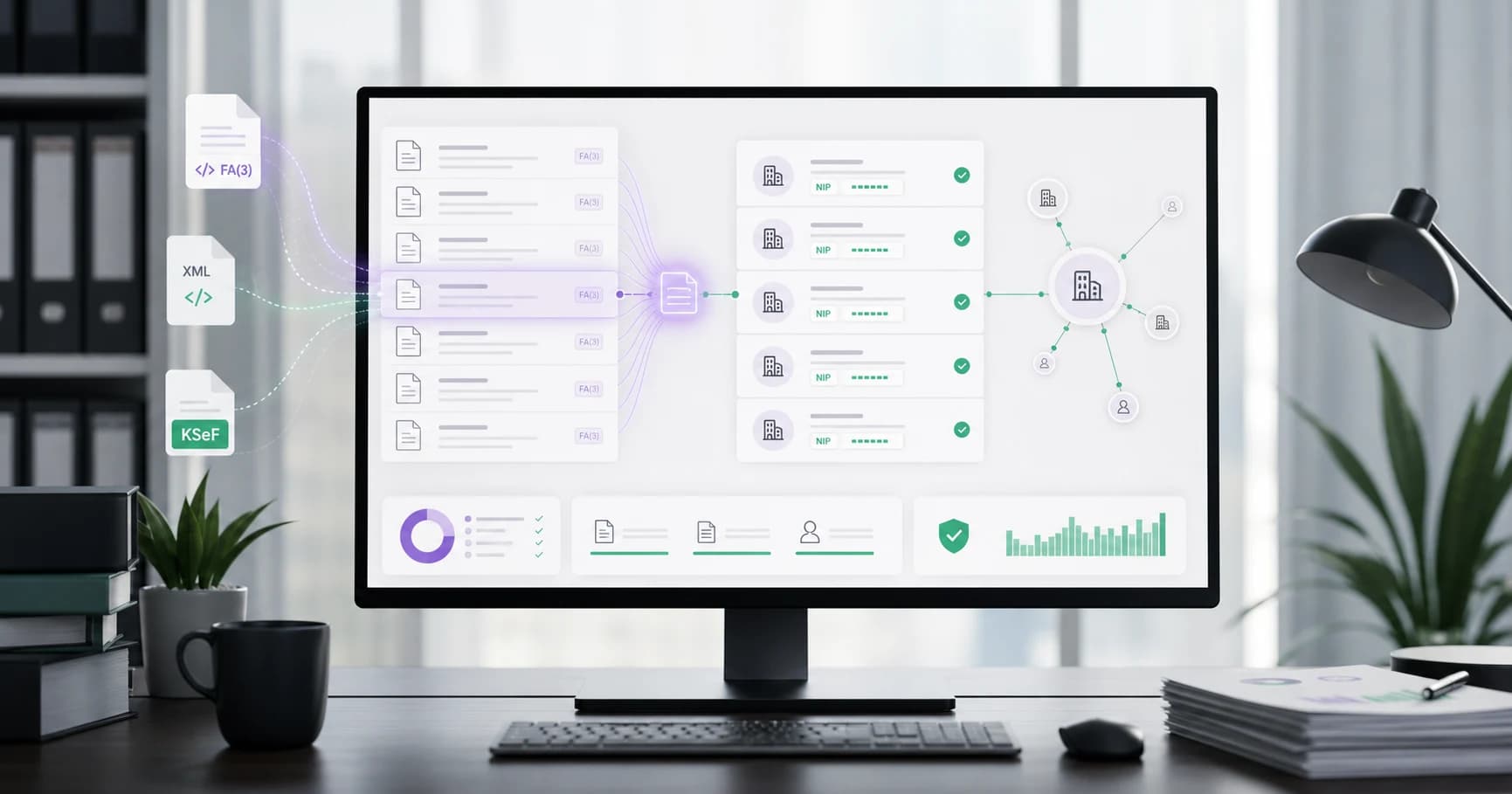
Artificial intelligence in accounting in 2026 is not an autonomous accountant. It works best as an operational layer over documents: it reads data, organizes invoices, detects duplicates, suggests posting rules, flags anomalies, prepares reports and helps teams find documents that need review faster.
The biggest change is not that an AI model knows tax regulations. The change is that accounting increasingly receives data in a structured form. KSeF and FA(3) reduce the disorder of PDF invoices, but they do not remove the need for tax judgment, process supervision and human accountability.
A professional AI implementation requires three layers: reliable source data, clearly described control rules and an audit trail. Without these, AI can speed up work, but it can also replicate errors faster in NIPs, VAT rates, cost descriptions, account mappings and payment decisions.
Key Takeaways
For management boards, CFOs and accounting offices, the most important question is not whether a tool has AI in its name, but whether it shortens the process without losing control over the accounting decision.
| Takeaway | Meaning for the process |
|---|---|
| AI automates stages, not responsibility | The model can prepare data and suggestions, but tax, payment and accounting decisions need an owner on the organization's side. |
| KSeF improves input-data quality | FA(3) XML reduces manual invoice retyping, but it does not replace cost descriptions, approvals or tax interpretation. |
| Start with low-risk automation | Document reading, duplicates, completeness checks, reminders and reports are a safer starting point than automatic decisions. |
| GDPR and the AI Act require a procedure | Roles, data, retention, supplier, oversight, logs and the cases where a human stops automation need to be described. |
What Really Changed in 2026
The year 2026 is particularly important for accounting for two reasons. First, mandatory KSeF moves invoices toward structured data. Second, AI tools have become practical enough to support daily processes, rather than only generate text or answer general questions.
In KSeF, a structured invoice is an XML document compliant with the logical structure. From February 1, 2026, FA(3) is used for structured invoices, and its structure includes the header, party data, detailed invoice data, footer and a section for an attachment. This means accounting systems and analytical tools can work with data fields, not only with a document image.
This does not mean, however, that accounting becomes automatic. Structured data helps a machine read the NIP, amount, date, VAT rate and line items, but it does not itself determine whether an expense is tax-deductible, whether a document should be posted to a specific account, or whether a transaction requires additional documentation.
That is why the best way to think about AI in accounting is not as a robot replacing a specialist. It is a set of tools that shortens repetitive stages and lets the accountant spend more time on exceptions, decisions and control.
What AI Can Realistically Automate in Accounting
AI has the greatest potential where work is repetitive, pattern-based and later verifiable. In accounting, this mainly means handling incoming documents, cost invoices, cost descriptions, reconciliations and reports.
AI performs well in classification when it has sufficiently consistent historical data. If the same supplier has issued invoices for hosting, leasing, fuel or courier services for years, the system can suggest a category, account and cost center. If a new supplier, unusual amount or different VAT rate appears, the document should go to review.
The table below organizes the difference between operational automation and an accounting decision. This distinction matters because a professional AI implementation is not about removing the human from the process, but about directing human attention to the areas with the highest risk.
| Work stage | What AI can do | What a human should control |
|---|---|---|
| Document reading | Recognize data from a PDF, XML, CSV or attachment and arrange it into working fields. | Whether the data is complete, whether the document comes from the right source and whether the invoice version has not been confused. |
| Classification | Assign the document to a counterparty, cost category, project or cost center. | Whether the classification matches the contract, company policy and tax-settlement method. |
| Posting suggestion | Suggest an accounting account, description and pattern based on the history of similar documents. | Whether the proposal is correct for the specific transaction, period and accounting rules. |
| Validation | Flag missing fields, inconsistent amounts, an unusual VAT rate or a duplicate. | Whether the issue is technical, accounting-related, tax-related or the result of an exceptional business case. |
| Matching | Match the invoice to an order, payment, goods receipt or contract. | Whether differences are acceptable and who approved them. |
| Reporting | Prepare a summary of costs, deviations, overdue items and documents for review. | Whether the report has the right scope, period, data sources and interpretive limitations. |
Example Review Process in an Accounting Office
Assume an accounting office serves a dozen or more clients, each with a different level of document organization. In this environment, AI should not automatically post everything according to one pattern. A better model is triage: routine documents follow a shorter path, while unusual documents go into a review queue.
A practical rule may look like this: an invoice from a known supplier, with a matching NIP, an amount in the typical range, a recurring category and no change of bank account receives a posting suggestion and an approval status. An invoice from a new counterparty, with a different VAT rate, high amount, correction, attachment or discrepancy with the order receives a clarification status.
This scenario delivers more value than a simple promise of automatic posting. The accountant can see which documents are similar to routine work, which require action and why the system raised the risk. This shortens work time without giving up responsibility or the audit trail.
| Signal from the document | Status | Human action |
|---|---|---|
| Known counterparty, typical amount, same category | For approval | Quick review of the suggestion and approval or correction of the description. |
| New counterparty or changed bank account | For clarification | Check the document source, counterparty data and payment rules. |
| Unusual VAT rate or correction | Tax review | Verify the basis, original invoice and method of recognition. |
| Discrepancy with order or receipt | Business review | Reconcile with the ordering person or budget owner. |
From Document to Posting
A practical process starts before posting itself. First, the document must be received, recognized, assigned to a counterparty, technically checked and only then assessed for posting in the books.
Without AI, many companies do this manually: download the invoice, open a PDF or XML, retype data, look up the counterparty, check amounts, choose the cost category and wait for approval. AI can shorten this process, but only when it has access to source data and to the rules it should follow.
The safest process uses statuses. A document can be new, recognized, requiring completion, suspected as a duplicate, waiting for business approval, ready for posting or rejected. This makes AI part of a controlled process, rather than invisible background automation.
| Document status | Operational meaning | Typical AI automation |
|---|---|---|
| New | The document has been downloaded or uploaded, but is not described yet. | Field reading, counterparty recognition, document-type identification. |
| Recognized | The system has basic data and can compare it with history. | Suggestion of category, account, cost center and approving person. |
| For clarification | Data is incomplete, unusual or inconsistent. | Flagging missing data, anomalies, duplicates or differences from an order. |
| For approval | The document requires a business or tax decision. | Preparing a summary and a list of points to check. |
| Ready | The document has passed review and can move forward. | Data export, report, reminder or audit-trail entry. |
KSeF as Fuel for Automation
KSeF matters for AI in accounting because it changes the quality of input data. A structured invoice is not a scan or PDF image, but an XML document with fields that can be validated, searched and linked with other data.
This makes automation easier, but it does not solve every problem. KSeF organizes structured invoices, while a company may still have documents outside KSeF: contracts, orders, acceptance protocols, payment confirmations, attachments, foreign documents, PDF archives and correspondence. AI needs to work with the full context, not only with the invoice.
In practice, KSeF is best treated as a source of invoice data that feeds the process. AI can help with retrieving, filtering, analyzing and checking documents, but the decision on cost recognition, VAT rate, correction method or payment approval should remain in a controlled process.
If you first want to understand the KSeF AI layer itself, see what KSeF AI is and when it makes sense. If you are interested in a specific invoice flow, the guide how to issue an invoice with AI step by step will also be useful.
Where AI Still Requires a Human
The biggest mistake in AI implementations is automating a stage that the company has not previously described. If the team does not know who decides whether an expense is tax-deductible, who approves a payment, who checks VAT and who is responsible for corrections, AI will only accelerate disorder.
The boundaries of automation are especially important for tax, payment and evidentiary decisions. AI can prepare analysis, but it should not independently decide that an expense is tax-deductible, that a given VAT rate is correct, that a counterparty is safe, or that a payment can be made despite discrepancies.
A good process separates three things: the AI suggestion, the human decision and the evidence of that decision. Then, after a month, a year or an audit, it is possible to determine where the proposal came from, who accepted it and what data was available at the time.
| Area | Safe role for AI | Boundary of responsibility |
|---|---|---|
| VAT rate | Indicating similar transactions and potential risks. | Final classification in an unusual case requires verification by the responsible person. |
| Tax-deductible cost | Preparing a description and list of supporting documents. | The decision depends on the purpose of the expense, regulations and documentation. |
| Payment | Detecting discrepancies with the order, due date or bank account. | Transfer approval should have a clearly identified person or approval rule. |
| Correction | Identifying the original invoice, line items and differences. | The choice of correction path depends on the transaction and settlement between the parties. |
| Counterparty assessment | Collecting data and warning signals. | A business decision should not rely solely on an automatic score. |
GDPR, AI Act and Oversight Risks
Invoices and accounting documents often contain personal data. This particularly concerns sole proprietors, employee data, representatives, contacts, bank accounts and information recorded in document descriptions. If such data goes into an AI tool, the legal basis, data scope, retention, subprocessors, transfers and ability to account for who accessed the data need to be checked.
GDPR does not prohibit the use of AI in accounting, but it requires control over processing. First, the parties' roles need to be established: controller, processor or another appropriate cooperation model. If the provider acts as a processor, a data processing agreement is needed. Regardless of role, data must be limited to the necessary scope, and the processing basis, retention, technical safeguards, access control and ability to demonstrate why the data was processed must be described.
The AI Act should also not be reduced to the claim that every AI tool in accounting is a high-risk system. The regulation uses a risk-based approach, so the specific use case needs to be analyzed. An invoice-search assistant has a different risk profile than automated scoring of a person, and different again from a system affecting access to employment, credit or essential services.
For an accounting office and CFO, the practical conclusion is simple: every AI implementation should describe its purpose, data, provider, control method, decision logging and the scenarios in which a human must stop automation.
Control Model for Accounting Offices and CFOs
In a professional environment, AI should not be a black box. Accounting offices and finance teams need a control model that allows them to use automation without losing responsibility or the audit trail.
The most important elements are confidence thresholds and exceptions. A document similar to hundreds of previous invoices can follow a shorter path if the data is consistent. A document with a new counterparty, unusual amount, different VAT rate, bank-account change or discrepancy with an order should be marked for manual review.
Control does not have to mean checking everything manually. A more mature model combines automatic rules, control samples, an exception list and clear responsibility for approval. Then AI genuinely shortens work time, rather than merely moving risk into a less visible place.
| Control mechanism | Why it is needed | Accounting example |
|---|---|---|
| Confidence thresholds | They separate routine cases from documents requiring review. | A posting suggestion below the agreed threshold goes to manual checking. |
| Exception list | It protects against automating risky cases. | A new counterparty bank account blocks automatic payment approval. |
| Audit trail | It allows the decision to be reconstructed later. | The system records the AI suggestion, user, approval date and changed fields. |
| Control samples | They check automation quality without reviewing every document. | Each week, a percentage of invoices posted according to suggestions is reviewed. |
| Rule versioning | It shows which rules applied in a given period. | A change in account mapping is saved with the date and responsible person. |
How to Evaluate an AI Tool for Accounting
An AI tool for accounting needs to be evaluated differently from a simple text generator. What matters is not only answer quality, but also integrations, data security, export options, control over documents and error handling.
The first question is what data the tool uses. Does it read FA(3) XML, PDFs, CSV, ERP data and KSeF statuses? Does it show the source of each suggestion? Does it allow the result to be corrected before export? Does it record who approved a change?
The second question concerns security. With accounting documents, you need to know where data is processed, how long it is stored, who the model provider is, whether client data can be used to train the model and what data deletion looks like after the cooperation ends.
| Question for the provider | Why it matters |
|---|---|
| Does the tool support KSeF and FA(3)? | Without working on the invoice structure, AI may be only a layer over a PDF or text. |
| Can the user see the source of a suggestion? | The accountant needs to know whether a proposal comes from history, a rule, a document or a general model answer. |
| Are there roles, logs and change history? | Without them, it is difficult to show who approved a document and what was changed. |
| Can thresholds and exceptions be configured? | Different companies have different risk tolerance and approval processes. |
| How do retention and data deletion work? | Invoices and supporting documents contain personal data and commercial information. |
| Is client data used to train models? | This requires a clear legal, contractual and informational basis. |
| Can data be exported to an ERP, spreadsheet or archive? | AI should support the accounting process, not lock data inside a separate tool. |
Where KSeFGPT Fits in This Process
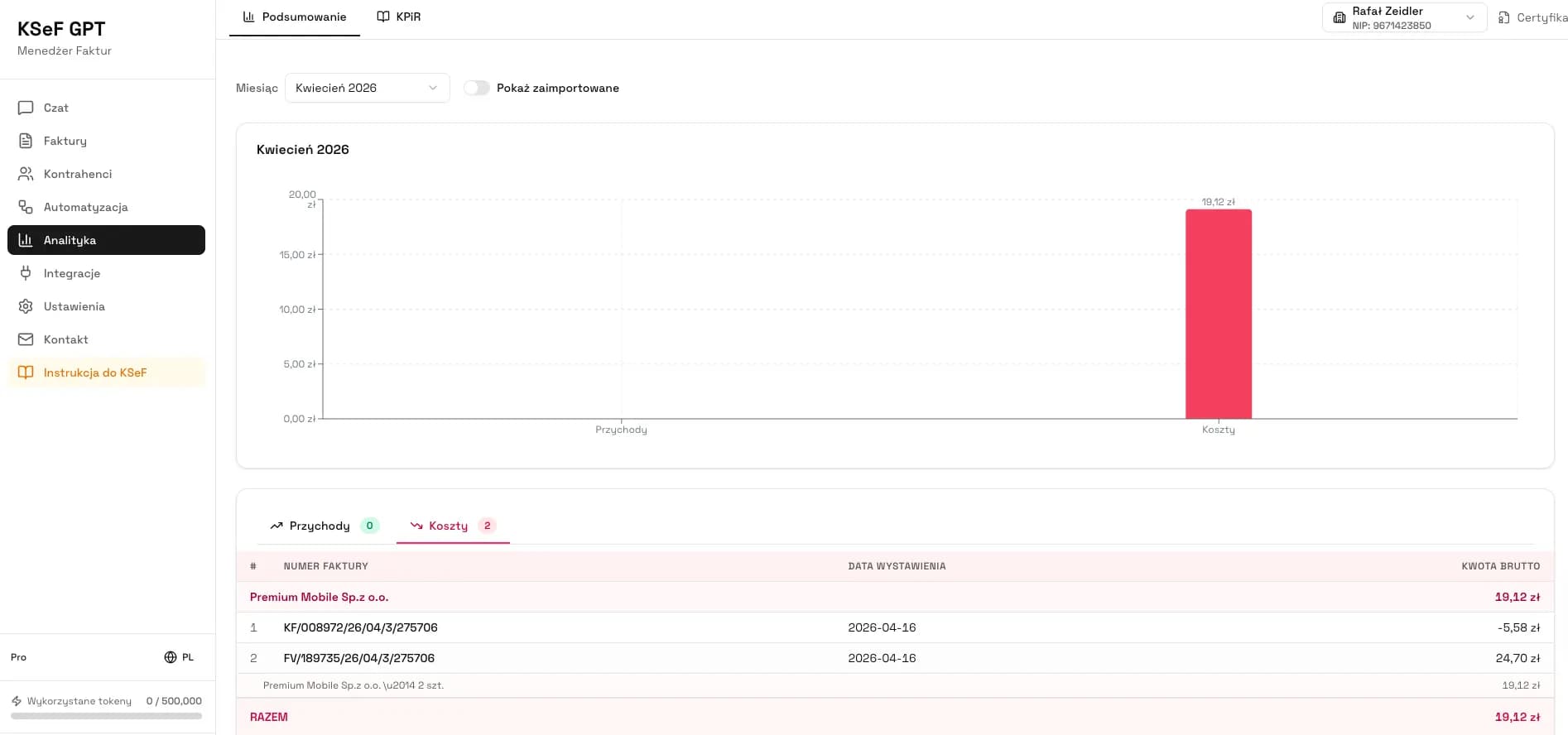
As of the date of writing, KSeFGPT should be treated as a working layer for KSeF invoices and invoice documents, not as an autonomous accountant. The tool can help with import, export, invoice analysis, work with FA(3) XML, document search and data checks before further processing.
The most natural use cases are organizing invoices, analyzing data, working with PDF and XML files, validation, preparing summaries and supporting a team that wants to find documents requiring action faster. For individual tasks, free AI invoicing tools may also be useful, but current limits and usage requirements should be checked directly on the tool pages.
The key rule remains the same: AI prepares, organizes and flags risks, while a human approves. This process design is easier to defend before accounting, management, audit and the accounting office's client.
Try KSeFGPT for invoice and AI workflows
Work with KSeF invoices, analyze data, validate XML and organize documents in a process where humans retain control over decisions.
Go to KSeFGPTFrequently Asked Questions
Can AI post invoices independently?
AI can suggest posting rules, an account, cost category, cost center and document description, but a safe process should include confidence thresholds, an exception list and human approval. Responsibility for books, tax and reporting does not move to the AI model.
Is KSeF artificial intelligence?
No. KSeF is the central e-invoicing and structured-invoice exchange system. AI can operate alongside KSeF, for example by organizing data, flagging anomalies, preparing posting suggestions and supporting document analysis.
Does KSeF remove the need for OCR in accounting?
Not completely. For structured XML invoices the need for OCR decreases, but OCR may still be needed for PDFs, documents outside KSeF, attachments, archives, foreign documents and business correspondence.
Do the AI Act and GDPR apply to AI in accounting?
Yes, but in different ways. GDPR matters whenever a tool processes personal data from invoices, employee documents or correspondence. The AI Act requires analysis of the specific AI use case, so not every invoice assistant will be a high-risk system.
Recommendation
The best first step is not buying the most advanced model, but describing the process. List document types, data sources, approving people, exceptions, control thresholds and the points where the decision must remain with a human.
Only then choose an AI tool. In accounting, data consistency, audit trail, security and the ability to work with KSeF, FA(3), PDFs, CSVs and exports matter. AI without control can look impressive, but professional accounting needs a predictable process.
Recommended articles: what KSeF AI is and when it makes sense, practical uses of AI in KSeF operations, KSeFGPT as an invoice import, export and AI analytics application and XML validation and processing in KSeF.
Organize KSeF invoices with AI support
KSeFGPT helps analyze, validate and organize KSeF invoices, while keeping accounting and tax decisions on the human side of the process.
Try KSeFGPTSources
This article was prepared based on EU legal acts, official materials from the European Commission, the Polish Ministry of Finance and KSeF, and publications from professional accounting organizations. Sources were checked on June 11, 2026.
- Regulation (EU) 2024/1689 - Artificial Intelligence Act
EUR-Lex · accessed: June 11, 2026
EU legal act establishing the framework for artificial intelligence systems, including the risk-based approach.
- Regulation (EU) 2016/679 - General Data Protection Regulation
EUR-Lex · accessed: June 11, 2026
The basis for GDPR principles on personal data, minimization, accountability, security and automated decision-making.
- AI Act
European Commission · accessed: June 11, 2026
Official description of the EU AI regulatory framework, its risk-based approach and the objective of ensuring safety and fundamental rights.
- Legal basis and key KSeF 2.0 deadlines
Polish Ministry of Finance · accessed: June 11, 2026
Official deadlines for the phased implementation of mandatory KSeF in 2026.
- Scope of mandatory KSeF
Polish Ministry of Finance · accessed: June 11, 2026
Official information on the scope of the obligation, receiving invoices through KSeF and transitional provisions.
- Structured invoice and FA logical structure
Polish Ministry of Finance · accessed: June 11, 2026
Official description of the structured invoice, FA(3), issue and receipt dates, and tools for using KSeF.
- FA(3) logical structure
Polish Ministry of Finance · accessed: June 11, 2026
Information on publication of the FA(3) structure, consultations and replacement of FA(2) from February 1, 2026.
- KSeF API 2.0 OpenAPI
Polish Ministry of Finance · accessed: June 11, 2026
Official technical documentation of the KSeF API 2.0 for financial and accounting system integrations.
- Harnessing Innovation: Responsible Use of AI in Finance and Accounting
IFAC · accessed: June 11, 2026
Professional-organization material on responsible use of AI in finance and accounting, with emphasis on control and limitations.
- Artificial Intelligence in Accounting
IFAC · accessed: June 11, 2026
IFAC overview of AI applications, opportunities and risks in accounting.
- AI Monitor
ACCA · accessed: June 11, 2026
ACCA publication on the impact of AI on the finance and accounting profession, including skills, governance and risks.
Expert reviewed: Bogdan Mazurek
Tax Advisor · June 11, 2026
The content was reviewed for the distinction between operational automation and responsibility for tax decisions, consistency with KSeF 2.0, FA(3), GDPR and a cautious description of AI Act risks.