How to register for KSeF? Access, sign-in, permissions
There is no password-based KSeF account. Learn how authentication works, who gets automatic permissions, and when you need the ZAW-FA form.

Summary
There is no password-based account to set up in KSeF. Every entry into the system requires authentication with one of the available methods, and what you can do once signed in depends on separate permissions tied to your NIP or granted by the entity you represent.
An individual running a sole proprietorship gets owner permissions automatically for their own NIP, with no application needed. An entity that is not a natural person, such as a company, gains access through a qualified electronic seal or by naming an individual on the ZAW-FA form.
This article walks through what first-time access to KSeF looks like in practice: which authentication methods to use, how the permission model works, when you need the ZAW-FA form, how a KSeF token differs from a KSeF certificate, and what access looks like when you work through an external application such as KSeFGPT.
An account in an external application and access to KSeF are two separate things. Registering with KSeFGPT means creating an account on a paid plan with a 7-day free PRO trial, while the connection to KSeF itself still runs through a token or certificate issued by the Ministry of Finance. Without a full account, you can also use KSeFGPT's free tools, which work after you provide an email address, within a limit of three uses per day.
Do you need to create a KSeF account with a login and password?
The phrase "how to register for KSeF" suggests a process familiar from ordinary websites: enter an email address, set a password, get an activation link. That model does not exist in KSeF. The system does not store a password for you, because it does not need one - it confirms your identity every time through an external authentication method.
It is worth separating two concepts that are often confused in practice. Authentication answers the question of who you are, and relies on Trusted Profile, a qualified electronic signature or seal, a KSeF token, or a KSeF certificate. Permissions answer the question of what you can do once signed in, and are tied to your NIP or granted by the entity on whose behalf you act.
The Polish Ministry of Finance confirms that signing in to KSeF requires authentication at every entry into the system - there is no notion of a permanent account created once at the start. The sections below show what this authentication looks like in practice and how to match it to your situation as an individual or as an entity.
Table of contents
1. What authentication methods can you use to access KSeF
2. What permissions exist in KSeF
3. How do you grant KSeF access to an individual, an entity, or a proxy
4. What are the Taxpayer Application, the MCU, and the test environment of KSeF
5. When do you need access to KSeF
6. What does KSeF access look like when using an external application such as KSeFGPT
7. What does first-time KSeF access look like step by step
8. What should you watch out for when accessing KSeF for the first time
Key takeaways
The table below collects the most important findings about first-time access to KSeF before you dive into each section's details.
| Point | Details |
|---|---|
| No classic registration | KSeF has no password-based account to set up. What matters is the separation between authentication and permissions. |
| Several authentication methods | Trusted Profile, qualified electronic signature, qualified electronic seal, KSeF token, KSeF certificate. |
| Permissions depend on your status | An individual gets owner permissions automatically; an entity grants them through a seal or the ZAW-FA form. |
| Timelines and a test environment | The MCU and the Taxpayer Application have run in the test environment since November 2025, and the obligation phases in through 2027. |
| An external application does not replace KSeF | A KSeFGPT account is a different thing from access to KSeF - the latter still requires a token or certificate from the Ministry of Finance. |
What authentication methods can you use to access KSeF?
The Ministry of Finance provides several parallel authentication methods, and the right choice mainly depends on whether you are signing in as an individual or acting on behalf of an entity. All of them lead to the same place: the KSeF Taxpayer Application.
Trusted Profile: sign-in through login.gov.pl, available to individuals via the mObywatel app, online banking, or an e-ID card.
Qualified electronic signature: an authentication method for individuals, including those representing an entity.
Qualified electronic seal: a method intended for entities, such as companies, which additionally grants automatic owner permissions.
KSeF token: a string generated by the system, used mainly to authenticate software integrating with KSeF, valid until the end of 2026.
KSeF certificate: a certificate issued by the system, available since November 1, 2025 and usable since February 1, 2026, valid for no more than two years.
You cannot sign in to the Taxpayer Application interface with a KSeF certificate the way you would with Trusted Profile. It is used to authenticate integrated software through the API, which we cover in more detail in the article on how to generate a KSeF certificate. If you are deciding between a token and a certificate for an integration, see the comparison in KSeF token or certificate? A practical authorization guide.
Now that we know how to confirm your identity in KSeF, let's look at exactly what you can do once signed in - in other words, how permissions work.
| Authentication method | Who it is for | Where it is used |
|---|---|---|
| Trusted Profile | Individuals | Signing in to the Taxpayer Application through login.gov.pl |
| Qualified electronic signature | Individuals, including those representing an entity | Signing in to the Taxpayer Application and signing documents |
| Qualified electronic seal | Entities that are not natural persons | Access with automatic owner permissions |
| KSeF token | Integrated software | Authentication through the API, valid until the end of 2026 |
| KSeF certificate | Integrated software and selected offline operations | Authentication through the API, valid for a maximum of two years |
What permissions exist in KSeF?
Simply authenticating in KSeF does not mean you can do everything. The system additionally checks which permissions are tied to your NIP or granted to you by the entity on whose behalf you act.
Owner permissions: the broadest scope, granted automatically to an individual running a business, with no application required, and irrevocable.
Managing permissions: lets you grant and revoke access for other people.
Managing members: covers administering people associated with the entity.
Issuing invoices: lets you create and send structured invoices on behalf of the entity.
Invoice access and viewing: lets you read documents without the right to issue them.
Self-billing: a separate permission for situations where the buyer, not the seller, issues an invoice on the seller's behalf - we cover the rules of this process in the article on how self-billing works in KSeF.
For an individual running a sole proprietorship, this is the simplest scenario: owner permissions are tied to your NIP automatically, so as soon as you authenticate you have full access to your own invoices. For an entity, such as a company, permissions have to be deliberately granted - we cover how to do that in the next section.
Now that we know what permissions exist, let's see how to actually grant access to an individual, an entity, or a proxy.
| Type of permission | What it covers | How it is granted |
|---|---|---|
| Owner permissions | Full access to invoices and to managing the entity | Automatically, to an individual's NIP, and irrevocable |
| Managing permissions | Granting and revoking access for other people | By a person with owner permissions, inside the Taxpayer Application |
| Managing members | Administering people associated with the entity | By a person with owner permissions |
| Issuing invoices | Creating and sending structured invoices | Granted individually inside the Taxpayer Application |
| Invoice access | Viewing documents without the right to issue them | Granted individually inside the Taxpayer Application |
| Self-billing | Issuing an invoice by the buyer on the seller's behalf | Granted separately, as agreed between the parties |
How do you grant KSeF access to an individual, an entity, or a proxy?
The path to first-time access depends on who you are for the purposes of KSeF regulations. The questions below help you quickly identify the right path instead of searching through the entire Ministry of Finance manual.
Do you run a sole proprietorship and sign in with your own NIP? Then you have owner permissions granted automatically and there is nothing to report.
Are you acting on behalf of an entity that is not a natural person, such as a company, and does that entity hold a qualified electronic seal? Then the seal grants automatic permissions and no additional form is needed.
Does the entity not have a qualified electronic seal? Then it must submit the ZAW-FA form naming one individual who will receive permissions on the entity's behalf - the form can be submitted on paper or electronically.
Do you need to grant access to further people or to a proxy after your first sign-in? That is done from inside the Taxpayer Application, using the permission to manage permissions.
It is worth submitting the ZAW-FA form before you start using KSeF, not on the day you need to send your first invoice - processing the application and granting access takes time that is usually not available right before a first submission.
Once you know who has access, it is worth checking where you actually sign in and where you can safely test the whole process.
| Situation | What to do |
|---|---|
| An individual with their own NIP | Sign in with any authentication method; you get owner permissions automatically. |
| An entity with a qualified electronic seal | Authenticate the entity with the seal; permissions are granted automatically. |
| An entity without a qualified electronic seal | Submit the ZAW-FA form naming one individual who will get access. |
| Further people and proxies | A person with owner permissions or with permission management rights grants access inside the Taxpayer Application. |
What are the Taxpayer Application, the MCU, and the test environment of KSeF?
The KSeF 2.0 Taxpayer Application is the Ministry of Finance's official interface where an individual or an entity signs in with a chosen authentication method, checks permissions, issues and receives invoices, and manages other people's access. As of July 22, 2026, the application has been available in the test environment since November 2025.
Certificates and the permission model are handled by the Certificate and Permissions Module, known by its Polish abbreviation MCU. The MCU has been available since November 1, 2025, and the new permission model can be used in full since February 1, 2026, alongside the launch of KSeF 2.0.
The test environment at ksef-test.mf.gov.pl lets you practice authentication, granting permissions, and sending invoices without any effect on your real tax settlement. It is a good place to test the ZAW-FA form, a token, or a certificate before you set up a production connection to KSeF, for example in an external application.
Now that we know where and with what to sign in, let's see from when access to KSeF stops being optional.
| Element | What it does | Availability |
|---|---|---|
| KSeF 2.0 Taxpayer Application | Interface for signing in, permissions, issuing and receiving invoices | Available in the test environment since November 2025 |
| MCU (Certificate and Permissions Module) | Managing certificates and the new permission model | Available since November 1, 2025; the permission model fully usable since February 1, 2026 |
| Test environment (ksef-test.mf.gov.pl) | Testing access, permissions, and sending without production effects | Available alongside the production environment |
When do you need access to KSeF?
The obligation to use KSeF takes effect in stages, depending on sales volume. As of July 22, 2026, according to Ministry of Finance materials, the timeline looks as follows.
February 1, 2026: the obligation covers taxpayers whose VAT-inclusive sales exceeded PLN 200 million in 2024.
April 1, 2026: the obligation covers other businesses and entities that issue invoices.
January 1, 2027: the obligation covers the smallest taxpayers, whose monthly sales do not exceed PLN 10,000.
It is worth setting up access earlier than the timeline strictly requires, especially if you still need to submit the ZAW-FA form or test an integration. Processing an application and running initial tests in the test environment take time that is usually in short supply right before the obligation starts.
Now that we know the deadlines, let's see what access to KSeF looks like when you send invoices not directly from the Taxpayer Application, but from an external application.
| Date | Who it covers |
|---|---|
| February 1, 2026 | Taxpayers with VAT-inclusive sales above PLN 200 million in 2024 |
| April 1, 2026 | Other businesses and entities that issue invoices |
| January 1, 2027 | The smallest taxpayers, with monthly sales up to PLN 10,000 |
What does KSeF access look like when using an external application such as KSeFGPT?
External applications integrated with KSeF, including KSeFGPT, do not create their own, separate access to the Ministry of Finance's system. They connect to KSeF with exactly the same methods described earlier: a KSeF token or a KSeF certificate with a private key. These are methods issued and controlled by the Ministry of Finance, not by the software provider.
It is worth separating two distinct things. A KSeFGPT account: this is signing in to the application itself, requires registration, and runs on paid plans with a 7-day free PRO trial. Access to KSeF: this is a separate authentication with a token or certificate, configured inside your KSeFGPT account, but independent of simply being signed in to the application. Having a KSeFGPT account does not replace permissions in KSeF - if your NIP or entity does not yet have permissions granted, you first need to obtain them the way described earlier.
Once the connection is configured in the settings module, you can send invoices directly from KSeFGPT, using the AI Chat or a form, and download a readable invoice visualization in several languages. If you only want to check a file before registering fully, KSeFGPT's free tools are also available - just provide an email address, with no full account and no payment required, within a limit of three uses per day.
Now that we know access to KSeF does not depend on having an account in an external tool, let's move on to a practical checklist for first-time sign-in.
| Element | KSeFGPT account | Access to KSeF |
|---|---|---|
| What it confirms | Your identity in the KSeFGPT application | Your identity and permissions in the Ministry of Finance's system |
| What you authenticate with | An email address and password for the application account | A KSeF token or a KSeF certificate with a private key |
| Who issues it | KSeFGPT | The Polish Ministry of Finance |
| Is it required separately | Yes, to use the application | Yes, to actually send and receive invoices in KSeF |
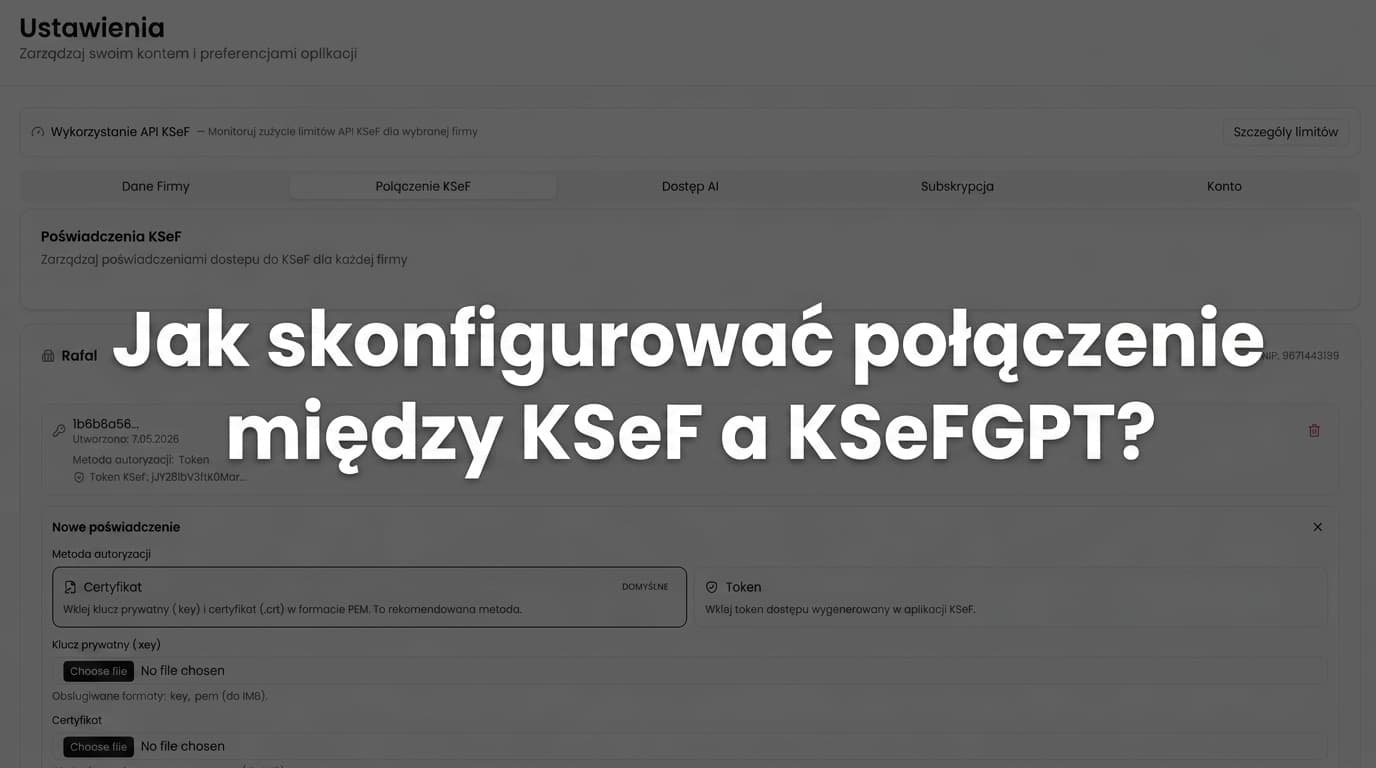
Set up KSeF access in KSeFGPT
Once you have permissions in KSeF, you can connect them to KSeFGPT with a token or certificate and send invoices from one place.
Go to KSeFGPTWhat does first-time KSeF access look like step by step?
The checklist below organizes everything covered so far into one practical sequence of actions - from choosing an authentication method to sending your first invoice.
Step 1: choose the authentication method that fits your situation - Trusted Profile or a qualified signature for an individual, a qualified electronic seal for an entity.
Step 2: sign in to the KSeF Taxpayer Application, selecting the right context - your own NIP or the entity on whose behalf you act.
Step 3: check whether you have owner permissions, and if you are acting as an entity without a seal, submit the ZAW-FA form.
Step 4: if you plan to integrate external software, generate a KSeF token or a KSeF certificate in the MCU module.
Step 5: test the whole process in the test environment at ksef-test.mf.gov.pl before you turn on a production connection.
Step 6: send your first invoice and receive the UPO - we cover this step in detail in the article on sending invoices to KSeF.
After completing these six steps, you have working access to KSeF, regardless of whether you work directly in the Taxpayer Application or through an external application.
| Step | What to do |
|---|---|
| 1 | Choose the authentication method that fits your situation |
| 2 | Sign in to the KSeF Taxpayer Application in the right context |
| 3 | Check permissions or submit ZAW-FA if you act as an entity without a seal |
| 4 | Generate a KSeF token or certificate if you are integrating software |
| 5 | Test the process in the test environment |
| 6 | Send your first invoice and receive the UPO |
What should you watch out for when accessing KSeF for the first time?
The most common mistake with first-time KSeF access has nothing to do with technology - it is about the order of operations. Companies leave the ZAW-FA form or certificate generation until the last day before the obligation starts, and processing the application and configuring an integration both need time that simply is not there by then.
A second recurring problem is confusing permissions with authentication. Someone who correctly signs in with Trusted Profile may still not see an entity's invoices, because they have not been granted permissions - that is not a system error, but the effect of a model where the two things are deliberately kept separate.
Owner permissions are irrevocable, so it is worth deciding deliberately who signs in first for a given NIP or entity seal. In practice, it works well to first test the entire path in the test environment - authentication, granting permissions, and sending a sample invoice - before any action reaches the production environment.
If a company plans to use external software, it is worth deciding early whether a KSeF token or a KSeF certificate fits the integration better, since they differ in how they are generated, how long they remain valid, and how easily they can be renewed without interrupting invoice sending.
The table below collects recurring mistakes in first-time KSeF access, following directly from the separation of authentication, permissions and environments described in the previous sections.
| Common mistake | Effect | How to avoid it |
|---|---|---|
| A KSeF certificate used where an integration needs a token, or the other way around | The external software cannot authenticate against the API, even though the company's configuration is otherwise correct | Before generating an authentication method in the MCU, check the integrator's or software vendor's documentation to see whether a token or a certificate is required |
| Sending an invoice before the entity has been granted permission to issue documents | The system rejects the operation even though the person authenticated correctly | Before your first submission, check in the Taxpayer Application whether you hold owner permissions or the right to issue invoices, and submit ZAW-FA in advance if not |
| Trying to sign in to the Taxpayer Application interface directly with a KSeF certificate | Sign-in fails, because a KSeF certificate is not an authentication method for the web interface | Use Trusted Profile or a qualified signature or seal for the Taxpayer Application interface, and keep the KSeF certificate for authenticating software through the API |
| Confusing the test environment with the production environment | Test permissions, certificates, or invoices end up in the wrong environment, making it harder to judge whether the configuration is production-ready | Check the environment address before every session - ksef-test.mf.gov.pl for testing, the production environment only after testing is complete - and flag test data in internal procedures |
Frequently asked questions
Do you need to create a KSeF account with a login and password?
No. KSeF does not work like a service where you register with an email address and a password. Every entry into the system requires authentication with one of the available methods - Trusted Profile, a qualified electronic signature or seal, a KSeF token, or a KSeF certificate - and what you can do once signed in depends on separate permissions.
How do you get access to KSeF as an individual running a business?
It is enough to authenticate with Trusted Profile or a qualified electronic signature using your own NIP. Owner permissions are granted automatically, so there is no additional application to submit.
What is the difference between a KSeF token and a KSeF certificate for first-time access?
A KSeF token is a string generated by the system, valid until the end of 2026, used mainly to authenticate integrated software. A KSeF certificate, available since November 1, 2025 and usable since February 1, 2026, is valid for a maximum of two years and is used to authenticate integrated software through the API, not to sign in to the Taxpayer Application interface.
How do you grant another person in the company access to KSeF?
If the entity holds a qualified electronic seal, permissions are granted automatically once it is used. If the entity has no seal, it must submit the ZAW-FA form naming one individual who will receive permissions on the entity's behalf - on paper or electronically. Access for further people is then granted from inside the Taxpayer Application.
When do you need access to KSeF?
As of July 22, 2026, the obligation takes effect in stages: from February 1, 2026 for taxpayers whose VAT-inclusive sales exceeded PLN 200 million in 2024, from April 1, 2026 for other businesses, and from January 1, 2027 for the smallest taxpayers with monthly sales up to PLN 10,000.
Does access to KSeF through KSeFGPT require a separate KSeF account?
There is no such thing as a separate KSeF account to create. An external application such as KSeFGPT connects to the Ministry of Finance's system with the same token or certificate you would use with any other software. A KSeFGPT account is a separate registration in the application itself, with paid plans and a 7-day free PRO trial.
Recommended reading
KSeF token or certificate? A practical authorization guide - helps you pick the right authentication method for integrating external software.
How to generate a KSeF certificate - walks through the certificate issuance process in the MCU module step by step.
Sending invoices to KSeF: complete 2026 guide - covers the next step after getting access: sending your first document and receiving the UPO.
The most common KSeF implementation challenges and how to overcome them - covers organizational problems that appear once access has already been set up.
Already have access to KSeF? Send your first invoice with KSeFGPT
Set up the connection with a token or certificate and start issuing, sending and receiving invoices in one place.
Go to KSeFGPTSources
Information about authentication, permissions, the ZAW-FA form, the MCU and the KSeF obligation timeline comes from official Ministry of Finance materials. Deadlines and the scope of permissions may change - check the current state on the Ministry's website before making an operational decision.
- KSeF 2.0 questions and answers
Polish Ministry of Finance · accessed: July 22, 2026
Official explanations covering authentication, permissions, the KSeF token and the KSeF certificate.
- What you should know before the second stage of the KSeF rollout
Polish Ministry of Finance · accessed: July 22, 2026
The KSeF obligation timeline and a description of sign-in methods through login.gov.pl and a qualified signature or seal.
- Permissions and authorization in KSeF
Polish Ministry of Finance · accessed: July 22, 2026
A description of the permission model, including owner permissions granted automatically to a NIP.
- ZAW-FA form
Polish Ministry of Finance · accessed: July 22, 2026
The form for reporting the individual authorized to use KSeF on behalf of an entity that is not a natural person.
- Certificate and Permissions Module (MCU)
Polish Ministry of Finance · accessed: July 22, 2026
A description of the module responsible for KSeF certificates and the new permission model in KSeF 2.0.
- KSeF 2.0 Taxpayer Application
Polish Ministry of Finance · accessed: July 22, 2026
Information about the availability of the Taxpayer Application in the test environment and its functions.
Expert reviewed: Bogdan Mazurek
Tax adviser · July 22, 2026
The article was reviewed to confirm the correct separation of authentication from permissions in KSeF, the accurate description of owner permissions and the ZAW-FA form, and the up-to-date KSeF obligation dates according to Ministry of Finance materials.