How to create a CRM opportunity from a template
Choose a template and counterparty, then create an opportunity with a predefined task.
- Module
- CRM / Sales opportunities
- Reading time
- 4 min
- Difficulty
- Easy
You could do this with your eyes closed :)
- Published
- September 7, 2026
- Author
- Rafał Zeidler
- Format
- Written guide and video
Written procedure
What you will do
Create an opportunity for an existing counterparty from a ready-made template. Check the task created along with it.
Requirements
Before you start
| Item | Requirement |
|---|---|
| Access | Owner of the selected company with CRM access and a plan that includes tasks and sales opportunities. |
| Required data | An existing counterparty and template. Example: Atlas Demo Sp. z o.o. and KSeF implementation, with New stage, PLN 5000 and one task without a due date assigned to demo@example.test. You need available opportunity and task quota. |
| Starting point | After signing in, select the correct company and open CRM > Sales opportunities. |
| Time | 3 min |
| Effect | A new opportunity and linked task will be created. This example keeps the template value, currency and task unchanged. |
Process recording
0:34Choose a template and counterparty, then create an opportunity with a predefined task.
Open the template picker
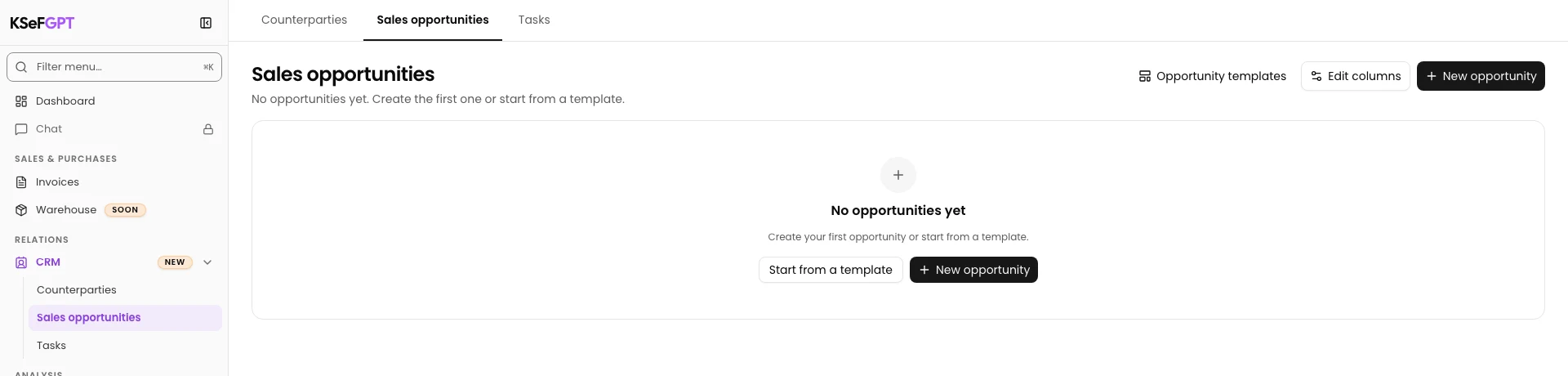
Open CRM > Sales opportunities and select New opportunity. The New opportunity from a template dialog appears.
Choose and review the template
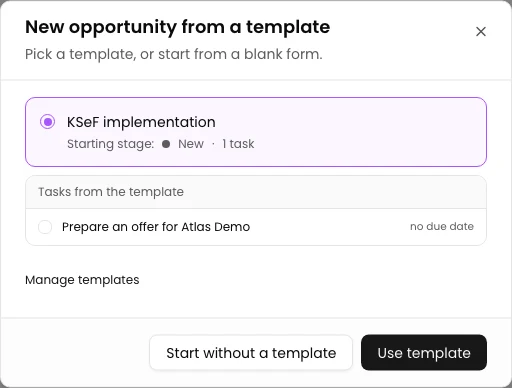
Choose KSeF implementation. Check the New starting stage, task count and template task preview.
The example contains Prepare an offer for Atlas Demo with no due date. Select Use template.
Choose a counterparty and check the form
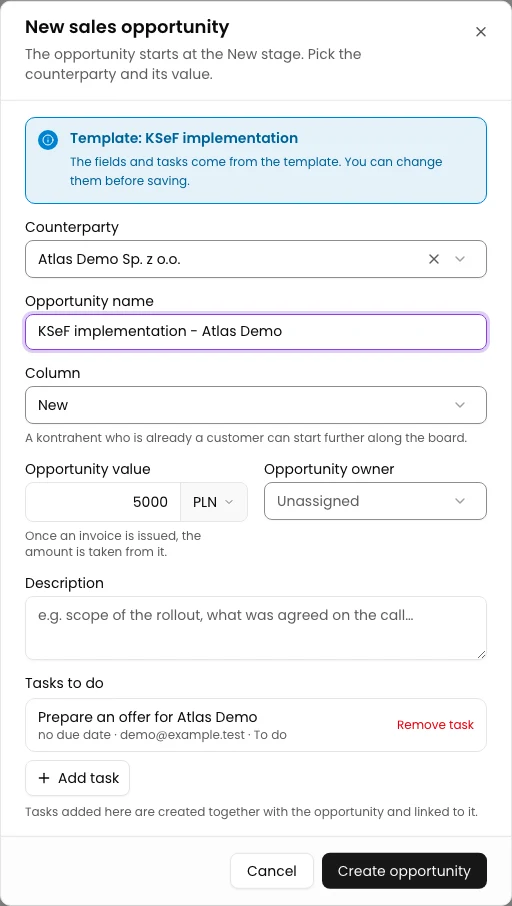
In Counterparty, select Atlas Demo Sp. z o.o. Enter KSeF implementation - Atlas Demo in Opportunity name.
Check Column: New and Opportunity value: PLN 5000. Keep these values and the entry under Tasks to do unchanged.
Check the task name, no due date and demo@example.test assignee. The template does not select the counterparty for you; choose it in the form.
Create the opportunity and verify its task
Select Create opportunity once. If the form resets and remains open, close it with Cancel and open the new card on the board. Do not submit the form again.
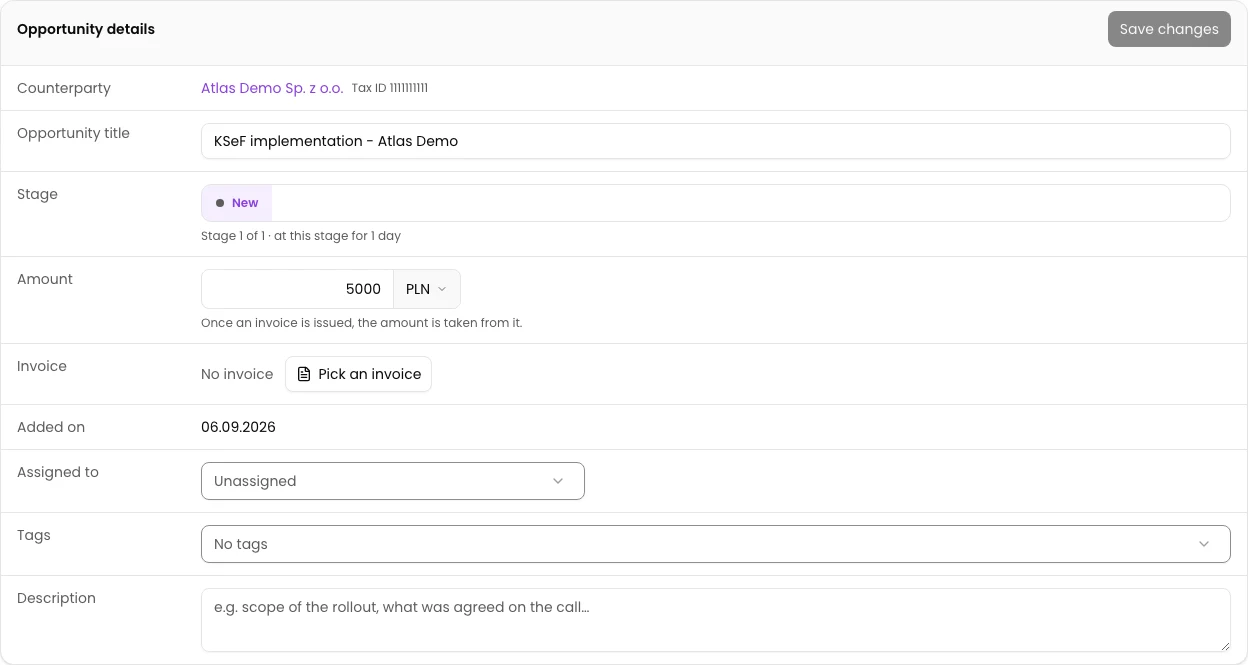
Reload the profile. Check Atlas Demo, New stage, PLN 5000 and Prepare an offer for Atlas Demo under Tasks.
Check the template task
Scroll to Tasks and select the task name. On its profile, check the demo@example.test assignee, no due date and the new opportunity under Linked opportunities.
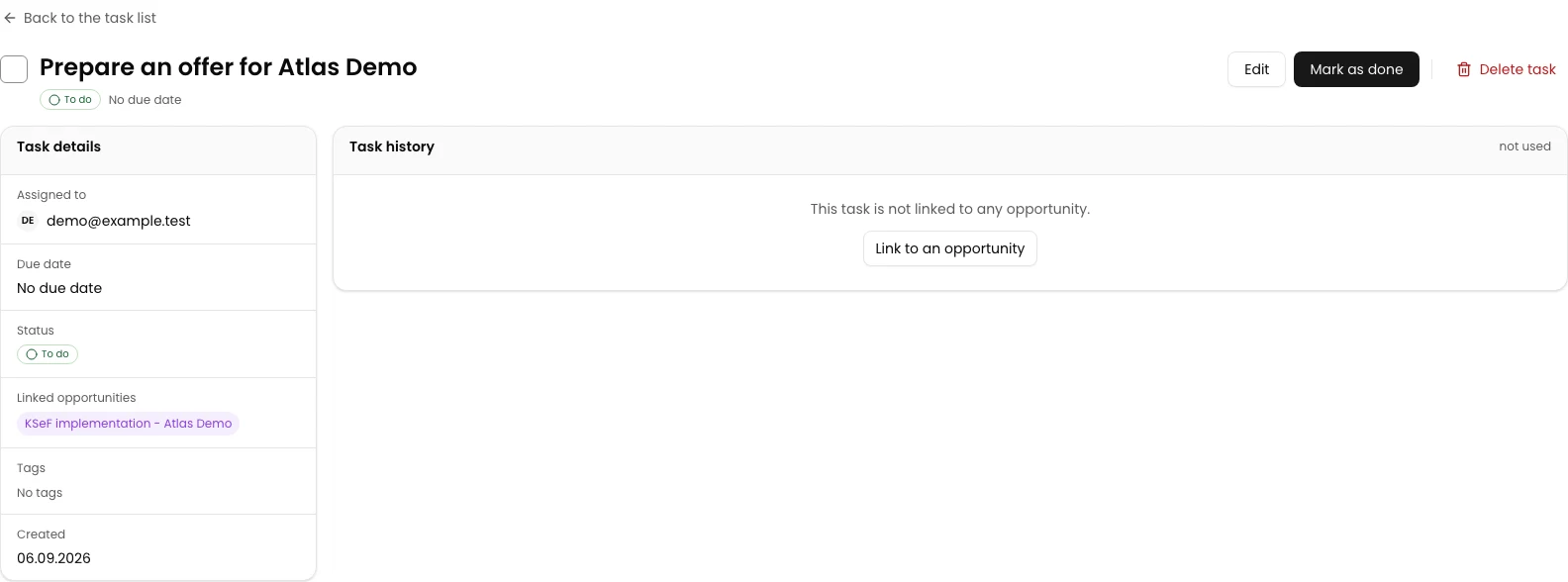
Final state
Check the result
The opportunity has its own profile with the correct counterparty, stage and value. Tasks contains the template task linked to this opportunity, with its assignee and no due date.
Diagnostics
If something does not work
| Symptom | Cause | What to do |
|---|---|---|
| Use template is disabled and the list is empty. | The selected company has no available template. | Stop this procedure. Use the instruction for creating an opportunity without a template, or return when the required template is available. |
| The value changed in the form was not applied. | In the current flow with unchanged tasks, an amount or currency change is not sent when creating from a template. | This example keeps the template amount and currency. Check the actual amount on the saved profile; do not create another opportunity to retry the save. |
Next steps
Continue with the related instruction: How to create a sales opportunity in CRM.
Continue with the related instruction: How to change an opportunity stage in CRM.
Browse the remaining CRM instructions.
The opportunity and task are saved
The opportunity has its own profile with the correct counterparty, stage and value. Tasks contains the template task linked to this opportunity, with its assignee and no due date.
Open CRM