How to create a sales opportunity in CRM
Link an opportunity to a counterparty and save its name, stage and value.
- Module
- CRM / Sales opportunities
- Reading time
- 4 min
- Difficulty
- Easy
You could do this with your eyes closed :)
- Published
- September 7, 2026
- Author
- Rafał Zeidler
- Format
- Written guide and video
Written procedure
What you will do
Create an opportunity for an existing counterparty, choose a stage and enter a value of PLN 5000. Then open its profile and check the saved details.
Requirements
Before you start
| Item | Requirement |
|---|---|
| Access | Owner of the selected company with CRM access. Verified as the owner. Your plan must include opportunities and tasks, with room left in the relevant limit. |
| Required details | An existing counterparty, an opportunity name and at least one board column. The example column is New. |
| Starting point | After signing in, select the correct company and open CRM > Sales opportunities. |
| Time | 2 min |
| Effect | Creates an opportunity linked to the company. The example adds no tasks or invoice. |
Process recording
0:31Link an opportunity to a counterparty and save its name, stage and value.
Open the opportunity board
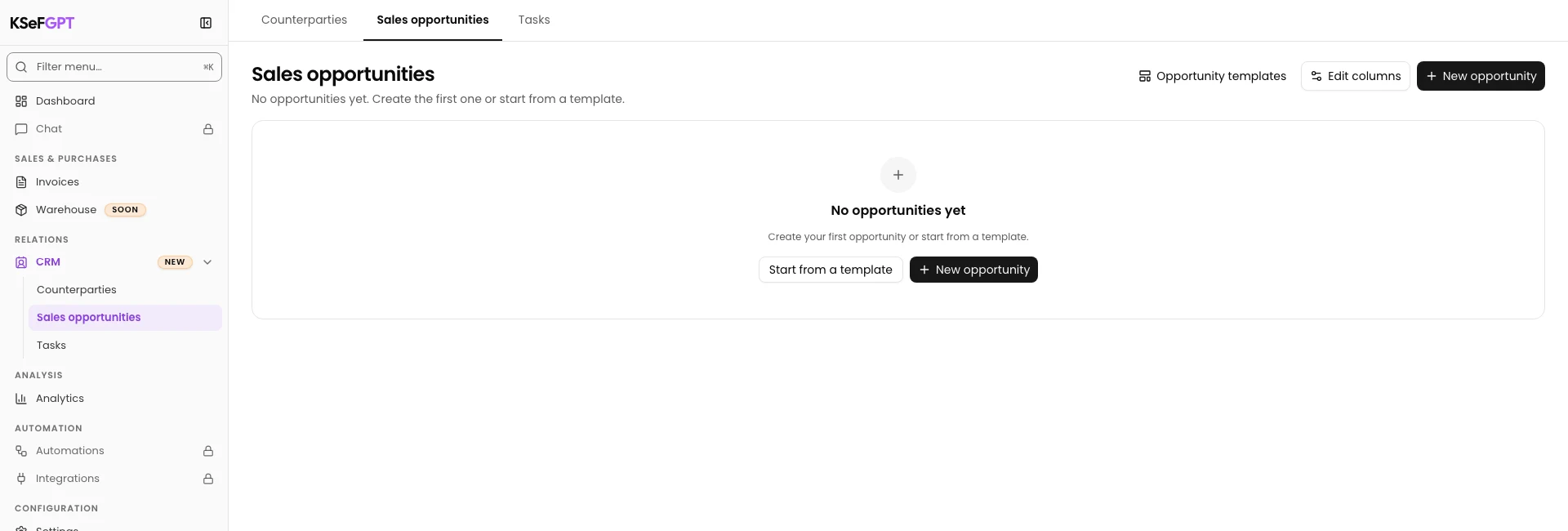
Select CRM > Sales opportunities. Check the active company and select New opportunity.
The template picker opens.
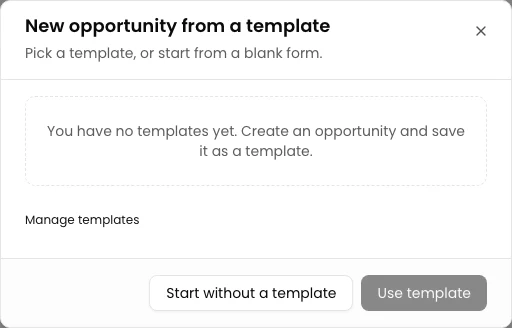
Start with a blank form
In New opportunity from a template, select Start without a template.
The New sales opportunity form opens. This procedure does not require a saved template.
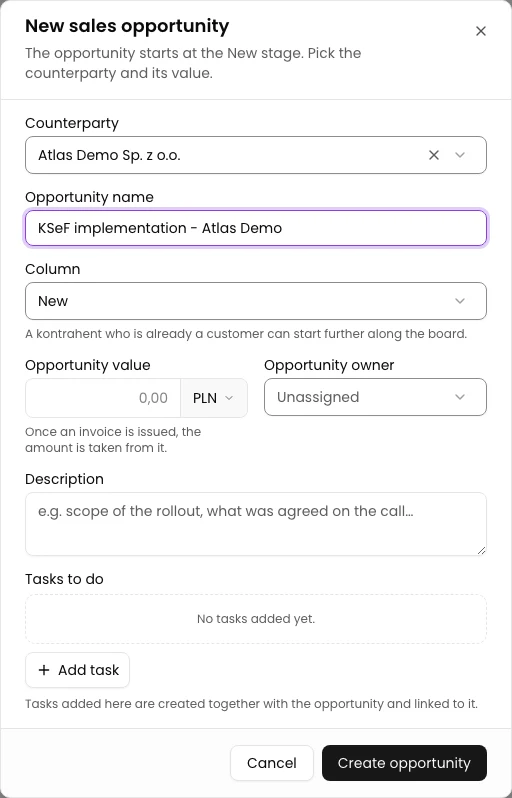
Choose the counterparty and name
In Counterparty, choose Atlas Demo Sp. z o.o. Enter KSeF implementation - Atlas Demo in Opportunity name.
Check New in Column. Column names depend on your board configuration.
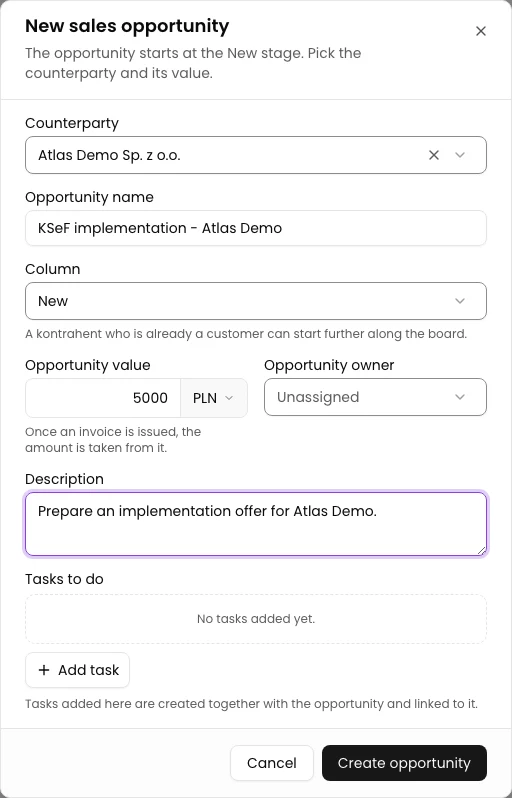
Set the value and description
Enter 5000 in Opportunity value and keep PLN. In Description, enter: Prepare an implementation offer for Atlas Demo.
The opportunity owner is optional. This example leaves it unassigned and adds no tasks.
Save and open the opportunity
Select Create opportunity once. Wait for the new opportunity to appear on the board behind the dialog.
In the verified view, the form cleared after saving and stayed open. Close it with Cancel, then open the new board card. If Opportunity created appears, you can select Open opportunity.
Reload the profile and check the title, counterparty, New column and PLN 5000 value. Do not submit again if the opportunity already exists.
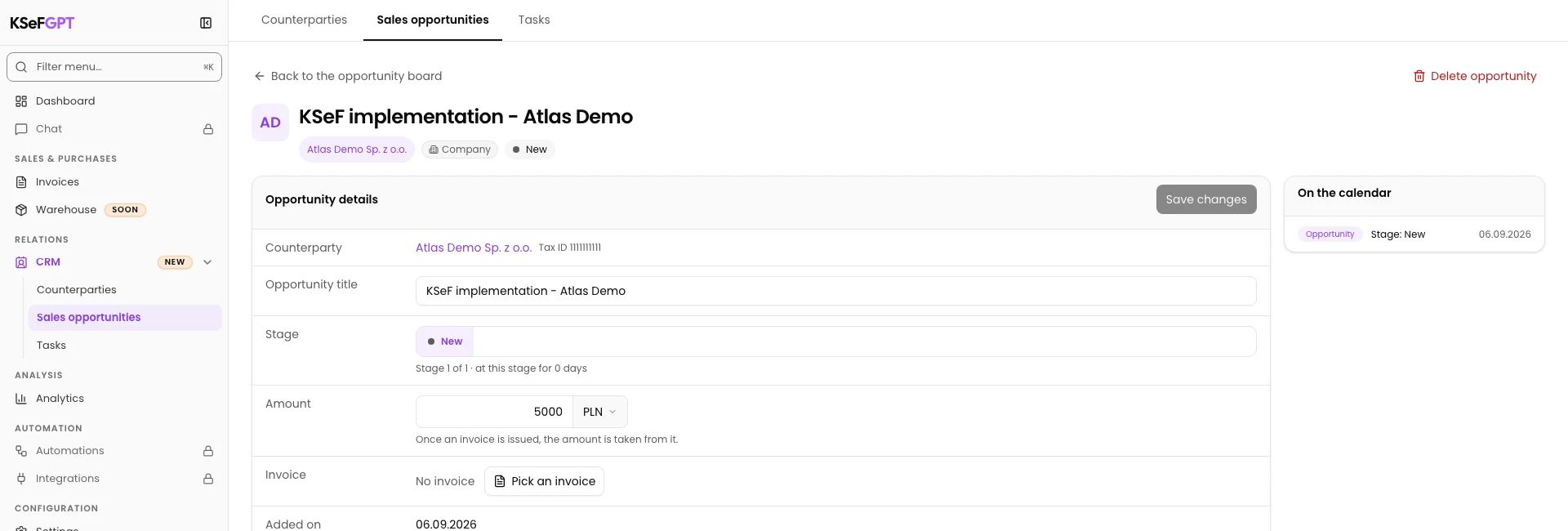
Final state
Check the result
After reloading, the opportunity shows the correct title, Atlas Demo Sp. z o.o., New stage and PLN 5000 value.
Diagnostics
If something does not work
| Symptom | Cause | What to do |
|---|---|---|
| Fill in the required fields | A counterparty or opportunity name is missing. | Choose a counterparty from the list, enter a name and save again. |
| The form cleared but stayed open | In the verified view, the saved opportunity appeared on the board without a persistent confirmation screen. | Close the dialog and check the board. Open the existing card instead of creating a duplicate. |
What next
Continue with the related instruction: How to change an opportunity stage in CRM.
Continue with the related instruction: How to create a CRM opportunity from a template.
Browse the remaining CRM instructions.
The opportunity has its own profile
After reloading, the opportunity shows the correct title, Atlas Demo Sp. z o.o., New stage and PLN 5000 value.
Open CRM