How to add a note to a counterparty in CRM
Save call arrangements in the selected company’s history.
- Module
- CRM / Counterparties
- Reading time
- 3 min
- Difficulty
- Easy
You could do this with your eyes closed :)
- Published
- September 7, 2026
- Author
- Rafał Zeidler
- Format
- Written guide and video
Written procedure
What you will do
Save call arrangements in an existing counterparty’s history. Reload the profile to check that the text belongs to the correct company.
Requirements
Before you start
| Item | Requirement |
|---|---|
| Access | Owner of the selected company with CRM access. Verified as the owner. |
| Required details | A counterparty profile and a short note, such as the next action and agreed date. |
| Starting point | After signing in, select the correct company and open CRM > Counterparties. |
| Time | 2 min |
| Effect | The note enters the counterparty activity history and is visible to the team using this profile. |
Process recording
0:20Save call arrangements in the selected company’s history.
Open the correct profile
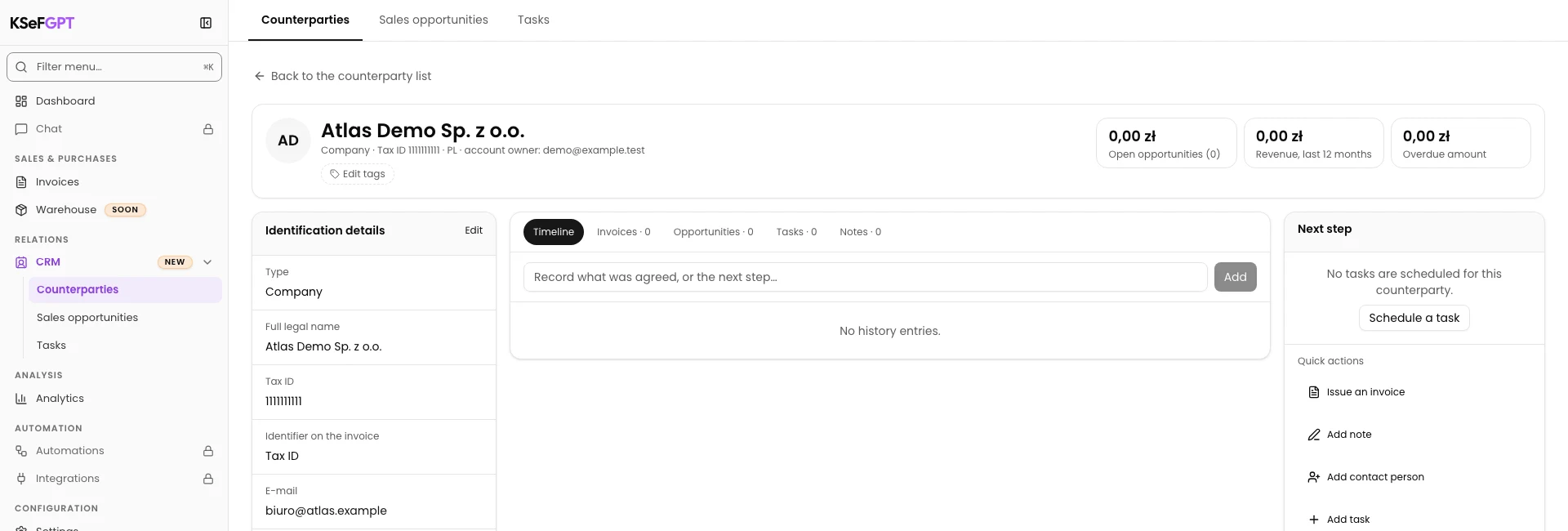
Open CRM > Counterparties and select the company name. The example uses Atlas Demo Sp. z o.o.
Check the name and tax ID on the profile to attach the arrangements to the right company.
Enter the note
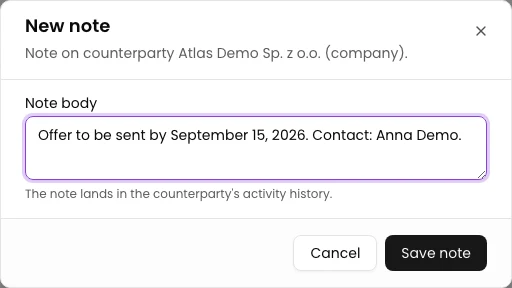
Under Quick actions, select Add note. The New note dialog opens.
In Note body, enter: Offer to be sent by September 15, 2026. Contact: Anna Demo. Replace this example with your own arrangements.
Save and find the note in history
Select Save note. The dialog closes after saving.
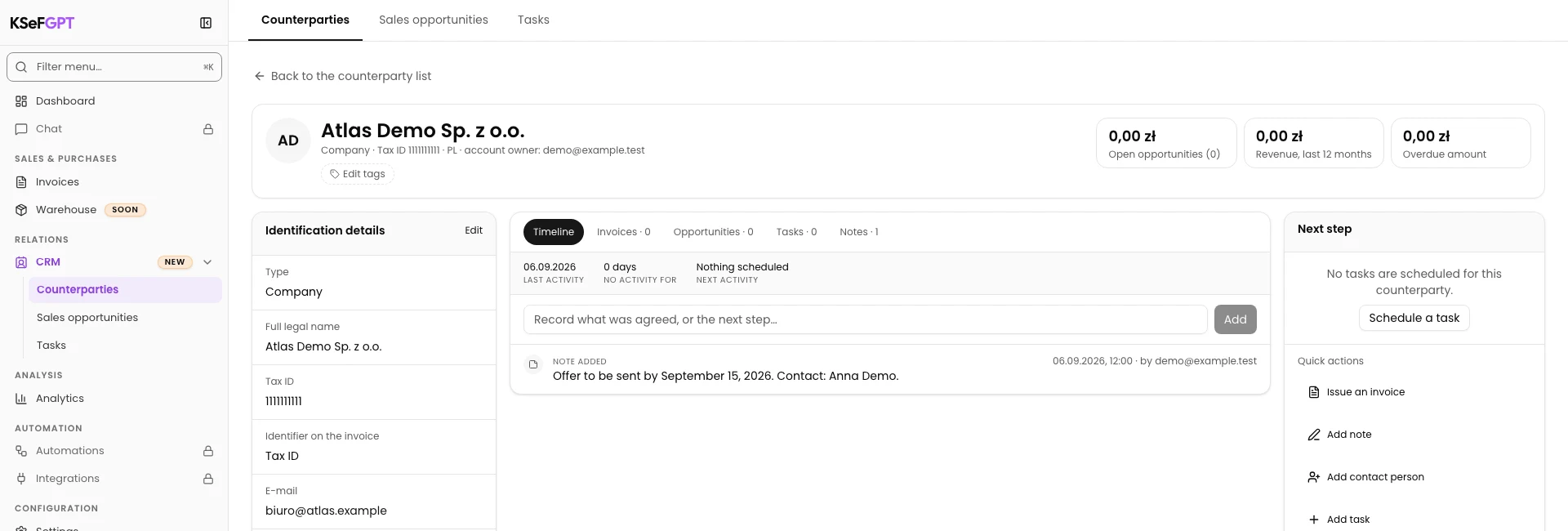
Reload the profile and select Timeline if it is not active. Find the entry with the full note text.
Final state
Check the result
The selected counterparty’s Timeline shows the saved arrangements. Reloading retains the same text.
Diagnostics
If something does not work
| Symptom | Cause | What to do |
|---|---|---|
| Save note is disabled | The text is empty or contains only spaces. | Enter note text to enable the button. |
What next
Choose the next operation in the CRM instructions.
The note is in the counterparty history
The selected counterparty’s Timeline shows the saved arrangements. Reloading retains the same text.
Open CRM