From LiveKid to KSeF: PDF invoices and settlements
LiveKid provides a PDF invoice, PDF correction and settlement, but does not send them to KSeF. See how to turn a PDF into FA(3) XML and submit the invoice to KSeF.
Article Summary
LiveKid provides a PDF invoice, a PDF correcting invoice and a settlement, meaning a bill or payment statement for the parent. LiveKid does not provide KSeF XML export, KSeF submission, a KSeF number or UPO.
If you have a PDF invoice or PDF correcting invoice from LiveKid, treat it as a data source. In KSeFGPT you can upload the PDF, read the data, prepare FA(3) XML, validate it and only then move to KSeF submission.
If you only have a settlement or bill for the parent, do not automatically treat it as a KSeF invoice. First decide whether an invoice should exist, who the formal buyer is and whether the case concerns a consumer parent, the parent's business, a local government unit, a foundation or another institution.
This article shows a concrete document workflow for a LiveKid user who has an invoice PDF, correction PDF or settlement and wants to close the KSeF process without confusing the invoice, bill, payment, XML and UPO.
Why LiveKid invoices require a separate decision
LiveKid is used by educational facilities for settlements, payments and invoices for parents. That is why the KSeF question starts with the document: is it a VAT invoice, a payment bill, a tuition settlement or an invoice issued to the parent's business?
In this process LiveKid is the source of PDF documents and settlements. The user works with a PDF invoice, a PDF correcting invoice or a parent settlement, but does not receive an XML invoice from the panel that is ready for KSeF submission.
The most common operational mistake is mixing four statuses: the bill status in LiveKid, the parent's payment status, the PDF invoice status and the KSeF invoice status. A bill may be paid and the invoice PDF may be downloaded while the invoice still has no KSeF number.
Table of Contents
1. Does LiveKid support sending invoices to KSeF
2. When an invoice from an educational facility goes to KSeF
3. What you have from LiveKid: PDF invoice, correction or settlement
4. When you have a PDF invoice from LiveKid
5. When you have a PDF correcting invoice
6. When you only have a bill or settlement
7. What to check before submitting an education invoice
8. Common mistakes with LiveKid invoices
9. What to store after KSeF accepts the invoice
10. When free tools are enough and when you need a KSeFGPT account
Key Takeaways
The table below collects the most important decisions a LiveKid user should make before sending an invoice to KSeF.
| Point | Details |
|---|---|
| Not every document is an invoice | A bill, payment settlement and VAT invoice in LiveKid may represent different stages of the process. KSeF receives a structured invoice, not the payment status itself. |
| LiveKid does not submit invoices to KSeF | The user gets an invoice PDF, correction PDF or settlement, but not XML export, a KSeF number or UPO. |
| PDF is an input file | If you have an invoice or correction PDF, upload it to KSeFGPT, read the data and prepare FA(3) XML before submission. |
| B2C and company invoices are different cases | Invoices for consumer parents are voluntary in KSeF, while an invoice to the parent's business or another entity with a NIP needs separate assessment. |
| The process ends with UPO, not with PDF download | After submission, store the KSeF number, UPO, status, LiveKid invoice number and payment link. |
Does LiveKid support sending invoices to KSeF
No. LiveKid does not send invoices to KSeF and does not give the user XML export, a KSeF number or UPO. The panel provides PDF invoices, PDF correcting invoices and settlements.
LiveKid's guide is practical for facilities: it explains issuing an invoice to the parent of a child handled in the application. Invoice data may be filled in by the parent in their profile or by the facility in the child's settings, and issued invoices appear in the Settlements and VAT Invoices sections.
That is why this article treats LiveKid as the source of a PDF invoice, PDF correcting invoice or settlement. If you have a PDF, KSeFGPT can help prepare FA(3) XML from the extracted data, validate the document, submit it after authorization and keep the status and UPO history.
What to check in the LiveKid panel: whether the document is actually a VAT invoice, a correcting invoice or only a settlement; whether the parent or company data is filled in for the right child; and whether the LiveKid invoice number matches the document you continue to handle in KSeF. Whether a given invoice is subject to KSeF depends on who the buyer is.
| Panel element | What it means | Do not assume |
|---|---|---|
| VAT Invoices in LiveKid | The place where you see invoices issued in LiveKid. | Do not assume issuing alone means submission to KSeF. |
| PDF invoice | You have a visualization and a source of data for preparing XML. | Do not treat the PDF as an invoice sent directly to KSeF. |
| PDF correcting invoice | You have a correction document that also needs assessment and XML preparation. | Do not submit a correction without linking it to the original invoice. |
| Settlement | You have a bill or payment information for the parent. | Do not assume the settlement is a KSeF invoice. |
| Invoice data next to the child | The parent or facility fills in data needed to issue the invoice. | Do not confuse the parent, payer and formal buyer. |
| Bill status | Shows the payment or settlement stage. | Do not confuse payment status with KSeF acceptance status. |
When an invoice from an educational facility goes to KSeF
A nursery, preschool, language school or extracurricular activity provider may have several relationships at once: the parent pays as a private person, the parent asks for an invoice to their business, the buyer is a company, foundation, local government unit or other institution, and the facility itself receives cost invoices. Each case needs a separate decision.
B2C invoices, meaning invoices to consumers, are voluntary in KSeF. But if the invoice is to be issued to the parent's business, a foundation, local government unit, school or another entity with a NIP, do not treat it as a regular parent bill. VAT exemption in education also does not automatically mean that the invoice is outside KSeF.
If the topic concerns a private person, start with the guide KSeF invoice for a private person. If you are wondering whether you can avoid KSeF at all, read who must use KSeF in 2026 and who is exempt.
| Situation | Most common decision | What to check |
|---|---|---|
| Parent pays as a consumer | KSeF is voluntary for a B2C invoice. | Whether the facility voluntarily issues B2C invoices in KSeF. |
| Parent wants an invoice to a business | Treat it as an invoice to an entity with a NIP. | NIP, company name, address and buyer data consistency. |
| The buyer is a local government unit, foundation or company | Do not base the process on the parent's status. | Who the formal buyer is and whether the document should be an invoice. |
| The facility receives cost invoices | This is a separate incoming-invoice workflow. | Whether the document is in KSeF and whether accounting sees the KSeF number. |
What you have from LiveKid: PDF invoice, correction or settlement
The key decision is what you actually have from LiveKid. Typical files and documents are an invoice PDF, a PDF correcting invoice or a settlement, meaning a regular bill for the parent. If you have a VAT invoice PDF, move to import in KSeFGPT. If you have a correction, keep the link to the original invoice. If you only have a bill, settlement or payment status, first decide whether an invoice should exist and who the formal buyer is.
This table is the core of the whole process. Stop here before any submission, because the wrong path usually ends with a duplicate, rejection or an invoice issued to the wrong buyer.
| What you have from LiveKid | What you do | Do not assume | Next step |
|---|---|---|---|
| Invoice PDF | Upload the PDF in KSeFGPT through the Invoices and Import module, then verify the data. | That the PDF can be sent directly to KSeF. | PDF import, FA(3) XML, validation and submission. |
| PDF correcting invoice | Check the original invoice, correction reason, amounts and buyer data. | That a correction PDF itself creates a correction in KSeF. | Prepare correction XML, validate it, submit it and store UPO. |
| Bill or settlement | Decide whether an invoice should exist and who the buyer is. | That every bill is a KSeF invoice. | Issue an invoice in LiveKid or decide that it remains only a settlement. |
| Invoice for a private parent | Check whether the facility voluntarily uses KSeF for B2C. | That every invoice to a parent must go to KSeF. | B2C decision and document delivery method. |
| Invoice to the parent's business | Verify the NIP and company data as the buyer. | That the private parent data is enough. | FA(3) XML, validation, submission and UPO. |
Check the LiveKid file before KSeF
If you have an invoice PDF or correction PDF from LiveKid, upload it to KSeFGPT through the Invoices and Import module, then check the data before submission.
Go to KSeFGPTWhen you have a PDF invoice from LiveKid
If you have a ready invoice PDF from LiveKid, treat it as an input file for import, not as the final file for KSeF. In the KSeFGPT app, go to the Invoices module, choose Import and upload the PDF downloaded from LiveKid. The app reads the invoice data, prepares it for FA(3) XML and shows the document for review before submission.
For a simple test you can also use the PDF to XML KSeF converter. The public converter works with a limit and requires an email address before receiving the result. It is not full KSeF submission: after conversion you still need to check the data, validate the XML and send it in the right process.
The most important check after import concerns the buyer. In invoices from educational facilities it is easy to confuse the parent as a contact person with the company that should formally be the buyer. Also check whether the service description contains unnecessary child data if it is not needed on the invoice.
| Stage | Check | Typical mistake |
|---|---|---|
| PDF from LiveKid | Whether it is an invoice, not only a bill or payment confirmation. | Importing a document that is not an invoice. |
| Invoices and Import module | Whether you upload the right PDF downloaded from LiveKid to KSeFGPT. | Uploading a payment confirmation instead of an invoice. |
| Data extraction | Whether buyer, NIP, dates and amounts match the PDF. | Confusing the parent with the buyer's company. |
| FA(3) XML | Whether the file passes technical validation. | Missing required field or wrong structure version. |
| Submission | Whether you have a KSeF number and UPO after submission. | Ending the process when XML is downloaded. |
Upload the LiveKid PDF in the Invoices module
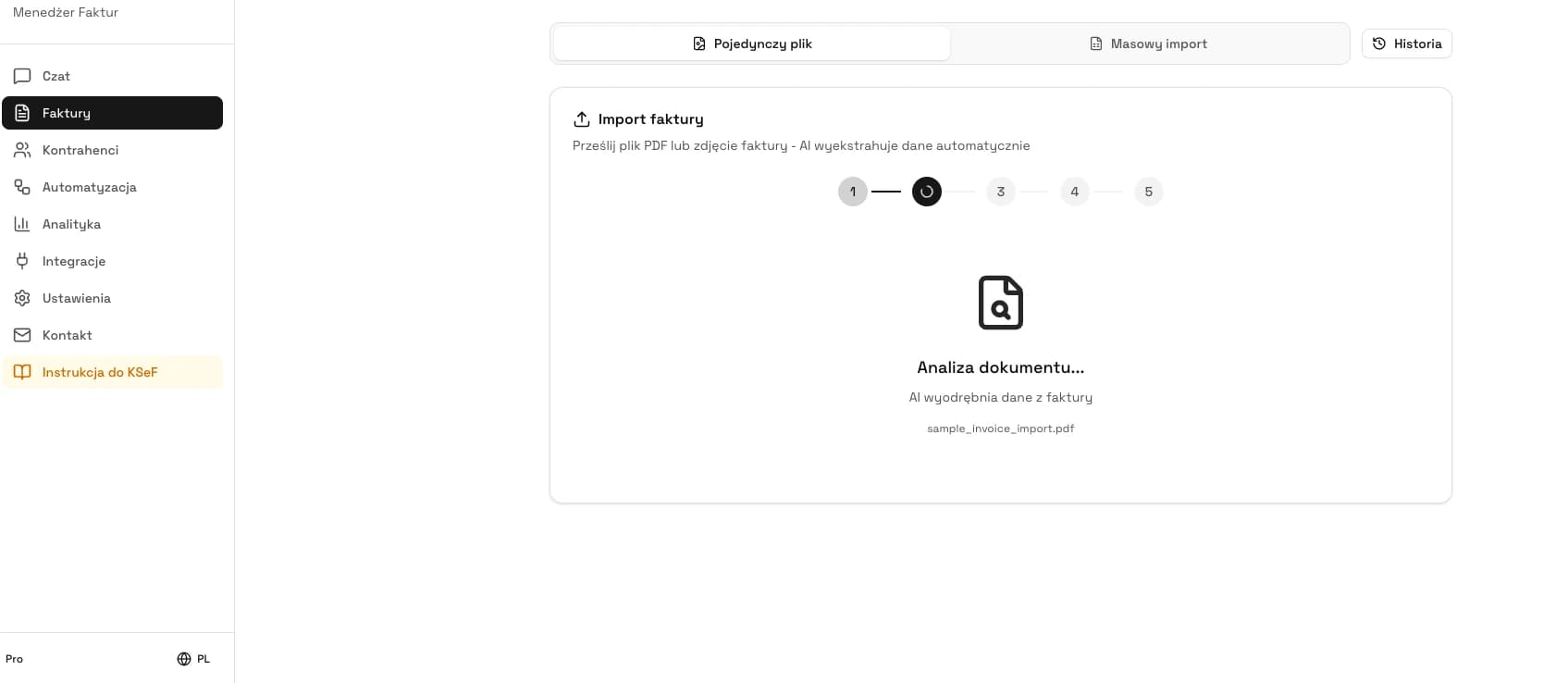
Go to KSeFGPT, open Invoices, choose Import, upload the LiveKid PDF and check the data before sending it to KSeF.
Go to KSeFGPTWhen you have a PDF correcting invoice
A PDF correcting invoice from LiveKid requires more caution than a regular invoice. The issue is not only extracting data from the document, but also linking the correction to the original invoice, the correction reason, amounts before and after correction and buyer data.
If the original invoice was already accepted in KSeF, the correction should be handled as a separate structured invoice with its own number, submission and UPO. If the original invoice never went to KSeF, first decide whether you are dealing with a KSeF correction or with correcting a document outside KSeF.
In KSeFGPT, treat the correction PDF as a data source, not as a ready KSeF document. After import, check the corrected invoice number, date, buyer, line items, correction values and reason. Only a correct correction XML can be validated and submitted to KSeF.
| Correction check | Why it matters |
|---|---|
| Original invoice | The correction must refer to the right source document. |
| Correction reason | It supports the accounting and tax explanation of the change. |
| Amounts and line items | Correction errors may require another correction. |
| KSeF number of the original invoice | It is needed if the original invoice was already accepted in KSeF. |
| UPO for the correction | Only UPO confirms that KSeF accepted the correction. |
When you only have a bill or settlement
If you only see a bill, tuition settlement or payment status in LiveKid, do not start with KSeF submission. First check whether the facility should issue an invoice, who the buyer is and whether the invoice should go to KSeF.
The LiveKid help center explains that a VAT invoice for a parent can be issued while creating a settlement, after issuing a bill or by enabling parents to generate invoices themselves. This means the bill and the invoice may be operationally linked, but they are not the same tax document.
If an invoice should be created, use LiveKid's invoicing function and download the PDF as the source of data for preparing FA(3) XML. If the document is only an internal payment settlement, do not describe it as a KSeF invoice.
| Question | If yes | If no |
|---|---|---|
| Is the document an invoice? | Download the invoice PDF from LiveKid and move to data review. | Do not send a payment bill to KSeF as an invoice. |
| Is the buyer a company or institution? | Verify NIP, name and buyer address. | Check B2C rules and the delivery method. |
| Does the invoice already have a number and PDF? | Check whether the PDF concerns the right child and payer. | Issue the invoice only after an accounting decision. |
| Has the payment been made? | Store the link to the payment. | Do not confuse missing payment with missing KSeF invoice. |
What to check before submitting an education invoice
An invoice from an educational facility has several fields that need special attention. These are not only technical XML data points. They are decisions that affect whether the invoice reaches the right buyer and whether accounting can later connect it with the payment.
The most important task is separating the child, parent, payer and buyer. The child may be the service participant, the parent may be the payer, but the buyer on the invoice may be a private person, the parent's company, a foundation, local government unit or another institution.
Keep the service description moderate. Usually the educational service description, settlement period and amount are enough. Excess child data in the invoice description may be unnecessary operationally and increase the risk of errors in document circulation.
| Area | Pre-submission check | Risk |
|---|---|---|
| Document type | Whether this is an invoice, not a bill or settlement. | Sending a document that is not an invoice. |
| Buyer | Whether formal buyer data is correct. | Invoice to the parent instead of the company, or the opposite. |
| NIP | Whether NIP is required and entered without mistakes. | Rejection or need to correct data. |
| Service description | Whether the description identifies the service and period without unnecessary data. | Excess personal data in the invoice content. |
| VAT and exemption | Whether the rate or exemption has been determined by accounting. | Incorrect classification of an educational service. |
| Totals | Whether invoice amounts match the settlement. | Difference between payment, bill and invoice. |
| Confirmations | Whether you will store the KSeF number and UPO after submission. | No proof of invoice acceptance. |
Common mistakes with LiveKid invoices
The most common mistake is treating a PDF or bill from LiveKid as an invoice ready for KSeF. The second is looking in the panel for XML export, submission, a KSeF number or UPO, which LiveKid does not provide. The third is confusing the contact person with the formal buyer. The fourth is ending the process after downloading a PDF without checking whether KSeF accepted the invoice.
A separate group of errors concerns education data: the service description contains too much information about the child, the settlement period does not match the payment, and an invoice to the parent's business has an incorrect NIP. Some of these errors may pass technical XML validation but still remain a business problem.
If KSeF rejects the document, do not immediately assume that you need to issue a new invoice from scratch. First check the error message, XML version, buyer data, rate or exemption and totals. For broader diagnostics, see invoice rejected by KSeF.
| Mistake | Effect | How to reduce risk |
|---|---|---|
| Looking for XML export in LiveKid | The user tries to finish the process in a place that does not provide KSeF submission, a KSeF number or UPO. | Base the process on the actually available invoice PDF, correction PDF or settlement. |
| Treating PDF as a KSeF invoice | No FA(3) XML, KSeF number or UPO. | Upload the PDF in KSeFGPT through the Invoices and Import module, prepare XML and only then submit to KSeF. |
| Treating a bill as an invoice | The wrong document is submitted. | First decide whether an invoice has been issued. |
| Wrong buyer | The invoice goes to a person or company other than intended. | Separate the parent, payer and formal buyer. |
| Missing NIP on a company invoice | Data must be corrected or the invoice corrected. | Require full company data before issuing. |
| No UPO in documentation | Accounting has no acceptance confirmation. | Store UPO together with the invoice number and KSeF number. |
What to store after KSeF accepts the invoice
The process does not end when someone clicks submit or downloads the PDF. In an educational facility, the key is that invoice information returns to everyday settlements with parents, companies and accounting.
The minimum data set after acceptance is the LiveKid invoice number, KSeF number, UPO, acceptance status, submission or acceptance date, buyer, amount, link to the bill or payment and information about who submitted the invoice. Without this, it is hard to later explain a complaint, correction, missing payment or accounting question.
Do not mix payment status with invoice status. A bill may be paid online or by bank transfer, but KSeF answers a different question: whether the structured invoice was accepted and has a KSeF number.
| Post-submission data | Why store it | Where risk appears |
|---|---|---|
| LiveKid invoice number | Connects the document with the facility settlement. | Confusing own invoice number with KSeF number. |
| KSeF number | Identifies the invoice in KSeF. | No number next to an invoice handed to accounting. |
| UPO | Confirms document acceptance. | Losing proof after submission is finished. |
| Status | Shows whether the document was accepted, rejected or is still being processed. | Assuming that PDF download means success in KSeF. |
| Payment link | Helps explain arrears, overpayment or correction. | Mixing paid status with KSeF status. |
When free tools are enough and when you need a KSeFGPT account
Free tools are useful for individual documents, tests and situations where you want to check an invoice or correction PDF without building a full process. They require an email address before receiving the result and work with a usage limit.
A KSeFGPT account makes sense when LiveKid invoices appear regularly, you handle several facilities, you have invoices for parents' businesses or you need status history, UPO and order in documents. Then the problem is not conversion itself, but control of the whole process.
If you want to understand the difference between preparing a file and submitting it, also read sending invoices to KSeF. For PDF itself, can you send PDF to KSeF is useful.
| Volume | Tool | Why |
|---|---|---|
| 1-3 invoices per month | PDF from LiveKid, free tools and the Taxpayer Application. | Single documents and confirmations can be checked manually. |
| 4-30 invoices per month | KSeFGPT account with history, validation and submission. | The cost of manually tracking statuses, KSeF numbers and UPO grows. |
| 30+ invoices or several facilities | Bulk PDF import from LiveKid, package validation, statuses and archiving. | You need a process, not a single converter. |
| Invoices to parents' businesses | Buyer data validation and document control. | NIP and company name errors are costly in corrections. |
How KSeFGPT helps an educational facility owner
KSeFGPT does not replace LiveKid as the facility management system. It complements the invoice and KSeF stage: importing an invoice or correction PDF from LiveKid, checking data, preparing and validating FA(3), submitting after authorization, statuses, KSeF number, UPO and document history.
For the facility owner, reducing manual work is the key value. Instead of keeping the PDF in one folder, payment status in LiveKid and UPO in another system, you can move toward one process in which the invoice has a visible status, link and complete confirmations.
KSeFGPT is a private tool, not a service of the Ministry of Finance. It does not make tax decisions for the facility, but it helps reduce technical and operational errors on the path from a LiveKid file to a document accepted in KSeF.
| KSeFGPT function | How it helps with LiveKid invoices |
|---|---|
| PDF import | Helps move from invoice visualization to data that can be prepared as FA(3) XML. |
| Correction handling | Helps check the link to the original invoice, correction reason and correction values. |
| XML validation | Helps detect structure errors before submission to KSeF. |
| Submission after authorization | Helps close the process with a KSeF number and UPO instead of stopping at file download. |
| Document history | Makes it easier to connect invoice, payment, status, UPO and possible correction. |
| Work with multiple facilities | Helps organize documents when one owner handles more than one NIP or branch. |
Move validation, submission and UPO into one process
If LiveKid invoices appear every month, use KSeFGPT as the place for PDF import, data control, validation, statuses and KSeF confirmations.
Go to KSeFGPTExpert Perspective
In educational facilities, creating the invoice itself is not the hardest part. The hard part is correctly determining who the buyer is and what document actually exists. The same parent may pay privately once and request an invoice to their business another time.
That is why the KSeF process should start earlier than PDF import. First the facility should collect formal buyer data, define the basis for issuing the invoice and separate the payment from the tax document. Only then does XML preparation, validation and submission make sense.
The second important point is data minimization. An invoice for an educational service should not automatically contain everything the facility knows about the child, group or schedule. Describe the service so the document is clear for accounting but does not move unnecessary personal data into further circulation.
The third point is proof that the process has been completed. If the company only has a PDF from LiveKid or a paid bill status, it still may not have confirmation that the invoice was accepted in KSeF. In practice, only the KSeF number and UPO close the structured-invoice topic.
Frequently Asked Questions
Does LiveKid support sending invoices to KSeF?
No. LiveKid does not send invoices to KSeF. The panel provides a PDF invoice, a PDF correcting invoice and a settlement, meaning a bill or payment statement for the parent.
Does LiveKid automatically send invoices to KSeF?
No. LiveKid lets you issue an invoice or correcting invoice as a PDF and generate a settlement, but it does not provide XML export, KSeF submission, a KSeF number or UPO. Those steps have to be handled outside LiveKid, for example in KSeFGPT.
Can a PDF from LiveKid be sent to KSeF?
Not as the final structured invoice. KSeF receives XML that follows the FA(3) structure, while the PDF is a visualization or source file. If you have a PDF invoice or PDF correcting invoice from LiveKid, upload it to KSeFGPT, read the data, prepare FA(3) XML, validate it and only then submit the document to KSeF.
Does an invoice for a parent have to go to KSeF?
An invoice for a parent who is a consumer is voluntary in KSeF. An invoice issued to the parent's business, a local government unit, foundation, school or another entity with a NIP must be assessed differently. Do not assume it is only a regular parent settlement.
Recommendation
If you want to explore the topic without duplicating the entire LiveKid process, read these four articles:
Can you send PDF to KSeF explains why PDF is a visualization or data source, not the actual structured invoice.
Free PDF to XML KSeF converter shows how to move from a PDF invoice to FA(3) XML.
Sending invoices to KSeF organizes sessions, statuses, KSeF number and UPO after the file is prepared.
KSeF invoice for a private person helps separate invoices for consumer parents from invoices issued to a business.
Do you handle LiveKid invoices every month?
KSeFGPT helps prepare FA(3) XML from an invoice or correction PDF, then close validation, submission, KSeF number, UPO and document history in one process.
Go to KSeFGPTSources
This article was prepared using the LiveKid panel and help materials, official materials from the Polish Ministry of Finance and local KSeFGPT documentation. Status as of 3 July 2026.
- LiveKid Settlements
LiveKid · accessed: 3 July 2026
LiveKid material about settlements and invoices for parents.
- Structured invoice and FA logical structure
Polish Ministry of Finance · accessed: 3 July 2026
Official information about structured invoices, XML format and the FA(3) logical structure.
- Issuing and receiving invoices in KSeF
Polish Ministry of Finance · accessed: 3 July 2026
Explanations about issuing, receiving and transferring invoices and the role of PDF as a visualization or document outside KSeF.
- Consumers and private individuals
Polish Ministry of Finance · accessed: 3 July 2026
Official information about B2C invoices, voluntary KSeF use for consumers and invoice delivery outside KSeF.
- KSeF number and collective identifier
Polish Ministry of Finance · accessed: 3 July 2026
Description of the KSeF number, UPO, the difference between the taxpayer's invoice number and the KSeF number, and information returned after document acceptance.
- KSeFGPT free tools and usage rules
KSeFGPT
Public KSeFGPT tools page with information about the shared free usage limit.
Expert reviewed: Bogdan Mazurek
Tax advisor · 3 July 2026
The content was reviewed for the distinction between a settlement, a LiveKid invoice PDF, a PDF correcting invoice, FA(3) XML prepared in KSeFGPT and the formal submission of a structured invoice to KSeF, including B2C invoices and invoices to companies in educational facilities.