How to issue a VAT invoice in KSeF step by step
Follow the regular sales invoice process in KSeF: document type, invoice data, XML FA(3), validation, submission, KSeF number, and UPO.

Summary
A regular sales invoice in KSeF is a structured XML FA(3) invoice. In the `RodzajFaktury` field it should use the value `VAT`, because the official FA(3) schema describes this code as a basic invoice.
Correct issuance is not only about choosing one code. You must prepare seller and buyer data, invoice number, dates, line items, VAT rates, totals, payment data, and then check the XML before submission.
After submission, what matters is the KSeF status, KSeF number, and UPO. If the document is a correction, advance invoice, final settlement invoice after an advance payment, or simplified invoice, do not automatically treat it as a regular `VAT` invoice. If the sale uses the VAT margin procedure, check the additional annotations and procedure fields instead of assuming a plain basic invoice without markings.
Table of contents
1. When you issue a VAT invoice in KSeF
2. Is this really a regular VAT invoice
3. What data to prepare before issuing the invoice
4. Step 1: choose the company and permissions
5. Step 2: set RodzajFaktury VAT
6. Step 3: complete party data
7. Step 4: add line items, rates, and totals
When you issue a VAT invoice in KSeF
This guide is about a regular sales invoice, meaning a basic invoice in the FA(3) structure. It is the typical document for selling goods or services when you are not documenting an advance payment, not settling a previous advance payment, and not correcting an invoice already accepted by KSeF.
The key distinction is practical: an invoice may contain VAT, but it should not always use the XML code `VAT`. An advance invoice, final invoice after an advance payment, or correction may contain VAT, but in FA(3) they belong to separate processes.
If you are not sure, start with the map of invoice types in KSeF. This article assumes that after that decision you are issuing a regular sales invoice.
Is this really a regular VAT invoice
Before filling in the form, pause for a short decision. This step can prevent later corrections, rejections, and manual explanations in accounting.
| Situation | Should VAT usually be used? | What to check instead |
|---|---|---|
| First B2B sale without an advance payment and without correction | Yes | Regular basic invoice `VAT`. |
| I am correcting an invoice accepted by KSeF | No | Corrective invoice in KSeF, usually `KOR`. |
| The customer paid an advance before the service was performed | No | Advance invoice, type `ZAL`. |
| I am settling a transaction after an earlier advance payment | No | Settlement invoice, usually `ROZ`. |
| I sell under the VAT margin procedure | Do not assume automatically | VAT margin in KSeF and the correct procedure annotations. |
| I have a simplified invoice or receipt with NIP | Do not assume automatically | `UPR`, transitional rules, and a separate document analysis. |
What data to prepare before issuing the invoice
The table below is a practical working list, not a literal quote from Article 106e of the Polish VAT Act. For unusual transactions, advance invoices, currencies, special procedures, or foreign sales, confirm the requirements with accounting.
For a typical sales invoice, the most important point is that the business data can be clearly recorded in FA(3): who sells, who buys, what is being sold, for how much, with which VAT rate, and when the document is to be issued.
| Area | Data to prepare | Why it matters in KSeF |
|---|---|---|
| Seller | NIP, name, address, company context. | This is `Podmiot1`; an error means the invoice is issued from the wrong taxpayer. |
| Buyer | NIP or identifier, name, address, country. | This is `Podmiot2`; an incorrect NIP is one of the simplest causes of problems. |
| Number and dates | Invoice number, issue date, sale date or service completion date, if applicable. | Your own number is not the KSeF number, but it must uniquely identify the invoice inside the company. |
| Line items | Goods or service name, quantity, unit, price, discounts. | Line items must agree with totals and VAT rates. |
| VAT and totals | VAT rates, net amounts, tax amounts, total amount due. | KSeF validates the structure, while accounting checks settlement consistency. |
| Payment | Due date, payment method, bank account number if used in the process. | This supports operations and later receivables settlement. |
| Annotations | Split payment, exemptions, procedures, notes, if applicable. | Do not add annotations automatically without an accounting reason. |
Step 1: choose the company and permissions
Before issuing the invoice, make sure you are working in the context of the correct taxpayer. In practice, this means the correct company, the correct seller NIP, and a person or system with permission to issue invoices.
This step is especially important in an accounting office, a group of companies, or any business where one person handles several entities. Technically correct XML will not solve the problem if the invoice was created from the wrong taxpayer account.
If you are still configuring access, return to the guide on how to generate a KSeF certificate. This article focuses on issuing the invoice after access has been prepared.
Step 2: set RodzajFaktury VAT
For a regular sales invoice in FA(3), the key field is `RodzajFaktury`. In the official schema, the value `VAT` means a basic invoice. It is not a marketing label or a PDF caption, but a code in XML.
Do not use `VAT` as the default answer for every sales document. If the document corrects an earlier invoice, documents an advance payment, or settles an advance payment, the type should follow the process, not the name of a template in your software.
Good practice: show the invoice type in the document preview or validation report. The issuer should see whether they are sending `VAT`, `KOR`, `ZAL`, `ROZ`, `UPR`, `KOR_ZAL`, or `KOR_ROZ` before the document reaches KSeF.
Step 3: complete party data
In a regular VAT invoice, start with the seller and buyer. For a Polish B2B transaction, the most important data is the NIP, full name, and address. For a foreign counterparty, identifiers and country also matter, and sometimes the invoice text in another language is needed for the recipient.
Do not enter a NIP with random spaces, hyphens, or prefixes if the tool expects clean data. If you use a contractor database, check whether the data is not older than the contract or order.
KSeF does not remove the company's responsibility for contractor data quality. The system may detect some structural errors, but it will not confirm for you that you are selling to the correct legal entity or that the customer's name is current.
Step 4: add line items, rates, and totals
After party data, move to invoice line items. Each line should clearly describe the goods or service, quantity, unit, price, VAT rate, and value. If you use a discount, make sure it is consistent with the line amounts and invoice totals.
For a regular VAT invoice, the most common control fields are net amounts by rate, tax amounts, and total amount due. In FA(3), these appear as structured data, not as a PDF table.
If you want to understand the technical XML fields, go to the guide on XML and the FA(3) format in KSeF. Here the process matters more: line item data must match the invoice math and the accounting decision.
Step 5: generate XML FA(3)
You can prepare the invoice in the Taxpayer Application, accounting software, an ERP system, or a tool that generates XML FA(3). Regardless of the tool, the result must comply with the structure required by KSeF.
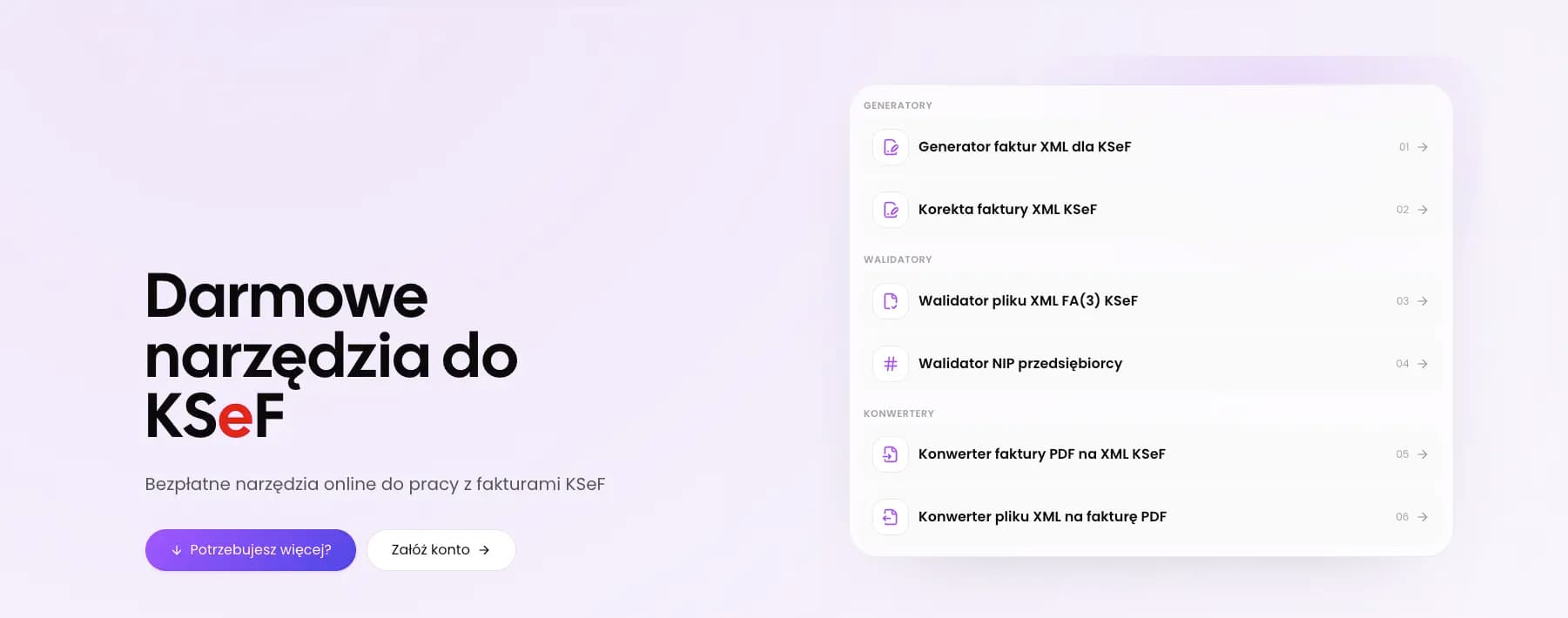
The public KSeF XML invoice generator in KSeFGPT helps prepare a regular VAT invoice as XML. It is useful for simple cases and data tests, but it does not replace the full submission process to KSeF. Public free tools require an email address and are subject to a daily free-use limit.
Do not treat a downloaded PDF or preview as an invoice accepted by KSeF. A PDF is a readable visualization for humans. The structured invoice is XML, and effective issuance in KSeF is confirmed only by status, KSeF number, and UPO.
Prepare XML for a regular VAT invoice
Fill in invoice data and generate XML FA(3), which you can then check before submission in your target process.
Open the XML invoice generatorStep 6: check the invoice before submission
Pre-submission validation should have two levels. The first is technical: whether the XML complies with FA(3), has the required fields, and uses a supported invoice type. The second is accounting: whether the data, amounts, and document type reflect the real sale.
Minimum pre-submission check: `RodzajFaktury = VAT`, correct seller NIP, buyer NIP or correct identifier and country if applicable, correct invoice number, dates, line items, VAT rates, totals, currency, and payment. If something does not match, correct the XML before submission instead of relying on a correction afterwards.
For a quick file check, you can use the KSeF XML validator. The validator does not make tax decisions for the company, but it helps detect structural errors and obvious inconsistencies before the next process step.
| Check | Question before submission |
|---|---|
| Type | Does a regular sale really have `RodzajFaktury = VAT`? |
| Parties | Are the seller and buyer NIP and data current? |
| Number | Is the invoice number unique in the company series? |
| Dates | Are the issue date and sale date consistent with the transaction? |
| Line items | Do the description, quantities, prices, and discounts match the order? |
| VAT | Do rates, net amounts, VAT, and gross totals add up correctly? |
| XML | Does the file pass FA(3) validation? |
Check XML before submission
Upload the file, review the validation result, and correct data before the document goes into your target KSeF submission process.
Open the XML validatorStep 7: submit the invoice and collect confirmations
After preparing and checking XML, the submission stage begins. In online mode, a structured invoice is considered issued on the date it is sent to KSeF, and considered received using KSeF on the date the system assigns the invoice identifying number.
For the company process, three pieces of information matter most: submission status, KSeF number, and UPO. The invoice number from your own series, usually field `P_2`, is not the KSeF number. These are two different identifiers and both should be stored.
The detailed process of sessions, submission, and confirmation retrieval is described in the guide on sending invoices to KSeF. This article stops at the minimum needed for a regular VAT invoice.
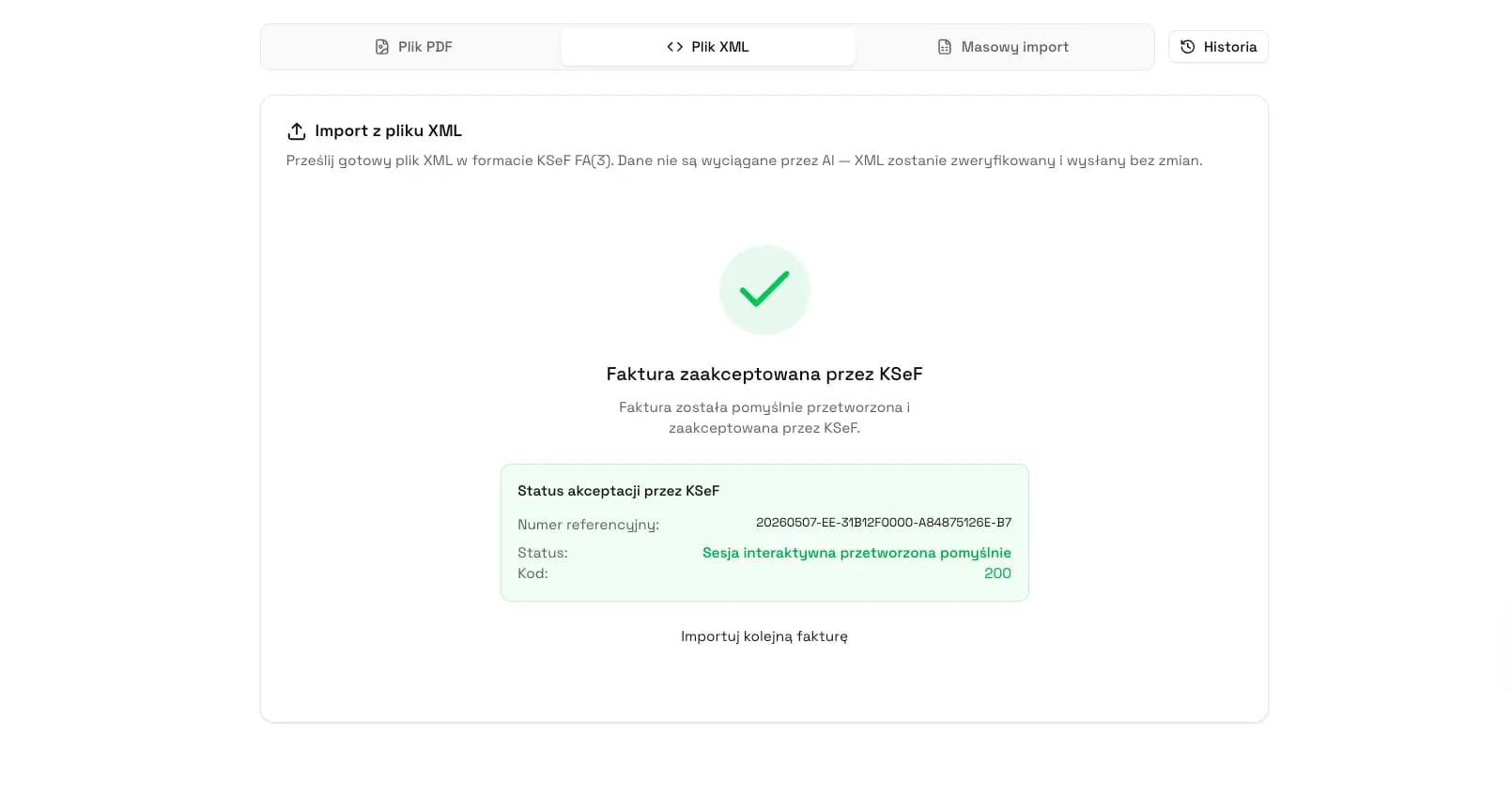
What to do after the invoice is accepted by KSeF
After acceptance, store the KSeF number, UPO, your own invoice number, submission date, and status. If you use an invoicing system, this data should return to the invoice record, not remain only in a downloaded file.
Internally, it is worth separating three states: invoice draft, XML ready for submission, and invoice accepted by KSeF. The most errors appear when a team treats a generated file or PDF preview as a document already effectively accepted.
If the UPO does not appear immediately, check the process status instead of immediately issuing a second invoice with the same data. A duplicate can create a bigger problem than a short wait for confirmation.
Common mistakes with a regular VAT invoice
The first mistake is using the `VAT` type for a document that should be a correction, an advance invoice, or a settlement of an advance payment. Technical validation alone does not fix this, because some decisions follow from the business and tax process.
The second mistake is inconsistent math: line items look correct, but net totals, VAT, and gross totals do not match after a discount or rounding. The third mistake is contractor data copied from an old record without checking the current NIP and name.
The fourth mistake is reissuing a document outside the correct process after rejection or missing UPO. If KSeF rejected the invoice, start with the diagnostic guide on invoice rejected by KSeF.
| Mistake | Effect | How to prevent it |
|---|---|---|
| Wrong invoice type | The document looks like a regular sale even though it should be a correction or advance invoice. | Start by deciding whether `VAT` is the correct code. |
| Inconsistent totals | XML may be rejected or need correction before submission. | Compare line items with the summary by VAT rates. |
| Incorrect NIP | The invoice reaches the wrong counterparty or requires correction. | Validate NIP and keep the contractor database current. |
| Confusing PDF with XML | The team assumes the invoice is ready even though there has been no submission to KSeF. | Treat PDF as a visualization and XML as the proper KSeF format. |
| No UPO in the register | It is unclear whether the document was accepted. | Store status, KSeF number, and UPO with the invoice. |
How KSeFGPT helps issue and check a VAT invoice
KSeFGPT helps on two levels. Public tools let you prepare XML for a regular VAT invoice and check the file with a validator. This is a useful stage for simple invoices, data tests, and learning the FA(3) structure.
The full invoice module is a broader document workflow: organizing invoices, monitoring statuses, working with XML, previewing documents, links between records, and data needed by accounting. The public generator should not be confused with the full KSeF submission and handling system.
The safest company process is: prepare data, generate XML, check validation, submit the invoice in a tool that supports KSeF, store the KSeF number and UPO. KSeFGPT describes this direction more broadly on the invoices module page.
Organize the KSeF invoice process
Work with invoices, XML, previews, statuses, and accounting data in one process instead of splitting files between inboxes, spreadsheets, and folders.
Go to the invoices modulePre-submission checklist
Use this list as a short procedure for a regular VAT invoice. If any point raises doubt, stop submission and correct the data before sending the document to KSeF.
| Point | Check |
|---|---|
| 1 | Is this really a regular sales invoice, not a correction, advance invoice, ROZ, UPR, or a sale requiring additional VAT margin markings? |
| 2 | Does `RodzajFaktury` in XML have the value `VAT`? |
| 3 | Are you issuing the invoice from the correct company and correct seller NIP? |
| 4 | Are the buyer NIP, name, and address current? |
| 5 | Are the invoice number and dates consistent with company numbering and the transaction? |
| 6 | Do line items, VAT rates, discounts, and totals add up correctly? |
| 7 | Does the XML pass FA(3) validation? |
| 8 | After submission, will you store the KSeF number, status, and UPO? |
Recommendation
If this article answers your question about a regular sales invoice, the next steps depend on the problem in front of you.
First read invoice types in KSeF if you are not sure whether `VAT` is the correct type. Then go to sending invoices to KSeF if you want to understand sessions, statuses, and confirmations.
If the problem is technical, return to XML and the FA(3) format in KSeF. If the document did not pass through KSeF, start with the guide on invoice rejected by KSeF.
Frequently asked questions
Is every VAT invoice in KSeF always RodzajFaktury VAT?
No. In FA(3), the code VAT means a basic invoice, meaning a regular sales invoice. A correction, advance invoice, final settlement invoice after an advance payment, or simplified invoice has a separate document type.
Can a PDF VAT invoice be sent to KSeF?
Not as a structured invoice. KSeF works with an XML file compliant with the FA(3) structure. A PDF may be a visualization or source material for preparing data, but the formal document sent to KSeF is XML.
Can a regular VAT invoice be edited after submission?
An invoice accepted by KSeF is not fixed by editing the old XML or resending the same invoice. If the document needs a change, you must choose the correct correction type, usually KOR for a regular sales invoice.
Does the free KSeFGPT generator send the invoice to KSeF?
No. The public generator helps prepare XML for a regular VAT invoice, and the validator helps check the file. Submission to KSeF requires a tool that handles authentication, a session, and acceptance status.
How do I know that a VAT invoice has been accepted by KSeF?
The key evidence is the acceptance status, KSeF number, and UPO. Generating XML or downloading a PDF does not by itself mean that the invoice has been issued and accepted in KSeF.
What should I do if a VAT invoice is rejected?
First check the validation message, party data, dates, totals, and document type. If KSeF rejects the document, correct the data and send valid XML instead of assuming that the invoice has already been effectively issued.
Issue and check KSeF invoices in one process
KSeFGPT helps prepare invoice data, work with XML FA(3), monitor statuses, and organize documents for accounting.
Go to the invoices moduleSources and reference materials
This article is based on official KSeF 2.0 materials, the FA(3) schema, and the locally verified scope of KSeFGPT public tools. Sources were checked on July 1, 2026.
- Structured invoice and FA logical structure
KSeF · accessed: July 1, 2026
Official description of the structured invoice, FA(3), the moment of issuance in online mode, and the moment of receiving an invoice using KSeF.
- Scope of mandatory KSeF
KSeF · accessed: July 1, 2026
Official information on the scope of mandatory KSeF, exclusions, and documents that are not sent to KSeF.
- FA(3) schema v1-0E
CIRF / Ministry of Finance · accessed: July 1, 2026
Official FA(3) XSD schema, including the TRodzajFaktury dictionary, the VAT code as a basic invoice, and elements such as P_1, P_2, P_15, and RodzajFaktury.
- What to know before the second stage of National e-Invoice System implementation
Ministry of Finance · accessed: July 1, 2026
Ministry of Finance notice on the stages of mandatory KSeF, operating modes, B2C, and practical rules for handling invoices.
- KSeF 2.0 downloadable files
KSeF · accessed: July 1, 2026
Official KSeF 2.0 materials, including Taxpayer Application materials and technical files.
Expert reviewed: Bogdan Mazurek
Tax advisor · July 1, 2026
The content was reviewed for the distinction of the basic `VAT` invoice in FA(3), practical data needed for a regular sales invoice, the moment of issuance in KSeF, and the boundaries between a VAT invoice, correction, advance invoice, and special procedures.